
Plugin
Updated
Fast Gallery - Premium Wordpress Plugin
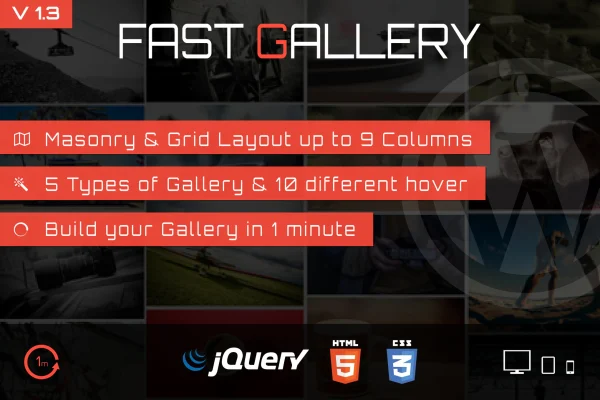
Fast Gallery is a WordPress plugin for building image galleries with a drag and drop interface. It offers four gallery types, 10 layout styles and masonry or grid arrangements, so bloggers, photographers and businesses can present photos in a way that fits their site.
- Version
- 2.0
- Released
- Dec 7, 2022
- Type
- WordPress plugin
- Licence
- GPL
- Included in
- Every plan, or $3.99 on its own
What’s new in Fast Gallery - Premium Wordpress Plugin 2.0
Version 2.0 · Dec 7, 2022
Latest
- NewAdded compatiblity with WP 6.x
- ImprovedRebuild code and fix some issues
What it does
Setting up a good looking gallery in WordPress often means juggling lightbox scripts, column settings and styling tweaks. This plugin brings those pieces into one place. You add your images, choose a gallery type such as Prettyphoto, Magnificer Popup, Fotorama or Custom URL, then pick one of 10 styles and a masonry or grid layout. Columns can range from 1 to 9, which lets a gallery sit neatly in a narrow sidebar area or stretch across a full width page.
Styling options help galleries match your brand. You can set a main color with opacity control and a secondary color, and there is a one thumb option for a cleaner presentation with a single thumbnail preview. Galleries are responsive and retina ready, so images stay sharp on high resolution screens. Widget support lets you place a gallery in widget areas without code, and included .po and .mo files make it ready for translation.
Best for
- Photographers presenting portfolios on WordPress
- Bloggers adding image galleries to posts and pages
- Business sites that need branded photo galleries
Features
Four gallery types
Choose between Prettyphoto, Magnificer Popup, Fotorama and Custom URL galleries to control how visitors open and browse your images.
Ten layout styles
Pick from 10 different gallery styles to give each collection of images its own look while keeping the setup simple.
Masonry and grid layouts
Arrange images in a masonry or grid layout that responds to screen size, so galleries adapt to phones, tablets and desktops.
One to nine columns
Set anywhere from 1 up to 9 columns to size the gallery for the space and content structure of each page.
Custom colors with opacity
Adjust a main color with opacity control plus a secondary color so gallery elements match the branding of your site.
One thumb option
Show a single thumbnail preview for a gallery, giving a tidier presentation where a full grid of images would feel crowded.
Widget support
Place galleries in widget areas across your site without writing any code, useful for sidebars and footers.
Retina and translation ready
Images display crisply on high resolution screens, and included .po and .mo files let you translate gallery text into other languages.
Questions about Fast Gallery - Premium Wordpress Plugin
What kinds of gallery popups can I use?
The plugin supports four gallery types: Prettyphoto, Magnificer Popup, Fotorama and Custom URL. These give you different ways for visitors to open, view and move through your images, or to link images to a custom address.
Can I match the gallery colors to my brand?
Yes. You can set a main color with opacity control along with a secondary color. Combined with the 10 layout styles, this lets you adjust galleries so they sit comfortably within your existing site design.
Will galleries look right on mobile devices?
The masonry and grid layouts are responsive and adapt to different screen sizes. Galleries are also retina ready, so images stay clear on high resolution displays such as modern phones and laptops.
Can I put a gallery in my sidebar?
Yes. The plugin includes widget support, so you can place galleries in widget areas like sidebars or footers without coding. Column settings from 1 to 9 help you fit the gallery to narrow spaces.
Is Fast Gallery - Premium Wordpress Plugin free?
The code of Fast Gallery - Premium Wordpress Plugin is licensed under the GPL, so anyone may use, change and share it. GPL Feast is a paid service: a plan or a single purchase gives you the download and automatic updates. The developer's own support, licence key and online services are not included.
Which version of Fast Gallery - Premium Wordpress Plugin is this?
Version 2.0, released Dec 7, 2022. New versions appear here when the developer publishes them, and members get them as automatic updates.
How do I update Fast Gallery - Premium Wordpress Plugin?
Install the free GPL Feast Updater on your site and connect it with your API key. It installs new versions of Fast Gallery - Premium Wordpress Plugin automatically and keeps a backup, so you can roll back.
You might also like






