
Plugin
Updated
Fast Media Gallery for Elementor
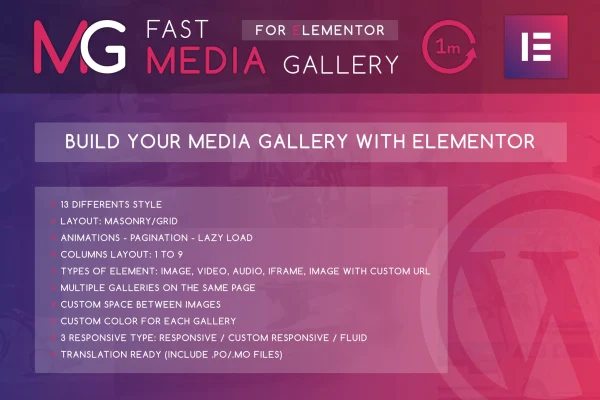
This plugin is an Elementor addon for building media galleries with images, videos, audio and iframes. You place a gallery on the page with Elementor's drag and drop editor, then pick a layout, set the sizes and adjust spacing and colors without writing code.
- Version
- 1.0
- Released
- May 2, 2023
- Type
- WordPress plugin
- Requires
- Elementor
- Licence
- GPL
- Included in
- Every plan, or $3.99 on its own
What’s new in Fast Media Gallery for Elementor 1.0
Version 1.0 · May 2, 2023
Latest
What it does
Elementor sites often need a single gallery that can hold photos, embedded videos and audio clips side by side. This addon handles that mix. A gallery can include images, YouTube and Vimeo videos, local video files, SoundCloud tracks, local audio files and iframes. You choose from 13 gallery styles built on grid and masonry layouts, so a portfolio, a video collection or a podcast page can each get a presentation that suits the content.
Fast Media Gallery for Elementor works inside the Elementor editor, which it requires. Responsive settings offer default, custom and fluid modes for different screen sizes, and you can set separate image sizes for thumbnails and the lightbox. Lazy loading holds media back until it is needed, and two pagination styles split large galleries into pages. Several galleries can sit on one page, and graphics are retina ready for high resolution screens.
Best for
- Photographers and creatives building portfolio sites with Elementor
- Bloggers mixing photos, videos and audio in posts
- Agencies building media-rich Elementor sites for clients
Features
13 gallery styles
Pick from 13 distinct gallery styles, including grid and masonry arrangements, to match the look of your site and the type of media you are presenting.
Mixed media support
Add images, YouTube and Vimeo videos, local video files, SoundCloud audio, local audio files and iframes to the same gallery.
Responsive modes
Choose default, custom or fluid responsive settings to control how each gallery adapts across phones, tablets and desktop screens.
Thumbnail and lightbox sizes
Set thumbnail and lightbox images to thumb, medium, large or full size, so previews and enlarged views each use a fitting resolution.
Lazy loading
Media loads only when it is needed rather than all at once when the page opens, which helps with pages that hold many items.
Two pagination styles
Break large galleries into pages using one of two pagination styles, giving visitors an easier way to move through long collections.
Multiple galleries per page
Place several galleries on the same page without them conflicting, which is handy for content-heavy pages with separate collections.
Spacing and color controls
Adjust the gap between items and set custom colors for gallery elements so each gallery fits your brand colors.
Questions about Fast Media Gallery for Elementor
Do I need Elementor to use this gallery plugin?
Yes. It is built as an addon for Elementor and requires it. Galleries are added and configured inside the Elementor editor using its drag and drop interface.
Can I put videos and audio in the same gallery as images?
Yes. A gallery can combine images with YouTube and Vimeo videos, local video files, SoundCloud audio, local audio files and iframes, so different media types can share one layout.
Can I show more than one gallery on a single page?
Yes. Multiple galleries can appear on one page without conflicts, and each can have its own layout, spacing, colors and pagination settings.
How does it handle galleries with a lot of items?
You can use lazy loading so media loads only when needed, and split long galleries into pages with either of the two pagination styles.
Is Fast Media Gallery for Elementor free?
The code of Fast Media Gallery for Elementor is licensed under the GPL, so anyone may use, change and share it. GPL Feast is a paid service: a plan or a single purchase gives you the download and automatic updates. The developer's own support, licence key and online services are not included.
Which version of Fast Media Gallery for Elementor is this?
Version 1.0, released May 2, 2023. New versions appear here when the developer publishes them, and members get them as automatic updates.
How do I update Fast Media Gallery for Elementor?
Install the free GPL Feast Updater on your site and connect it with your API key. It installs new versions of Fast Media Gallery for Elementor automatically and keeps a backup, so you can roll back.
What does Fast Media Gallery for Elementor need?
Fast Media Gallery for Elementor needs Elementor installed and active.
You might also like






