
Plugin
Updated
Fast Portfolio & Grid for Elementor
This Elementor add-on plugin gives you three widgets for building portfolio, grid and carousel layouts without writing code. It pulls in posts or custom post types and lets you style them with skins, column settings, colors and animations, so creative work and projects sit in tidy, responsive displays.
- Version
- 1.0
- Released
- May 2, 2023
- Type
- WordPress plugin
- Requires
- Elementor
- Licence
- GPL
- Included in
- Every plan, or $3.99 on its own
What’s new in Fast Portfolio & Grid for Elementor 1.0
Version 1.0 · May 2, 2023
Latest
What it does
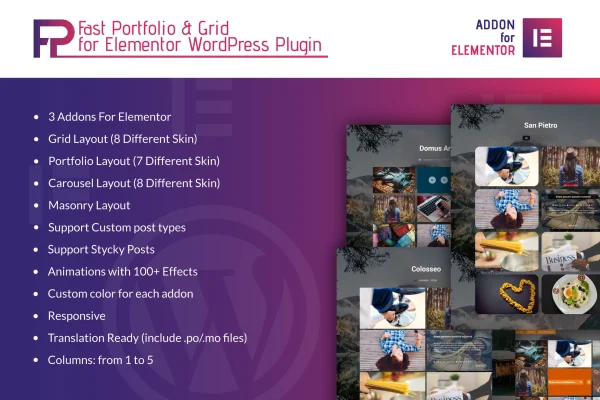
Fast Portfolio & Grid for Elementor is a plugin that requires Elementor and adds Grid, Portfolio and Carousel widgets to the editor. Many sites need a clean way to display projects, products or team members, and building those layouts by hand takes time. With this plugin you drop a widget onto the page, pick one of more than 20 skins and choose how many columns to show, from 1 to 5. Masonry layouts handle items of different sizes, and sticky posts let you keep chosen items in view.
Because it works inside Elementor, it fits into the page-building workflow you already use. The widgets can display custom post types, so a portfolio, product list or staff directory can all come from the same tool. You can set colors for each element to match your branding, add one of over 100 animation effects and open images in a lightbox popup. Layouts are responsive and retina ready, and the plugin ships with .po and .mo files for translation into other languages.
Best for
- Designers, photographers and artists displaying their portfolios
- Agencies building project galleries for client sites on Elementor
- Businesses listing products or team members in grids
Features
Three Elementor widgets
Separate Grid, Portfolio and Carousel widgets let you choose the layout type that suits each section of a page, all from inside the Elementor editor.
More than 20 skins
Over 20 skins spread across the three widgets give you a range of starting designs that you can then adjust to fit your site's look.
Masonry layout support
Masonry arrangements let items of varying heights and shapes fit together in the grid instead of forcing every card into the same size.
Custom post type display
Show projects, products, team members or other custom post types in your layouts, along with regular posts, using the same widgets.
Adjustable column count
Set your grid or portfolio to use anywhere from 1 to 5 columns, depending on your page design and how dense you want the content.
Over 100 animation effects
Choose from more than 100 animation effects to add motion to items as they appear, giving portfolios and grids a livelier presentation.
Lightbox image viewing
Images can open in a lightbox popup, letting visitors view your work at a larger size without leaving the page they are on.
Colors and translation files
Set custom colors for each addon element, and use the included .po and .mo files to translate the plugin's text for other languages.
Questions about Fast Portfolio & Grid for Elementor
Do I need Elementor to use this plugin?
Yes. The plugin is an Elementor add-on and requires Elementor to work. Its Grid, Portfolio and Carousel widgets appear in the Elementor editor, where you place and configure them like any other widget.
Can it display content other than blog posts?
Yes. The widgets support custom post types, so you can display projects, products, team members or other content types. Sticky posts are also supported, which helps you keep selected items in view.
How much control do I have over the layout's appearance?
You can pick from over 20 skins, set 1 to 5 columns, use masonry arrangements, choose custom colors for each element and apply any of more than 100 animation effects. Images can also open in a lightbox popup.
Will my portfolio work on phones and other languages?
The layouts are responsive and retina ready, so they adapt to different screen sizes and resolutions. The plugin is also translation ready and includes .po and .mo files for localizing its text.
Is Fast Portfolio & Grid for Elementor free?
The code of Fast Portfolio & Grid for Elementor is licensed under the GPL, so anyone may use, change and share it. GPL Feast is a paid service: a plan or a single purchase gives you the download and automatic updates. The developer's own support, licence key and online services are not included.
Which version of Fast Portfolio & Grid for Elementor is this?
Version 1.0, released May 2, 2023. New versions appear here when the developer publishes them, and members get them as automatic updates.
How do I update Fast Portfolio & Grid for Elementor?
Install the free GPL Feast Updater on your site and connect it with your API key. It installs new versions of Fast Portfolio & Grid for Elementor automatically and keeps a backup, so you can roll back.
What does Fast Portfolio & Grid for Elementor need?
Fast Portfolio & Grid for Elementor needs Elementor installed and active.
You might also like






