
Plugin
Updated
Fastgallery Gutenberg
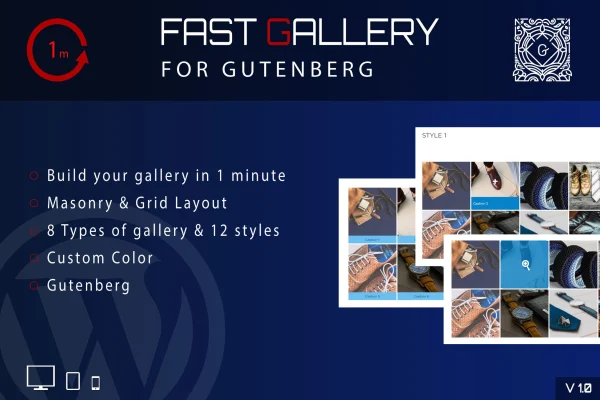
Fastgallery Gutenberg is a WordPress plugin for building image galleries inside the Gutenberg block editor. It gives you masonry and grid layouts, three popup types, twelve gallery styles and column settings from 1 to 8, all without writing code.
- Version
- 1.0
- Released
- May 2, 2023
- Type
- WordPress plugin
- Licence
- GPL
- Included in
- Every plan, or $3.99 on its own
What’s new in Fastgallery Gutenberg 1.0
Version 1.0 · May 2, 2023
Latest
What it does
The block editor's built-in gallery covers the basics, but many site owners want more control over how images are arranged and how they open when clicked. This plugin works directly in Gutenberg, so you pick your images, choose a layout and adjust the look from the same editor you already use for posts and pages. You can set colors per gallery, choose between masonry and grid arrangements, and decide how many columns each gallery uses.
When a visitor clicks an image, the gallery can open it in a Prettyphoto or Magnificer popup, or send the visitor to a custom URL. A one-thumb option shows a single thumbnail for a cleaner layout. Galleries are responsive with their own responsiveness settings and are retina ready for high-resolution screens. Item tagging helps you organize images, and included .po and .mo files let you translate the plugin for visitors in other languages.
Best for
- Photographers displaying portfolios on WordPress
- Bloggers who add image galleries to posts
- Business sites using the Gutenberg block editor
Features
Three gallery types
Choose Prettyphoto or Magnificer popups to open images in an overlay, or use the Custom URL type to link each image to a page of your choice.
Twelve gallery styles
Pick from twelve distinct styles to change the look of each gallery so it fits your branding and the design of the page it sits on.
Masonry and grid layouts
Arrange images in a masonry layout for mixed image sizes or a tidy grid when you want even rows and a uniform presentation.
One to eight columns
Set anywhere from 1 to 8 columns per gallery, so a gallery can be a single wide column or a dense grid of small thumbnails.
Custom colors per gallery
Adjust colors individually for each gallery, which helps keep galleries consistent with your brand colors across different pages of the site.
Responsive and retina ready
Galleries adapt to different screen sizes with custom responsiveness settings, and images are prepared to look sharp on high-resolution displays.
One-thumb gallery option
Show a single thumbnail that opens the full gallery, a minimal layout that saves space on busy pages while keeping navigation simple.
Item tagging and translation
Tag gallery items to organize and filter images, and use the included .po and .mo files to translate the plugin for international visitors.
Questions about Fastgallery Gutenberg
Does this plugin work with the Gutenberg block editor?
Yes. It is built for Gutenberg and adds gallery creation directly to the block editor, so you can build and style galleries on your posts and pages without any coding.
What happens when a visitor clicks an image?
That depends on the gallery type you choose. Prettyphoto and Magnificer Popup open the image in an overlay popup, while the Custom URL type sends the visitor to a link you set for that image.
Can I control the layout and number of columns?
You can choose masonry or grid layouts and set between 1 and 8 columns. There are also twelve gallery styles, custom colors for each gallery and a one-thumb option for a minimal look.
Can I translate the gallery for visitors in other languages?
Yes. The plugin is translation ready and includes .po and .mo files, so you can localize its text for international audiences using standard WordPress translation tools.
Is Fastgallery Gutenberg free?
The code of Fastgallery Gutenberg is licensed under the GPL, so anyone may use, change and share it. GPL Feast is a paid service: a plan or a single purchase gives you the download and automatic updates. The developer's own support, licence key and online services are not included.
Which version of Fastgallery Gutenberg is this?
Version 1.0, released May 2, 2023. New versions appear here when the developer publishes them, and members get them as automatic updates.
How do I update Fastgallery Gutenberg?
Install the free GPL Feast Updater on your site and connect it with your API key. It installs new versions of Fastgallery Gutenberg automatically and keeps a backup, so you can roll back.
You might also like






