
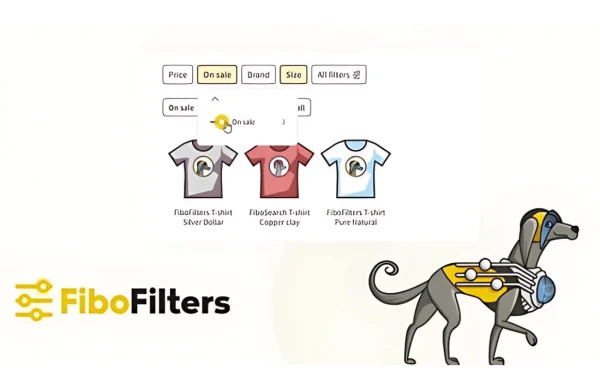
Plugin
Updated
FiboFilters
FiboFilters by FiboFilters Team is a WooCommerce plugin that adds product filtering to your shop pages. It shows filters that match the current category or search context, so shoppers can narrow results by several attributes at once and find products without scrolling through the whole catalog.
- Version
- 1.13.1
- Released
- Oct 8, 2026
- Developer
- FiboFilters Team
- Type
- WordPress plugin
- Requires
- WooCommerce
- Licence
- GPL
- Included in
- Every plan, or $7.99 a year on its own
What’s new in FiboFilters 1.13.1
Version 1.13.1 · Oct 8, 2026
Latest
- FixedSEO Rules: product and regular pages with a filter parameter in the URL getting a noindex
- FixedSEO Rules: canonical link and noindex from FiboFilters not reaching Yoast SEO, Rank Math, SEOPress and All in One SEO
- FixedSEO Rules: pages kept out of the index still carrying a canonical link
- FixedSEO Rules: tracking parameters like utm_source and gclid ending up in the canonical link
- FixedSEO Rules: the same filtered page indexable under two URLs differing only in filter order
- FixedSEO Rules: rule title and meta description staying after clearing filters on a page opened with filters in the URL
- FixedSEO Rules: rule title, meta description and canonical link appearing on not found pages, such as a page number beyond the last one
- FixedDisabled filter items displayed as links could still be clicked
What it does
Big product catalogs get hard to browse when every filter appears on every page. This plugin shows filters based on what the shopper is viewing, so a category page only lists the attributes that apply to it. Its approach draws on usability research from the Baymard Institute. Customers can combine several attributes in a faceted search, and the results update to match their choices. It requires WooCommerce and works within your existing store setup.
Store owners manage filters from a straightforward dashboard that doesn't call for technical skills. You can adjust the look and placement of filters to suit your theme, and the layout responds to phones and tablets. The plugin supports multilingual sites and right-to-left languages. It also includes SEO rules for filtered pages, with options for clean URLs, canonical links, noindex settings and custom titles and meta descriptions that work alongside plugins such as Yoast SEO, Rank Math, SEOPress and All in One SEO.
Best for
- WooCommerce stores with large or varied product catalogs
- Shops selling products with many attributes like size or color
- Multilingual or right-to-left language online stores
Features
Faceted product search
Shoppers can filter products by multiple attributes at the same time, combining choices to narrow a catalog down to the items they want.
Category-specific filters
Filters change with the current product category or search context, so each page only shows options that are relevant to the products listed.
Customizable filter layouts
Store owners can adjust the appearance and placement of filters so they fit the look of the site's theme and branding.
Mobile-friendly filters
The filter interface is responsive and built to be easy to use on smartphones and tablets as well as desktop screens.
Simple settings dashboard
A straightforward admin dashboard handles filter setup and management, so store owners without technical experience can configure and maintain their filters.
Multilingual and RTL support
Filters work on multilingual websites and with right-to-left languages, which suits stores serving customers in more than one language.
SEO rules for filtered pages
Filtered pages can get clean URLs, canonical links, noindex settings and custom titles and meta descriptions, passed to Yoast SEO, Rank Math, SEOPress and All in One SEO.
FiboFilters older versions
- 1.13.0Sep 18 new, 3 improvements, 21 fixes
- 1.12.1Apr 293 fixes
- 1.12.0Apr 2712 new, 2 improvements, 26 fixes
- 1.11.0Dec 18, 2025
- 1.10.0Sep 9, 2025
- 1.9.0May 14, 2025
- 1.8.0Mar 28, 2025
- 1.7.0Jan 27, 2025
- 1.5.2Dec 1, 2024
Members and buyers of this product can download older versions.
Questions about FiboFilters
Does FiboFilters work without WooCommerce?
No. The plugin is built for WooCommerce and requires it. It filters WooCommerce products on your shop, category and search pages, working within your existing store rather than replacing any of its functions.
Will the filters change depending on the category a shopper is viewing?
Yes. The filters are content-aware, meaning they show options relevant to the current product category or search context. Shoppers on a given category page see only the attributes that apply there, which keeps the filter panel shorter and easier to scan.
Can I control how filtered pages appear in search engines?
Yes. The plugin includes SEO rules for filtered pages, covering clean URLs, canonical links, noindex settings, and rule-based titles and meta descriptions. These settings are passed to Yoast SEO, Rank Math, SEOPress and All in One SEO if you use one of them.
Can I make the filters match my theme?
You can. The filter layouts are customizable, letting you adjust their appearance and placement to suit your theme and branding. The design is also responsive, so the filters adapt to phones and tablets.
Is FiboFilters free?
The code of FiboFilters is licensed under the GPL, so anyone may use, change and share it. GPL Feast is a paid service: a plan or a single purchase gives you the download and automatic updates. The developer's own support, licence key and online services are not included.
Which version of FiboFilters is this?
Version 1.13.1, released Oct 8, 2026. New versions appear here when the developer publishes them, and members get them as automatic updates.
How do I update FiboFilters?
Install the free GPL Feast Updater on your site and connect it with your API key. It installs new versions of FiboFilters automatically and keeps a backup, so you can roll back.
What does FiboFilters need?
FiboFilters needs WooCommerce installed and active.
You might also like






