
Plugin
Updated
FiboSearch
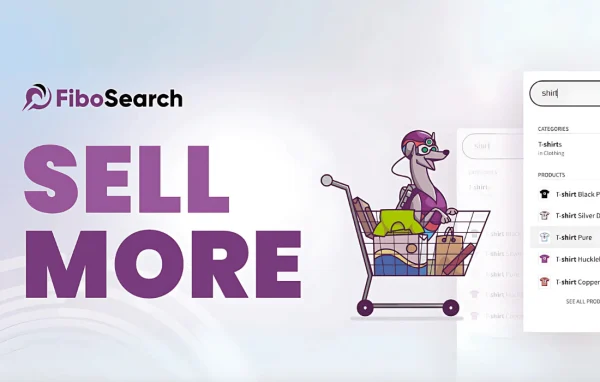
FiboSearch by FiboSearch Team is a WordPress plugin that replaces the standard WooCommerce search with an AJAX live search bar. As shoppers type, it suggests matching products and can show details like images, prices and ratings right in the dropdown. It requires WooCommerce.
- Version
- 1.34.3
- Released
- Oct 8, 2026
- Developer
- FiboSearch Team
- Type
- WordPress plugin
- Requires
- WooCommerce
- Licence
- GPL
- Included in
- Every plan, or $10.39 a year on its own
What’s new in FiboSearch 1.34.3
Version 1.34.3 · Oct 8, 2026
Latest
- FixedEAN for WooCommerce plugin: no results when searching by EAN after updating that plugin
- FixedDatabase error on the settings page with WooCommerce older than 9.2
- SecurityStored XSS in the WordPress admin panel. The script can run only in the browser of a logged-in administrator or shop manager. Thanks to daroo and the Wordfence team for the responsible disclosure.
- ImprovedThe .pot file
- ImprovedFreemius SDK
What it does
The default WooCommerce search makes shoppers type a full query, submit it and then scan a results page. This plugin changes that by showing product suggestions while the visitor is still typing. Matching items appear in a dropdown under the search bar, so people can spot what they want and click straight through. The developer says it is built to handle catalogs with over 50,000 products, which makes it a reasonable fit for stores with large inventories as well as smaller shops.
On phones and tablets, the search opens in a full-screen overlay mode, giving mobile shoppers more room to read suggestions. An extended details panel can display product information such as images, prices and ratings inside the live results. You can adjust the look of the search bar and the suggestion dropdown to match your store design, and the plugin is stated to work with page builders including Elementor and Toolset. Release notes also mention search by EAN when used alongside the EAN for WooCommerce plugin.
Best for
- WooCommerce stores with large or growing product catalogs
- Shops with many mobile shoppers
- Agencies building WooCommerce sites with Elementor or Toolset
Features
Search as you type
Autocomplete live search suggests relevant products in a dropdown while the shopper is typing, so they can jump to an item without loading a full results page.
Mobile overlay mode
On smartphones and tablets, search suggestions open in a full-screen overlay, giving mobile visitors a cleaner and roomier way to browse matching products.
Extended product details panel
Shows product data such as images, prices and ratings directly within the live suggestions, so shoppers can compare items before opening a product page.
Built for large catalogs
The plugin is designed to handle WooCommerce catalogs with over 50,000 products, so it suits stores that keep adding items over time.
Customizable search interface
Adjust the look and feel of the search bar and the suggestion dropdown so they match your store branding and layout.
Page builder compatibility
Stated to be compatible with popular page builders like Elementor and Toolset, so you can place the search bar within builder-made layouts.
EAN search support
When used with the EAN for WooCommerce plugin, shoppers can search products by their EAN codes and get matching results.
FiboSearch older versions
- 1.34.2Sep 182 improvements, 1 security fix
- 1.34.1Aug 201 improvement, 1 security fix
- 1.34.0Aug 15 improvements, 9 fixes, 2 security fixes
- 1.33.0Apr 28
- 1.32.2Jan 8
- 1.32.1Dec 18, 2025
- 1.32.0Nov 18, 2025
- 1.31.0Jul 15, 2025
- 1.30.1Jan 29, 2025
- 1.30.0Jan 27, 2025
Members and buyers of this product can download older versions.
20 older versions in all. If you need one that is not listed, ask support.
Questions about FiboSearch
Do I need WooCommerce to use FiboSearch?
Yes. The plugin is made specifically for WooCommerce stores and requires WooCommerce to be active. It works with your WooCommerce product catalog to generate live search suggestions as shoppers type.
Can it handle a store with thousands of products?
The developer states that it is built to handle catalogs with over 50,000 products. That makes it a sensible option for stores with large inventories, as well as smaller shops that plan to grow their catalog.
What do shoppers see in the search suggestions?
Matching products appear in a dropdown as the visitor types. With the extended details panel, suggestions can also show product information such as images, prices and ratings, helping shoppers decide before clicking through.
Will the search bar work with my page builder and on mobile?
It is stated to be compatible with page builders like Elementor and Toolset. On phones and tablets, it offers a full-screen overlay mode for search suggestions, and you can customize the search bar and dropdown styling.
Is FiboSearch free?
The code of FiboSearch is licensed under the GPL, so anyone may use, change and share it. GPL Feast is a paid service: a plan or a single purchase gives you the download and automatic updates. The developer's own support, licence key and online services are not included.
Which version of FiboSearch is this?
Version 1.34.3, released Oct 8, 2026. New versions appear here when the developer publishes them, and members get them as automatic updates.
How do I update FiboSearch?
Install the free GPL Feast Updater on your site and connect it with your API key. It installs new versions of FiboSearch automatically and keeps a backup, so you can roll back.
What does FiboSearch need?
FiboSearch needs WooCommerce installed and active.
You might also like






