
Plugin
Updated
Firebox Pro
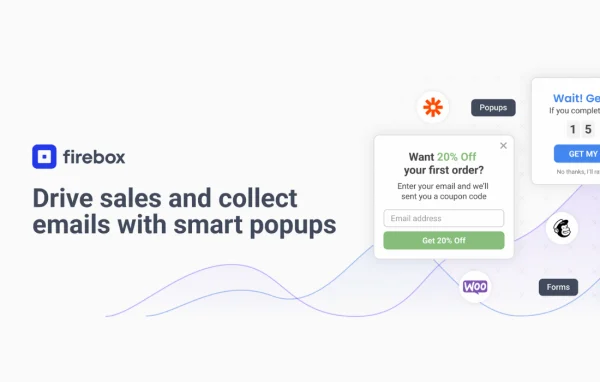
Firebox Pro by Firebox is a WordPress plugin for building popups, slide-ins and sticky bars. You can show them to visitors based on behavior such as exit intent, scroll depth or time on page, and use them for email signups, offers, announcements and compliance notices.
- Version
- 3.1.14
- Released
- Oct 2, 2026
- Developer
- Firebox
- Type
- WordPress plugin
- Licence
- GPL
- Included in
- Every plan, or $3.99 on its own
What’s new in Firebox Pro 3.1.14
Version 3.1.14 · Oct 2, 2026
Latest
- ImprovedImproved security of the "FireBox - Submitted Form" display condition.
What it does
Most sites need a way to put a message in front of visitors at the right moment: a discount before they leave, a newsletter signup after they read a post, or a cookie notice on arrival. This plugin handles all of that from one place. You design a popup, slide-in or sticky bar, then set rules that decide when it appears, such as on page load, after a delay, at a certain scroll depth, on exit intent or when a button is clicked. Design options let you match the look to your brand without writing code.
It fits online stores, blogs and service sites alike. For WooCommerce shops, it can display upsell, cross-sell and frequently bought together popups, plus a sticky bar that shows how close a shopper is to free shipping. Content sites can gate posts or webinars behind an email signup or offer lead magnets like ebooks and cheat sheets. There are also tools for cookie consent banners, age verification, external link warnings, surveys, quizzes, meeting booking, giveaways and phone number capture.
Best for
- WooCommerce stores promoting upsells and free shipping
- Bloggers growing an email list with gated content
- Service sites needing consent banners or age checks
Features
Behavior based triggers
Show campaigns on exit intent, page load, time spent on the page, scroll depth or a clicked button, so each message appears at a relevant moment.
WooCommerce upsell popups
Create upsell, cross-sell and frequently bought together popups inside a WooCommerce store to suggest related products to shoppers.
Free shipping progress bar
Display a sticky bar in WooCommerce that tells customers how close their cart is to qualifying for free shipping.
Countdown timers
Add countdowns to popups and bars to mark the end of a limited-time offer and give visitors a clear deadline.
Email and phone capture
Collect leads with newsletter forms, discount offers, giveaways and lead magnets, and gather phone numbers for SMS marketing campaigns.
Content gating
Use popups and sticky bars to restrict access to exclusive blog posts, webinars or downloadable files until a visitor signs up.
Compliance notices
Set up cookie consent banners aimed at GDPR and CCPA requirements, age verification popups and warnings for external links.
Engagement and announcements
Run surveys and quizzes, offer meeting booking, post announcement bars, promote social profiles with floating buttons and highlight your return policy.
Firebox Pro older versions
- 3.1.13Sep 87 improvements, 1 fix
- 3.1.12Aug 301 fix
- 3.1.11Aug 276 improvements
- 3.1.10Aug 20
- 3.1.9Jul 17
- 3.1.8Jun 17
- 3.1.7May 22
- 3.1.6Apr 23
- 3.1.5Feb 20
- 3.1.4Dec 31, 2025
Members and buyers of this product can download older versions.
58 older versions in all. If you need one that is not listed, ask support.
Questions about Firebox Pro
Does it work with WooCommerce?
Yes. It integrates with WooCommerce, letting you build upsell, cross-sell and frequently bought together popups, and a sticky bar showing shoppers how close they are to free shipping. Exit-intent popups can also be used to reach shoppers who are about to leave their cart.
Can I control when a popup appears?
You can. Display rules cover page load, timed delays, time spent on the page, scroll depth, exit intent and clicked buttons. This lets you match each campaign to what the visitor is doing instead of showing the same message to everyone.
Do I need coding skills to design popups?
No. The design options let you adjust the look, feel and behavior of each popup, slide-in or sticky bar to suit your brand without writing code.
Can it handle cookie consent and age verification?
Yes. It includes cookie consent banners intended for GDPR and CCPA compliance, age verification popups that restrict access based on visitor age, and warnings shown before visitors follow external links.
Is Firebox Pro free?
The code of Firebox Pro is licensed under the GPL, so anyone may use, change and share it. GPL Feast is a paid service: a plan or a single purchase gives you the download and automatic updates. The developer's own support, licence key and online services are not included.
Which version of Firebox Pro is this?
Version 3.1.14, released Oct 2, 2026. New versions appear here when the developer publishes them, and members get them as automatic updates.
How do I update Firebox Pro?
Install the free GPL Feast Updater on your site and connect it with your API key. It installs new versions of Firebox Pro automatically and keeps a backup, so you can roll back.
You might also like






