
Plugin
Updated
Flyout Menu Awesome Pro
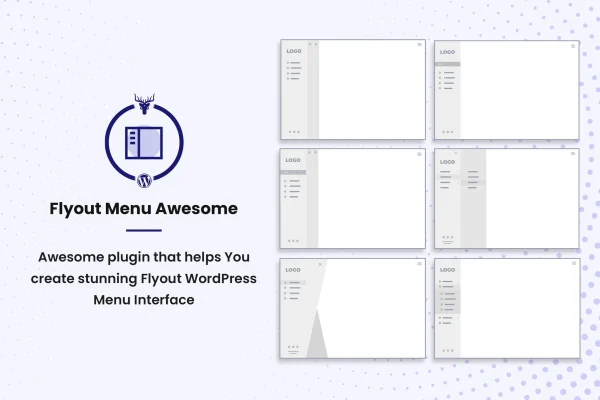
Flyout Menu Awesome Pro by themesawesome is a WordPress plugin that adds a vertical slide menu or flyout menu to your site. It gives you a choice of layouts, menu buttons and styling controls, so you can build a slide-out navigation panel that fits your design without writing code.
- Version
- 1.0.3
- Released
- Aug 16, 2022
- Type
- WordPress plugin
- Licence
- GPL
- Included in
- Every plan, or $3.99 on its own
What’s new in Flyout Menu Awesome Pro 1.0.3
Version 1.0.3 · Aug 16, 2022
Latest
- Changed1.0.3 | 16 August 2022: UDPDATEDTA License not wall feature
- NewTA License admin notice
What it does
Standard horizontal menus can get crowded, especially on smaller screens or on sites with many pages. This plugin moves your navigation into a vertical panel that slides into view when a visitor clicks the menu button. You can pick between a flyout menu and a vertical navigation menu, then choose from three layout styles to match the structure and look of your site. It suits blogs, corporate sites and other projects where you want a tidy, compact way to organize links.
Setup happens inside WordPress and needs no coding knowledge. You can choose one of two menu button styles, including a hamburger icon, add a custom label to the menu, and set your own background. Colors, fonts and other styling elements are adjustable, so the menu can follow your branding. The menu is responsive across desktops, tablets and smartphones, works in modern browsers, and is built with HTML, CSS and JS.
Best for
- Blogs wanting a compact slide-out navigation menu
- Corporate and business sites with many pages
- Site owners who prefer styling menus without code
Features
Three layout styles
Choose from three distinct vertical menu designs and pick the one that best matches the look and structure of your website.
Flyout or vertical menu
Use either a flyout menu or a vertical navigation menu, depending on how your site is organized and how you want visitors to browse.
Two menu button styles
Select between two menu button designs, including a hamburger style, to give visitors a familiar trigger for opening the navigation panel.
Custom menu background
Set your own background for the menu panel so it matches the colors and design of the rest of your website.
Custom menu label
Add a descriptive label to your menu so visitors can clearly see what the button does and where to find your navigation.
Color and font controls
Adjust colors, fonts and other styling elements to bring the menu in line with your brand and overall site design.
Responsive on all devices
The menu adapts to desktops, tablets and smartphones, giving visitors a usable navigation panel whatever screen size they are using.
No coding required
Create and manage the slide menu from within WordPress without editing code, built on HTML, CSS and JS for modern browsers.
Questions about Flyout Menu Awesome Pro
What kinds of menus can I create with this plugin?
You can create either a flyout menu or a vertical navigation menu. Both slide into view from a menu button, and you can pick from three layout styles to decide how the panel looks and how your links are arranged.
Can I make the menu match my brand colors and fonts?
Yes. The plugin lets you adjust colors, fonts and other styling elements, set a custom menu background and add a custom label. These options let you shape the menu so it fits your existing branding and site design.
Will the slide menu work on phones and tablets?
The menu uses a responsive design that works on desktops, tablets and smartphones. It is also built for modern browsers, so the menu should look and behave consistently across the devices and browsers your visitors use.
Do I need to know how to code to use Flyout Menu Awesome Pro?
No coding knowledge is needed. You set up and manage the menu inside WordPress, choosing layouts, button styles, backgrounds and styling options from the plugin settings.
Is Flyout Menu Awesome Pro free?
The code of Flyout Menu Awesome Pro is licensed under the GPL, so anyone may use, change and share it. GPL Feast is a paid service: a plan or a single purchase gives you the download and automatic updates. The developer's own support, licence key and online services are not included.
Which version of Flyout Menu Awesome Pro is this?
Version 1.0.3, released Aug 16, 2022. New versions appear here when the developer publishes them, and members get them as automatic updates.
How do I update Flyout Menu Awesome Pro?
Install the free GPL Feast Updater on your site and connect it with your API key. It installs new versions of Flyout Menu Awesome Pro automatically and keeps a backup, so you can roll back.
You might also like






