
Plugin
Updated
Gallery Showcase Pro
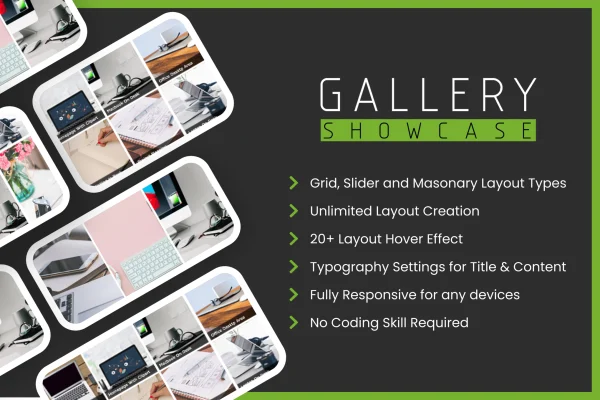
Gallery Showcase Pro is a WordPress plugin for displaying images and posts in gallery layouts. It gives you hover effects, several preview styles and layout settings so you can shape each gallery to fit your site's design without writing code.
- Version
- 1.0.6
- Released
- Aug 25, 2026
- Type
- WordPress plugin
- Licence
- GPL
- Included in
- Every plan, or $3.99 on its own
What’s new in Gallery Showcase Pro 1.0.6
Version 1.0.6 · Aug 25, 2026
Latest
- ImprovedLatest WordPress 7.1 compatibility Check
- FixedIncorrect escaping function usage that prevented a couple of admin-side strings from being translated
What it does
Many WordPress sites need a cleaner way to present visual content than a plain list of posts or a basic image block. This plugin handles both images and posts, so a photographer can build a portfolio grid while a blogger can turn recent articles into a browsable gallery. You can also add dynamic content to each gallery, which lets you place information right alongside the visuals instead of on a separate page.
Galleries are set up through a settings panel meant for people at any skill level. You pick a preview style, choose from more than 20 hover effects, then adjust spacing, colors and fonts to match your branding. The layouts are responsive, so they adapt to desktops, tablets and phones. It suits portfolios, blogs, business sites and online shops that want their images and posts presented in a more visual format.
Best for
- Photographers and artists building online portfolios
- Bloggers who want posts shown in a visual gallery
- Business and shop sites presenting images or products
Features
More than 20 hover effects
Choose from over 20 hover animations that play when visitors point at an image or post, adding motion and interest to your gallery items.
Image and post galleries
Build galleries from images or from posts, so the same plugin works for photo portfolios, blog archives and product or business content.
Multiple preview styles
Pick from several preview styles, each with its own customizable options, to create gallery layouts that suit different pages and content types.
Dynamic content in galleries
Add dynamic content to each gallery so visitors can see related information displayed next to the images and posts they are browsing.
Custom layout settings
Adjust spacing, colors, fonts and other layout details so every gallery matches the look and branding of the rest of your website.
Responsive gallery display
Galleries adapt their layout to desktops, tablets and smartphones, so visitors get a usable view of your content on whatever device they use.
Beginner-friendly settings panel
An intuitive settings panel lets you create and manage galleries without coding, which keeps setup approachable for users with little technical experience.
Gallery Showcase Pro older versions
- 1.0.4Mar 111 improvement, 1 fix
- 1.0.1Nov 11, 20231 improvement
Members and buyers of this product can download older versions.
Questions about Gallery Showcase Pro
Can I use this to display blog posts as well as photos?
Yes. The plugin supports both image galleries and post galleries, so you can present a set of photos or arrange your posts in a gallery layout. That makes it useful for blogs and business sites as well as portfolios.
Do I need coding skills to build a gallery?
No. Galleries are created and managed through a settings panel designed for all skill levels. You choose a preview style and hover effect, then adjust layout options like spacing, colors and fonts from the same interface.
Will my galleries look right on phones and tablets?
The galleries use a responsive design that adjusts to desktops, tablets and smartphones. Your images and posts rearrange to fit the screen size, so visitors on mobile devices can still browse them comfortably.
How much control do I have over the gallery design?
You can pick from multiple preview styles and more than 20 hover effects, then customize spacing, colors, fonts and other layout settings. This lets you match each gallery to your site's existing look and branding.
Is Gallery Showcase Pro free?
The code of Gallery Showcase Pro is licensed under the GPL, so anyone may use, change and share it. GPL Feast is a paid service: a plan or a single purchase gives you the download and automatic updates. The developer's own support, licence key and online services are not included.
Which version of Gallery Showcase Pro is this?
Version 1.0.6, released Aug 25, 2026. New versions appear here when the developer publishes them, and members get them as automatic updates.
How do I update Gallery Showcase Pro?
Install the free GPL Feast Updater on your site and connect it with your API key. It installs new versions of Gallery Showcase Pro automatically and keeps a backup, so you can roll back.
You might also like






