
Plugin
Updated
Graphical Statistics - Dashboard Widgets
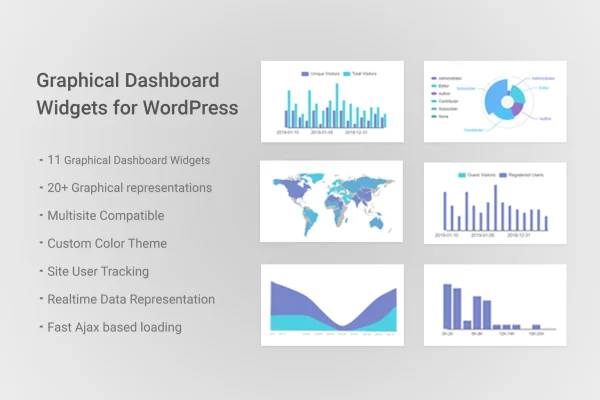
Graphical Statistics - Dashboard Widgets by themepassion is a WordPress plugin that turns your admin dashboard into a visual overview of your site. It adds 11 dashboard widgets with more than 20 graph types, covering visitors, users, content and more.
- Version
- 1.7.1
- Released
- Aug 24, 2026
- Type
- WordPress plugin
- Licence
- GPL
- Included in
- Every plan, or $3.99 on its own
What’s new in Graphical Statistics - Dashboard Widgets 1.7.1
Version 1.7.1 · Aug 24, 2026
Latest
What it does
The default WordPress dashboard tells you very little about who visits your site or how your content is organized. This plugin fills that gap by placing charts, graphs and maps right on the admin dashboard. You can see online users, browser and platform usage, user locations, traffic sources, post categories and other site data without opening a separate analytics tool. It suits blogs, business sites and online stores where the people running the site want a quick read on activity each time they log in.
The widgets load their data through AJAX, so the statistics refresh on the dashboard without a full page reload. You can change the graph colors to match your site's branding, giving the admin area a consistent look. The layout is responsive, so the charts remain readable on desktops, tablets and phones. Setup needs no coding, which makes the plugin approachable for site owners as well as the developers and agencies who manage dashboards for clients.
Best for
- Bloggers who want visitor stats inside the WordPress admin
- Business and ecommerce site owners tracking site activity
- Agencies building informative dashboards for client sites
Features
Eleven dashboard widgets
Adds 11 separate widgets to the WordPress admin dashboard, each focused on a different set of site statistics you can review at a glance.
More than 20 graph types
Presents data in over 20 graph formats, including charts, graphs and maps, so each kind of statistic gets a fitting visual layout.
Live data through AJAX
Widget data is loaded via AJAX, keeping the numbers on your dashboard current without needing to reload the whole admin page.
Visitor and user insights
Tracks online users, browser and platform usage, user locations and traffic sources to help you understand who is visiting your site.
Content statistics
Shows information about your content, such as post categories and engagement, so you can see how your posts are spread across the site.
Custom graph colors
Lets you set the colors used in the graphs so the dashboard matches your site's theme and branding.
Responsive chart layout
The widgets adapt to the screen size, so you can check your dashboard statistics on desktops, tablets and smartphones.
Questions about Graphical Statistics - Dashboard Widgets
What kind of data do the widgets show?
The widgets display statistics such as online users, browser and platform usage, user locations, traffic sources, post categories and content engagement. The data appears in charts, graphs and maps on the WordPress admin dashboard.
Will the charts update while I am on the dashboard?
Yes. The plugin loads widget data through AJAX, so statistics refresh on the dashboard without a full page reload. This keeps the figures current while you work in the admin area.
Can I make the graphs match my site's colors?
Yes. Graph colors are customizable, so you can choose colors that fit your site's theme or brand and keep the admin dashboard looking consistent.
Do I need coding skills to use it?
No coding is required. The widgets work through a simple interface, so site owners of any skill level can start viewing their statistics on the dashboard.
Is Graphical Statistics - Dashboard Widgets free?
The code of Graphical Statistics - Dashboard Widgets is licensed under the GPL, so anyone may use, change and share it. GPL Feast is a paid service: a plan or a single purchase gives you the download and automatic updates. The developer's own support, licence key and online services are not included.
Which version of Graphical Statistics - Dashboard Widgets is this?
Version 1.7.1, released Aug 24, 2026. New versions appear here when the developer publishes them, and members get them as automatic updates.
How do I update Graphical Statistics - Dashboard Widgets?
Install the free GPL Feast Updater on your site and connect it with your API key. It installs new versions of Graphical Statistics - Dashboard Widgets automatically and keeps a backup, so you can roll back.
You might also like






