
Plugin
Updated
Grid Plus
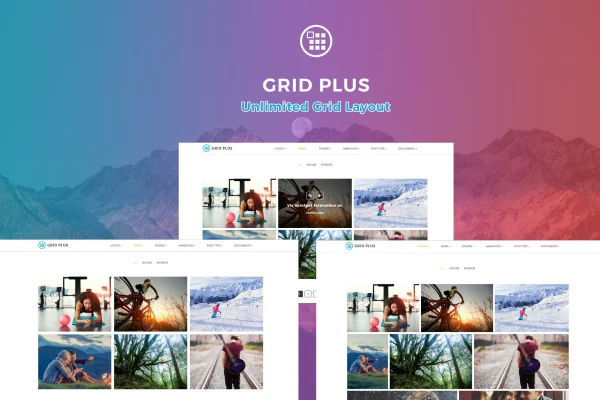
Grid Plus is a WordPress plugin for displaying your content in custom grid layouts. It works with blog posts, portfolio items, WooCommerce products and custom post types, and gives you several layout styles, color and skin options, and category filters without writing code.
- Version
- 3.4
- Released
- Jun 23, 2026
- Type
- WordPress plugin
- Requires
- WooCommerce
- Licence
- GPL
- Included in
- Every plan, or $3.99 on its own
What’s new in Grid Plus 3.4
Version 3.4 · Jun 23, 2026
Latest
- SecurityStored Cross-Site Scripting (XSS) vulnerability fixed.
- SecurityImproved input sanitization and output escaping.
- SecurityHardened AJAX request validation.
What it does
Many WordPress themes give you one or two fixed ways to list posts, which can feel limiting when you want a portfolio, a product gallery and a blog archive to each look different. This plugin lets you build your own grid displays and choose how each one is arranged, from a classic grid to masonry, carousel, metro or justified layouts. You set colors and skins to match your brand, and the grids adapt to desktops, tablets and phones.
Because it supports all WordPress post types, one tool can handle blog posts, portfolio entries, WooCommerce products and any custom content you have registered. Category filters help visitors sort through a gallery to find what interests them. Layouts can be exported and imported, so a design you build once can be reused on another project or client site. The plugin includes .mo files for translation, documentation to help with setup, and it requires WooCommerce.
Best for
- Bloggers who want more flexible post archive layouts
- Portfolio sites for designers, photographers and creative studios
- WooCommerce stores that want filterable product grids
Features
Five layout styles
Choose between grid, masonry, carousel, metro and justified layouts to present each collection of content in the arrangement that fits it best.
Responsive grids
Layouts adjust to different screen sizes, so your grids remain usable and tidy on desktops, tablets and smartphones.
Colors and skins
Customize your layouts with color and skin options so each grid matches the look of your brand or your client's site.
Works with any post type
Display blog posts, portfolio items, WooCommerce products or any custom post type using the same grid builder.
Layout import and export
Save grid layouts and move them between projects or websites, which makes it simple to reuse a design you already built.
Category filtering
Add category filters to galleries so visitors can narrow the grid down to the items they want to see.
Translation ready
Includes .mo files with English, German and Spanish language support, and the plugin can be translated for other audiences.
Grid Plus older versions
- 3.3Feb 17, 20243 fixes
Members and buyers of this product can download older versions.
Questions about Grid Plus
What kinds of content can Grid Plus display?
It supports all WordPress post types. That includes regular blog posts, portfolio items, WooCommerce products and any custom post type registered on your site, so you can use one plugin for several different listings.
Do I need to know how to code to build layouts?
No coding is needed. You pick a layout style such as grid, masonry, carousel, metro or justified, then adjust colors and skins through the plugin's controls. Documentation is included to help you get started.
Can I reuse a layout on another website?
Yes. The import and export feature lets you save a grid layout and bring it into another project or site, which is handy for freelancers and agencies building similar designs for several clients.
Does it work in languages other than English?
The plugin is translation ready and includes .mo files. It supports English, German and Spanish, and you can translate it further to suit visitors in other languages.
Is Grid Plus free?
The code of Grid Plus is licensed under the GPL, so anyone may use, change and share it. GPL Feast is a paid service: a plan or a single purchase gives you the download and automatic updates. The developer's own support, licence key and online services are not included.
Which version of Grid Plus is this?
Version 3.4, released Jun 23, 2026. New versions appear here when the developer publishes them, and members get them as automatic updates.
How do I update Grid Plus?
Install the free GPL Feast Updater on your site and connect it with your API key. It installs new versions of Grid Plus automatically and keeps a backup, so you can roll back.
What does Grid Plus need?
Grid Plus needs WooCommerce installed and active.
You might also like






