
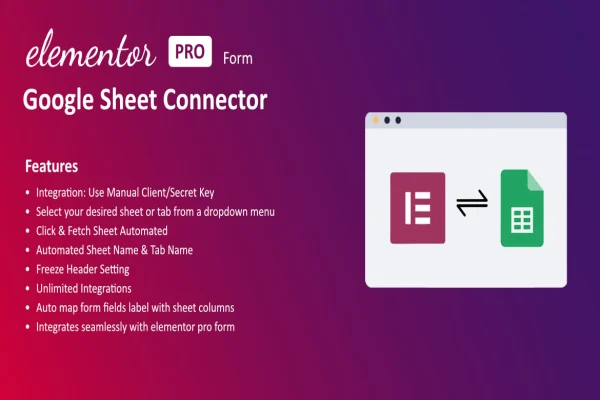
Plugin
Updated
GSheet Connector For Elementor Forms
This WordPress plugin connects your Elementor forms to Google Sheets. Each time a visitor submits a form, the entry is added to a sheet you choose, so you can review, sort and export submissions without copying them by hand.
- Version
- 1.0.0
- Released
- Sep 3, 2025
- Type
- WordPress plugin
- Requires
- Elementor
- Licence
- GPL
- Included in
- Every plan, or $3.99 on its own
What’s new in GSheet Connector For Elementor Forms 1.0.0
Version 1.0.0 · Sep 3, 2025
Latest
What it does
Form entries tend to pile up in email inboxes or in the WordPress dashboard, where they are awkward to sort, share or analyze. Copying them into a spreadsheet by hand takes time and invites mistakes. This plugin sends each Elementor form submission straight to a Google Sheet as it arrives, so your entries collect in one place that you and your team can open from any Google account.
Setup happens through a simple settings interface and needs no coding. You link a form to a sheet, then match each form field to the column where its value should land. You can connect several forms, each to its own sheet or all to a shared one, and every entry is recorded with a timestamp and form details. It requires Elementor and suits contact, event, feedback and lead forms.
Best for
- Businesses collecting leads through Elementor contact forms
- Event organizers tracking registrations in a shared spreadsheet
- Marketers gathering customer feedback for later analysis
Features
Automatic submission syncing
Elementor form submissions are sent to Google Sheets automatically, without custom code or extra plugins handling the transfer.
Real-time entries
New form entries appear in your Google Sheet as they come in, so you can respond to inquiries and registrations while they are fresh.
Custom field mapping
Match each Elementor form field to a specific Google Sheets column so your data lands in the layout and order you want.
Multiple form support
Connect several Elementor forms at once, sending each to its own sheet or combining them into a single consolidated sheet.
Timestamps and form details
Every submission is recorded with a timestamp and details about which form it came from, giving you a clear log of responses.
Setup without coding
Configure connections through a straightforward interface that does not require programming or technical skills.
Works with any Google account
Use a personal or business Google account to receive your form data, depending on who needs access to the sheet.
Export ready data
Because entries live in Google Sheets, you can export them for further analysis, reporting or sharing with others.
Questions about GSheet Connector For Elementor Forms
Do I need Elementor to use this plugin?
Yes. The plugin requires Elementor and works with forms built in Elementor. It takes the submissions from those forms and sends them to the Google Sheets you connect.
Can I control which column each form field goes into?
Yes. Custom field mapping lets you match each Elementor form field to a specific column in your Google Sheet, so names, emails, messages and other values land exactly where you want them.
Can several forms send data to the same sheet?
They can. You can connect multiple Elementor forms to individual sheets or to one consolidated sheet. Each entry is recorded with a timestamp and form details, which helps you tell submissions apart.
Will I need to write any code to set it up?
No coding is needed. The connector is configured through a simple interface where you link forms to sheets and map fields, and it works with any Google account.
Is GSheet Connector For Elementor Forms free?
The code of GSheet Connector For Elementor Forms is licensed under the GPL, so anyone may use, change and share it. GPL Feast is a paid service: a plan or a single purchase gives you the download and automatic updates. The developer's own support, licence key and online services are not included.
Which version of GSheet Connector For Elementor Forms is this?
Version 1.0.0, released Sep 3, 2025. New versions appear here when the developer publishes them, and members get them as automatic updates.
How do I update GSheet Connector For Elementor Forms?
Install the free GPL Feast Updater on your site and connect it with your API key. It installs new versions of GSheet Connector For Elementor Forms automatically and keeps a backup, so you can roll back.
What does GSheet Connector For Elementor Forms need?
GSheet Connector For Elementor Forms needs Elementor installed and active.
You might also like






