
Plugin
Updated
Headinger for Elementor
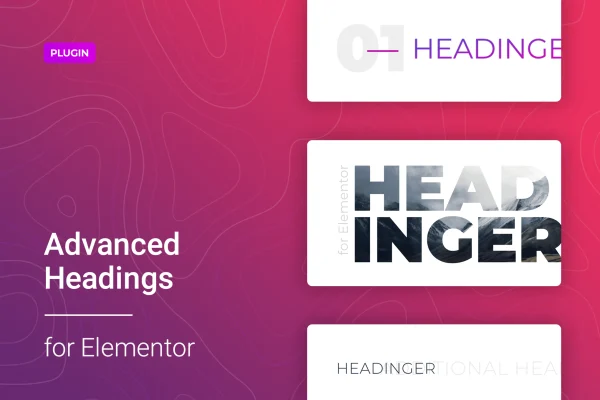
Headinger for Elementor is a WordPress plugin that adds a customizable heading widget to the Elementor page builder. It lets you style titles and headers with your own fonts, colors, sizes, spacing and alignment, and it includes five pre-built heading templates to start from.
- Version
- 1.1.5
- Released
- Feb 24, 2026
- Type
- WordPress plugin
- Requires
- Elementor
- Licence
- GPL
- Included in
- Every plan, or $3.99 on its own
What’s new in Headinger for Elementor 1.1.5
Version 1.1.5 · Feb 24, 2026
Latest
- SecurityFixed plugin security issues
What it does
The default heading options in many builds can feel limited when you want titles that match a specific brand style. This plugin gives Elementor users a dedicated heading widget with more styling controls, so you can shape headers to fit your site without writing code. You add it from the Elementor editor like any other widget, drop it into a section, and adjust its look from the settings panel using the familiar drag-and-drop workflow.
The widget is responsive and retina ready, so headings are built to display cleanly on desktops, tablets, phones and high-resolution screens. Five template examples give you a starting point that you can then customize fully. It suits many kinds of sites, including blogs, portfolios, online stores, corporate pages, agency sites, real estate listings, restaurants and magazines. Elementor is required, since the heading lives inside the Elementor editor.
Best for
- Elementor users wanting more control over heading styles
- Bloggers, portfolios and magazine sites with custom titles
- Agencies building branded business and store sites
Features
Detailed typography controls
Set font styles, colors and sizes for each heading so your titles match the look and brand identity of the rest of your site.
Spacing and alignment settings
Adjust spacing and alignment on every heading to control how titles sit within your layouts and how they line up with surrounding content.
Five pre-built templates
Start from one of five included heading template examples, then customize any of them fully to suit the design you have in mind.
Responsive and retina ready
Headings are designed to display consistently across desktops, tablets and smartphones, including high-resolution retina displays.
Built into the Elementor editor
Add and configure headings directly inside the Elementor drag-and-drop interface, with no coding needed to create or style them.
Styles for emphasis
Quickly change heading styles to draw attention to specific content or messages, helping visitors spot the information that matters on a page.
Questions about Headinger for Elementor
Do I need Elementor to use this heading widget?
Yes. The plugin works as a widget inside the Elementor page builder, so Elementor needs to be active on your site. You add and style headings directly from the Elementor editor.
Can I change fonts and colors without coding?
Yes. Font styles, colors, sizes, spacing and alignment are all set from the widget settings in Elementor's drag-and-drop interface, so you can style headings without touching any code.
Are there ready-made designs to start from?
The plugin includes five pre-built heading template examples. You can use one as a starting point and then customize its fonts, colors, spacing and other settings to fit your site.
Will the headings look right on mobile devices?
The widget is responsive and retina ready, so headings are built to display cleanly on desktops, tablets, smartphones and high-resolution screens, giving visitors a consistent look on each device.
Is Headinger for Elementor free?
The code of Headinger for Elementor is licensed under the GPL, so anyone may use, change and share it. GPL Feast is a paid service: a plan or a single purchase gives you the download and automatic updates. The developer's own support, licence key and online services are not included.
Which version of Headinger for Elementor is this?
Version 1.1.5, released Feb 24, 2026. New versions appear here when the developer publishes them, and members get them as automatic updates.
How do I update Headinger for Elementor?
Install the free GPL Feast Updater on your site and connect it with your API key. It installs new versions of Headinger for Elementor automatically and keeps a backup, so you can roll back.
What does Headinger for Elementor need?
Headinger for Elementor needs Elementor installed and active.
You might also like






