
Plugin
Updated
Hide Admin Menu
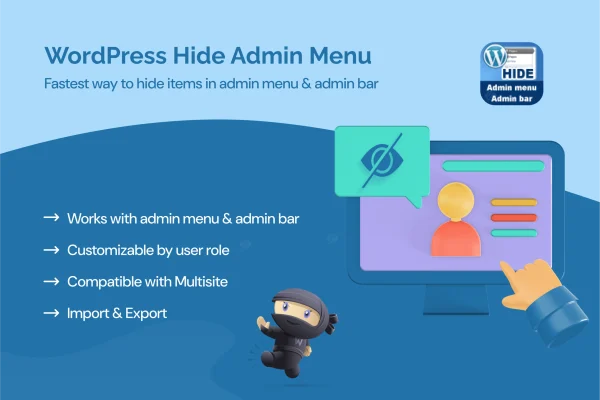
Hide Admin Menu is a WordPress plugin that lets you choose which admin menu items each user role can see. It gives site administrators a simple way to tidy the dashboard and keep sensitive settings away from users who do not need them.
- Version
- 3.1.0
- Released
- Dec 25, 2025
- Type
- WordPress plugin
- Licence
- GPL
- Included in
- Every plan, or $3.99 on its own
What’s new in Hide Admin Menu 3.1.0
Version 3.1.0 · Dec 25, 2025
Latest
- ImprovedLatest WordPress 6.9 compatibility Check
What it does
On a site with several users, the WordPress dashboard can get crowded fast. Editors, authors and clients see menus for settings, tools and plugins they never touch, and some of those options are risky in the wrong hands. This plugin lets you hide specific admin menu items for each user role, so every person sees the parts of the backend that match their job and nothing extra.
Everything is set up from a settings panel, with no code required. You pick a role, such as administrator, editor, author, contributor or subscriber, and choose which menus stay visible. It suits team sites, client builds and membership platforms where you want a cleaner backend and fewer accidental changes. It also works on multisite networks, so you can manage menu visibility across sites and roles in one environment.
Best for
- Agencies handing off client sites with simplified dashboards
- Multi-author blogs and editorial team sites
- Membership sites and WordPress multisite networks
Features
Role-based menu visibility
Hide individual admin menu items for specific user roles, so each group sees a dashboard that fits the tasks they actually handle.
Settings panel without code
Configure which menus show for each role through a simple settings screen, with no need to write code or edit theme files.
Support for all standard roles
Set visibility separately for administrators, editors, authors, contributors and subscribers, giving you fine control over who sees what.
Protection for sensitive options
Keep sensitive admin menus out of reach of lower-level users, which helps reduce accidental or unwanted changes to important settings.
Cleaner, focused dashboard
Remove menu items that are unnecessary or distracting so users can find the content and tools they work with more quickly.
Multisite network support
Manage menu visibility across different sites and user roles within a WordPress multisite setup instead of handling each site in isolation.
Lightweight footprint
Built to stay light, so it adds minimal load while it controls which menu items appear in the backend.
Hide Admin Menu older versions
- 3.0.10Sep 3, 20252 fixes
Members and buyers of this product can download older versions.
Questions about Hide Admin Menu
Can I hide different menus for editors and authors?
Yes. Visibility is set per user role, so you can show one set of menu items to editors and a different set to authors, contributors or subscribers. Each role gets its own dashboard view based on the choices you make in the settings panel.
Do I need coding skills to set it up?
No. Menu visibility is configured through a settings panel where you select roles and choose which menu items to hide. There is no code to write and no theme files to edit.
Will it work on a WordPress multisite network?
Yes. The plugin supports multisite networks and lets you manage menu visibility across different sites and user roles within that environment, which is handy for agencies or organizations running many sites.
Does hiding menus help keep clients away from risky settings?
That is one of its main uses. By hiding sensitive admin menus from lower-level roles, you lower the chance of clients or team members changing settings by mistake while still giving them access to the areas they need.
Is Hide Admin Menu free?
The code of Hide Admin Menu is licensed under the GPL, so anyone may use, change and share it. GPL Feast is a paid service: a plan or a single purchase gives you the download and automatic updates. The developer's own support, licence key and online services are not included.
Which version of Hide Admin Menu is this?
Version 3.1.0, released Dec 25, 2025. New versions appear here when the developer publishes them, and members get them as automatic updates.
How do I update Hide Admin Menu?
Install the free GPL Feast Updater on your site and connect it with your API key. It installs new versions of Hide Admin Menu automatically and keeps a backup, so you can roll back.
You might also like






