
Plugin
Updated
Horizontal Timeline Slider
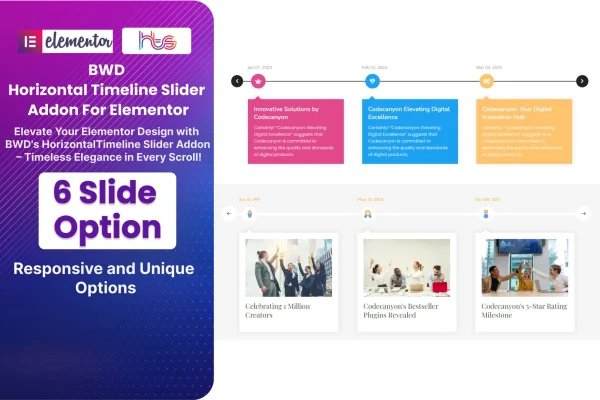
Horizontal Timeline Slider is a WordPress plugin that adds a horizontal timeline widget to Elementor. It turns dated events, milestones or roadmap steps into a sliding sequence that visitors move through one step at a time, with styling controls inside the page builder.
- Version
- 1.7
- Released
- Aug 24, 2026
- Type
- WordPress plugin
- Requires
- Elementor
- Licence
- GPL
- Included in
- Every plan, or $3.99 on its own
What’s new in Horizontal Timeline Slider 1.7
Version 1.7 · Aug 24, 2026
Latest
What it does
Chronological content is hard to present well on a web page. A long list of dates and events gets skipped, and a vertical timeline can push everything else far down the page. This addon puts each event on its own slide and arranges them in a horizontal row, so a company history, a project roadmap or a run of milestones fits into one compact section that visitors can step through at their own pace.
The plugin requires Elementor and works inside the editor, so you place the timeline on a page and adjust it like any other element. You can change colors, fonts, slide durations and navigation styles to match your branding. The layout is responsive and retina ready, so the timeline adapts to phones and desktops and stays sharp on high resolution screens. It fits about pages, case studies, event pages and any project that tells a story in order.
Best for
- Company websites presenting their history or growth
- Agencies building project roadmaps and milestone pages
- Event, museum or history sites telling stories in order
Features
Built for Elementor
The timeline slider is added and edited inside the Elementor page builder, so you design it alongside the rest of your page content.
Horizontal sliding animation
Events move past in smooth horizontal transitions, letting visitors follow a sequence one step at a time without a long scrolling list.
Multiple slides per timeline
Arrange several events or milestones in a clean chronological order, with support for six slides or more for longer histories.
Custom colors and fonts
Adjust colors and fonts so the timeline matches your site's branding and sits naturally within your existing design.
Adjustable slide durations
Set how long each slide stays on screen, so you can control the pace at which visitors move through your timeline.
Navigation style options
Choose among navigation styles for moving between slides, so the controls suit the look of your page.
Responsive and retina ready
The timeline adapts to desktops, tablets and phones, and its graphics stay crisp on high resolution displays.
Clean HTML, CSS and JS
The addon is built with lightweight HTML, CSS and JavaScript code, keeping the timeline component simple and tidy.
Horizontal Timeline Slider older versions
- 1.0Dec 20, 2023
Members and buyers of this product can download older versions.
Questions about Horizontal Timeline Slider
Do I need Elementor to use this timeline plugin?
Yes. The plugin is an Elementor addon and requires Elementor to be active. You build and customize the timeline slider inside the Elementor editor, the same way you work with other page elements.
Can I match the timeline to my brand colors and fonts?
You can. The plugin lets you change colors, fonts, slide durations and navigation styles, so the timeline can follow your existing branding and blend in with the rest of your page design.
How many events can one timeline hold?
The plugin supports multiple slides arranged in chronological order, with up to six slides or more. Each slide holds one event or milestone, which works well for company histories, roadmaps and project stages.
Will the timeline work on mobile devices?
Yes. The timeline uses a responsive design that adapts to desktop and mobile screens, and it is retina ready, so text and graphics stay sharp on high resolution displays.
Is Horizontal Timeline Slider free?
The code of Horizontal Timeline Slider is licensed under the GPL, so anyone may use, change and share it. GPL Feast is a paid service: a plan or a single purchase gives you the download and automatic updates. The developer's own support, licence key and online services are not included.
Which version of Horizontal Timeline Slider is this?
Version 1.7, released Aug 24, 2026. New versions appear here when the developer publishes them, and members get them as automatic updates.
How do I update Horizontal Timeline Slider?
Install the free GPL Feast Updater on your site and connect it with your API key. It installs new versions of Horizontal Timeline Slider automatically and keeps a backup, so you can roll back.
What does Horizontal Timeline Slider need?
Horizontal Timeline Slider needs Elementor installed and active.
You might also like






