
Plugin
Updated
Hover Box for Elementor
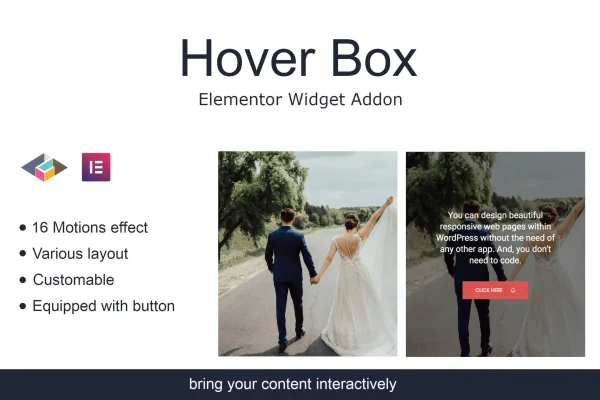
Hover Box for Elementor is a WordPress plugin that adds a hover box widget to the Elementor page builder. It lets you build content boxes that react when visitors move their cursor over them, with motion effects, alignment controls and an optional call to action button.
- Version
- 1.0.4
- Released
- May 2, 2023
- Type
- WordPress plugin
- Requires
- Elementor
- Licence
- GPL
- Included in
- Every plan, or $3.99 on its own
What’s new in Hover Box for Elementor 1.0.4
Version 1.0.4 · May 2, 2023
Latest
What it does
Static content blocks can look flat, especially on service pages, portfolios and landing pages where you want visitors to notice a few specific items. This plugin gives you a dedicated widget for boxes that change on hover, so you can reveal extra text, add movement or bring a button into view without writing custom CSS or JavaScript. Because it runs inside Elementor, you place and configure it with the same drag and drop editor you already use for the rest of your pages.
Each hover box can hold text and media, which you can align to suit your layout. You can add motion animations that play when the cursor passes over the box, and include a configurable call to action button that points visitors toward a purchase, signup or contact form. The widget is responsive, so boxes adapt to desktop, tablet and mobile screens. It fits designers, marketers and site owners who want interactive content sections without advanced coding skills.
Best for
- Elementor users building service or feature sections
- Designers who want hover interactions without custom code
- Marketers adding call to action buttons to content blocks
Features
Interactive hover effects
Turn static content into boxes that respond when visitors hover over them, adding a layer of interaction to sections of your Elementor pages.
Call to action button
Add a configurable call to action button inside the hover box to point visitors toward purchases, signups or contact inquiries.
Content alignment options
Align the text and media inside each hover box so the content sits the way your layout needs it to.
Motion effects on hover
Apply motion animations that activate when the cursor moves over a box, giving your content a sense of movement.
Responsive layout
Hover boxes are built to work across screen sizes, so they display consistently on desktops, tablets and mobile phones.
Works inside Elementor
The widget runs in the Elementor editor, so you can drag it onto a page and set it up visually without coding.
Questions about Hover Box for Elementor
Do I need Elementor to use this plugin?
Yes. Hover Box for Elementor is an addon for the Elementor page builder and requires Elementor to be active. It adds a hover box widget that you place and configure inside the Elementor editor.
Can I add a button to a hover box?
Yes. Each hover box can include a configurable call to action button. You can use it to send visitors toward a purchase, a signup form, a contact page or any other action you want them to take.
Will the hover boxes work on mobile devices?
The widget is built to be responsive, so hover boxes adapt to desktop, tablet and mobile screen sizes and keep a consistent look across devices.
Do I need coding skills to set up the hover effects?
No. You configure the hover effects, motion animations, content alignment and button through the Elementor editor using its visual controls, so no custom CSS or JavaScript is required.
Is Hover Box for Elementor free?
The code of Hover Box for Elementor is licensed under the GPL, so anyone may use, change and share it. GPL Feast is a paid service: a plan or a single purchase gives you the download and automatic updates. The developer's own support, licence key and online services are not included.
Which version of Hover Box for Elementor is this?
Version 1.0.4, released May 2, 2023. New versions appear here when the developer publishes them, and members get them as automatic updates.
How do I update Hover Box for Elementor?
Install the free GPL Feast Updater on your site and connect it with your API key. It installs new versions of Hover Box for Elementor automatically and keeps a backup, so you can roll back.
What does Hover Box for Elementor need?
Hover Box for Elementor needs Elementor installed and active.
You might also like






