
Plugin
Updated
HT Menu
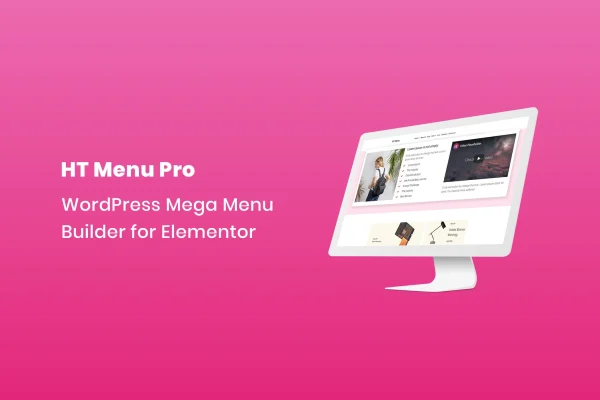
HT Menu is a WordPress plugin that turns standard menus into mega menus for sites built with Elementor. It lets you place Elementor templates under menu items and adjust widths, submenu positions, icons and badges without writing code.
- Version
- 1.0.11
- Released
- Aug 25, 2026
- Type
- WordPress plugin
- Requires
- Elementor
- Licence
- GPL
- Included in
- Every plan, or $3.99 on its own
What’s new in HT Menu 1.0.11
Version 1.0.11 · Aug 25, 2026
Latest
What it does
A regular WordPress menu works well for a short list of links, but larger sites often need more room. Stores with many product categories, corporate sites with several departments and content-heavy portals can end up with long dropdowns that are hard to scan. A mega menu solves this by opening a wider panel that can hold multiple columns, images and other content, so visitors can see more options at once and find their way faster.
The plugin requires Elementor and works by attaching Elementor templates to individual menu items. You design the dropdown content in Elementor as you would any other template, then assign it to a menu entry. From there you can set a custom width for each menu, change submenu alignment, pick icons and add colored badges to call out specific entries. Menus are responsive and retina ready, and the plugin uses clean JS and CSS files.
Best for
- Elementor sites that need multi-column mega menus
- Online stores with many product categories
- Corporate sites and content-heavy portals with deep navigation
Features
Elementor templates in menus
Add a customizable Elementor template under any menu item to build mega menus with multiple columns, widgets and rich content inside the dropdown.
Per-menu width control
Set a unique width for each menu so the dropdown panel fits your layout and keeps columns organized and balanced.
Flexible submenu positioning
Adjust how submenus align so they suit your header layout and work well across different screen sizes.
Menu icon picker
Choose from a range of icons and attach them to menu items, giving visitors a visual cue for each section of the site.
Custom icon and badge colors
Set icon colors and create badges with your own background and text colors to highlight specific menu entries such as new or featured pages.
Responsive and retina ready
Menus adapt to different devices and screen resolutions and stay sharp on high-density displays.
Clean JS and CSS
The plugin is built with clean JavaScript and CSS files, keeping its front-end code tidy on your site.
HT Menu older versions
- 1.0.9Apr 18, 2025
Members and buyers of this product can download older versions.
Questions about HT Menu
Do I need Elementor to use this plugin?
Yes. The plugin requires Elementor, because the mega menu content is built from Elementor templates. You design the dropdown panel in Elementor and then assign that template to a menu item.
Can I put more than links inside a dropdown?
Yes. Since each dropdown can hold an Elementor template, you can build panels with multiple columns and interactive widgets. This makes it practical to group many categories or pages into one organized menu panel.
Will the menus work on mobile devices?
The menus are responsive and retina ready, so they adapt to different devices and screen resolutions. You can also adjust submenu positioning to suit various layouts and screen sizes.
Can I highlight certain menu items?
You can add icons from the built-in icon picker and create badges with custom background and text colors. Icon colors are adjustable too, which helps specific entries stand out in the menu.
Is HT Menu free?
The code of HT Menu is licensed under the GPL, so anyone may use, change and share it. GPL Feast is a paid service: a plan or a single purchase gives you the download and automatic updates. The developer's own support, licence key and online services are not included.
Which version of HT Menu is this?
Version 1.0.11, released Aug 25, 2026. New versions appear here when the developer publishes them, and members get them as automatic updates.
How do I update HT Menu?
Install the free GPL Feast Updater on your site and connect it with your API key. It installs new versions of HT Menu automatically and keeps a backup, so you can roll back.
What does HT Menu need?
HT Menu needs Elementor installed and active.
You might also like






