
Plugin
Updated
HT Script Pro
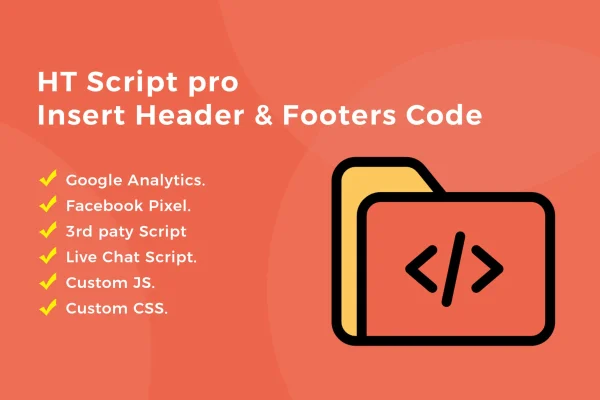
HT Script Pro is a WordPress plugin for adding custom code to your site's header or footer without editing theme files. You can drop in tracking scripts, custom CSS, JavaScript or HTML snippets, then decide exactly which parts of the site load each one.
- Version
- 1.1.5
- Released
- Sep 22, 2025
- Type
- WordPress plugin
- Licence
- GPL
- Included in
- Every plan, or $3.99 on its own
What’s new in HT Script Pro 1.1.5
Version 1.1.5 · Sep 22, 2025
Latest
- ImprovedLicense Management functionality.
What it does
Most sites eventually need extra code in the header or footer: an analytics tag, a Facebook Pixel, a bit of custom CSS or a JavaScript snippet. Pasting that code into theme files works until the theme updates and wipes your changes. This plugin gives those snippets their own place inside WordPress, so they stay separate from the theme and keep working after theme updates. It also means fewer direct edits to theme code, which lowers the chance of breaking something.
Each script you add can be shown or excluded using conditional display rules. You can load a snippet across the whole site, only on the homepage, or on selected pages, posts, categories or tags. That suits cases like running a tracking pixel only on certain landing pages or applying CSS to one section of a blog. There is no cap on the number of scripts, and the management screens are laid out so people without a coding background can follow them.
Best for
- Marketers adding analytics and pixel tracking codes
- Bloggers who want custom CSS on specific posts or categories
- Freelancers and agencies managing scripts on client sites
Features
Header and footer insertion
Place code in your site's header or footer from inside WordPress, without opening or editing any of your theme's files.
Unlimited scripts
Add as many custom snippets as you need, including HTML, CSS, JavaScript, Google Analytics tags and Facebook Pixel code.
Conditional display rules
Show or exclude each script on the full website, the homepage, or chosen pages, posts, categories or tags.
Survives theme updates
Because snippets live outside the theme, your custom code stays intact when the theme is updated, so you do not need to re-add it.
Custom CSS and JavaScript
Add your own styling rules or JavaScript tweaks for specific needs without installing a separate plugin for each small change.
Simple management screens
Clear setup and management screens let users of different skill levels add, review and organize their header and footer code.
Fewer direct theme edits
Keeping code out of theme files reduces the risk of accidental mistakes in core template code and keeps your customizations easier to track.
HT Script Pro older versions
- 1.1.0Jun 5, 20231 new, 1 improvement
Members and buyers of this product can download older versions.
Questions about HT Script Pro
Can I add Google Analytics and Facebook Pixel with this plugin?
Yes. HT Script Pro lets you paste Google Analytics tags, Facebook Pixel code and other tracking scripts into your header or footer. You can also add plain HTML, CSS and JavaScript snippets the same way.
Can I load a script only on certain pages?
Yes. Each script has conditional display options, so you can show or exclude it on the whole site, the homepage, or selected pages, posts, categories or tags. This is useful for page-specific pixels or styling.
Will my code disappear when I update my theme?
No. The snippets are stored by the plugin rather than in your theme's files, so theme updates leave them in place. You also avoid editing theme code directly.
Do I need to know how to code to use it?
You need the snippet you want to add, such as a tracking code supplied by an analytics service, but you do not need to edit files. The management screens are designed to be clear for users at different technical levels.
Is HT Script Pro free?
The code of HT Script Pro is licensed under the GPL, so anyone may use, change and share it. GPL Feast is a paid service: a plan or a single purchase gives you the download and automatic updates. The developer's own support, licence key and online services are not included.
Which version of HT Script Pro is this?
Version 1.1.5, released Sep 22, 2025. New versions appear here when the developer publishes them, and members get them as automatic updates.
How do I update HT Script Pro?
Install the free GPL Feast Updater on your site and connect it with your API key. It installs new versions of HT Script Pro automatically and keeps a backup, so you can roll back.
You might also like






