Plugin
Updated
Huger for Elementor
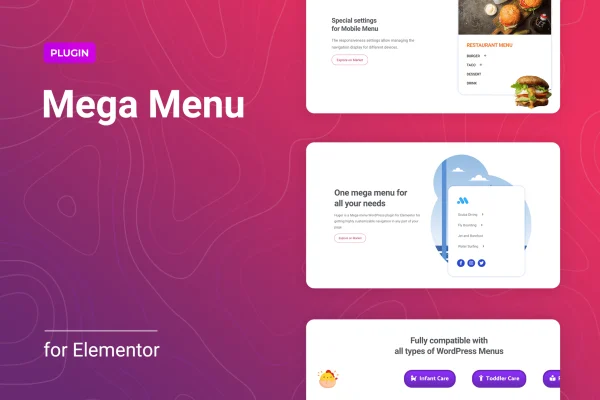
Huger for Elementor is a WordPress plugin for building mega menus inside the Elementor editor. It lets you place Elementor templates, widgets and shortcodes inside drop-down menus, so your navigation can hold images, videos, forms, buttons and more alongside your page links.
- Version
- 1.1.6
- Released
- Jan 23, 2026
- Type
- WordPress plugin
- Requires
- Elementor
- Licence
- GPL
- Included in
- Every plan, or $3.99 on its own
What’s new in Huger for Elementor 1.1.6
Version 1.1.6 · Jan 23, 2026
Latest
- SecurityFixed plugin security issues.
What it does
A standard WordPress menu works fine for a handful of pages, but larger sites quickly outgrow it. Online stores, corporate sites and blogs with many categories need a way to show more content at once without burying visitors in long nested lists. This plugin requires Elementor and adds mega menu building to it, so you can design wide drop-down panels that group links, media and interactive elements in one place and help people find what they are looking for.
The work happens in the Elementor editor you already use. You can turn existing or new Elementor templates into menu content, then drop in any Elementor widget or shortcode for things like search bars, forms, social icons or buttons. Menus can run horizontally or vertically, support multiple levels with their own settings, and open with animated transitions. Offset controls let you fine-tune where panels appear, and menus adapt to desktops, tablets and phones.
Best for
- Online stores with many product categories
- Corporate and business websites built with Elementor
- Content-rich blogs and magazine-style sites
Features
Elementor templates as menu content
Use any existing or new Elementor template inside a mega menu, so panels can include images, videos and other interactive content you design in the editor.
Horizontal and vertical layouts
Switch between horizontal and vertical menu orientations to match your header design or sidebar navigation and the way visitors move through your site.
Multi-level navigation
Build nested menus with flexible settings for each level, which helps organize large amounts of content into a clear structure.
Animation effects
Choose animated transitions for opening and closing menus, giving drop-down panels a smoother feel as visitors hover or tap through navigation.
Offset positioning control
Adjust exactly where menu panels display so they line up properly with your header and other page elements on different devices.
Widget and shortcode support
Add any Elementor widget or shortcode inside mega menu blocks to include forms, buttons, social icons, search bars or other dynamic content.
Responsive menus
Menus adapt to different screen sizes, so navigation stays usable for visitors on desktops, tablets and smartphones.
Menu order management
Arrange main menu items from within Elementor without writing code or working through complicated backend settings.
Huger for Elementor older versions
- 1.1.5Oct 17, 20251 improvement
- 1.1.3Dec 3, 20241 fix
Members and buyers of this product can download older versions.
Questions about Huger for Elementor
Do I need Elementor to use this plugin?
Yes. The plugin requires Elementor and is built to work inside its editor. You design and customize your mega menus there, using Elementor templates, widgets and shortcodes as the content of each menu panel.
Can I put things other than links in my menus?
Yes. Any Elementor template can serve as menu content, and you can add Elementor widgets or shortcodes to menu blocks. That covers items like images, videos, search bars, forms, buttons and social icons alongside regular page links.
Will the menus work on phones and tablets?
The menus are responsive and adapt to different screen sizes, including desktops, tablets and smartphones. Offset positioning controls also let you adjust where panels appear so they align properly across devices.
Can I build a vertical sidebar menu with Huger for Elementor?
Yes. You can switch between horizontal and vertical orientations, so the plugin works for top navigation bars as well as vertical menus. Multi-level support lets you nest items with separate settings for each level.
Is Huger for Elementor free?
The code of Huger for Elementor is licensed under the GPL, so anyone may use, change and share it. GPL Feast is a paid service: a plan or a single purchase gives you the download and automatic updates. The developer's own support, licence key and online services are not included.
Which version of Huger for Elementor is this?
Version 1.1.6, released Jan 23, 2026. New versions appear here when the developer publishes them, and members get them as automatic updates.
How do I update Huger for Elementor?
Install the free GPL Feast Updater on your site and connect it with your API key. It installs new versions of Huger for Elementor automatically and keeps a backup, so you can roll back.
What does Huger for Elementor need?
Huger for Elementor needs Elementor installed and active.
You might also like






