
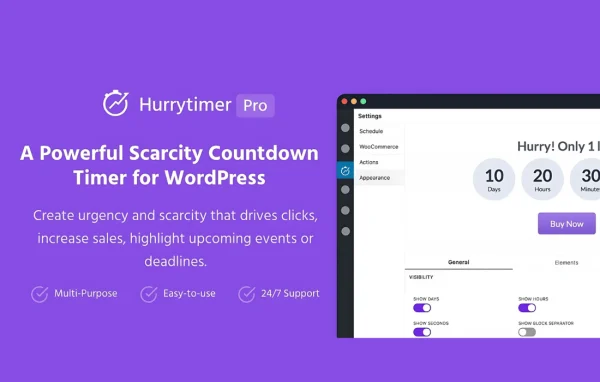
Plugin
Updated
HurryTimer Pro
HurryTimer Pro by Nabil Lemsieh is a WordPress plugin for building countdown timers around promotions, events and deadlines. It supports per-visitor evergreen timers, recurring schedules and fixed end dates, and it can place timers on WooCommerce product pages or in a sticky announcement bar.
- Version
- 2.18.0
- Released
- Jul 9, 2026
- Developer
- Nabil Lemsieh
- Type
- WordPress plugin
- Licence
- GPL
- Included in
- Every plan, or $4.79 a year on its own
What’s new in HurryTimer Pro 2.18.0
Version 2.18.0
Latest
- NewMultiple Deadlines — set a list of specific dates and let the countdown cycle through them automatically.
What it does
Time-limited offers only work when visitors can see the clock. This plugin gives you several ways to run that clock. An evergreen timer starts when each visitor arrives, so everyone gets their own countdown and timezones stop being a problem. A fixed-deadline campaign runs between specific dates, so every visitor sees the same end time. Recurring campaigns repeat on rules you set, which suits things like a daily shipping cutoff, and you can also give it a list of dates to cycle through automatically.
On a WooCommerce store, timers can sit on product pages and show or hide based on conditions you choose. When a timer runs out, the plugin can take an action for you: redirect the visitor, hide the timer, show a message, expire a coupon, change stock status or hide the Add to Cart button. You control the look with built-in styling and custom CSS, and you can add a call-to-action button or put the countdown in a sticky bar at the top or bottom of the page.
Best for
- WooCommerce stores running flash sales or shipping cutoffs
- Event organizers promoting registration deadlines
- Marketers running evergreen or scheduled time-limited offers
Features
Per-visitor evergreen countdowns
Each visitor gets a countdown that begins when they arrive, so the deadline is accurate for them regardless of their timezone, and it can restart automatically after it expires.
Recurring and multi-date campaigns
Set timers that repeat on rules you define, such as a daily shipping cutoff, or supply a list of specific dates for the countdown to cycle through.
Fixed deadline campaigns
Run a countdown between two specific dates so every visitor sees the same end time, which fits event sales and flash promotions with a strict finish.
WooCommerce product page timers
Add countdowns to WooCommerce product pages and use conditional display rules to show or hide them for more targeted messaging on specific products.
Automatic expiry actions
When time runs out, redirect users, hide the timer, display a custom message, expire coupons, update stock status or hide the Add to Cart button.
Sticky announcement bar
Place your countdown in a mobile-friendly, customizable bar that stays fixed to the top or bottom of any page while visitors scroll.
Custom styling and CSS
Adjust the timer's appearance with built-in styling options, then add your own CSS to match your site's branding.
Call-to-action button
Include a clickable button next to the countdown so visitors have a clear next step while the timer is running.
HurryTimer Pro older versions
- 2.17.3Mar 311 fix
- 2.17.2Jan 231 fix, 1 security fix
- 2.17.1Jan 102 improvements
- 2.17.0Sep 15, 2025
- 2.16.0Jun 15, 2025
- 2.15.0Oct 22, 2024
- 2.14.0Oct 18, 2024
- 2.13.0Oct 17, 2024
- 2.12.2Aug 13, 2024
- 2.12.1Apr 5, 2024
Members and buyers of this product can download older versions.
15 older versions in all. If you need one that is not listed, ask support.
Questions about HurryTimer Pro
Will every visitor see the same countdown?
That depends on the campaign type. Evergreen timers start for each visitor when they arrive, so each person gets their own countdown. Fixed-deadline campaigns run between specific dates, so everyone sees the same end time. Recurring campaigns repeat on rules you define.
Can I put timers on WooCommerce product pages?
Yes. HurryTimer Pro can add countdown timers to WooCommerce product pages, and you can set conditions that control when a timer shows or stays hidden on those pages.
What happens when a timer reaches zero?
You choose the expiry action. Options include redirecting the visitor, hiding the timer, showing a custom message, expiring coupons, updating stock status and hiding the Add to Cart button. Evergreen timers can also restart automatically.
Can I change how the timer looks?
Yes. There are built-in styling options, and you can add custom CSS to match your brand. You can also add a call-to-action button and display the countdown in a sticky bar at the top or bottom of the page.
Is HurryTimer Pro free?
The code of HurryTimer Pro is licensed under the GPL, so anyone may use, change and share it. GPL Feast is a paid service: a plan or a single purchase gives you the download and automatic updates. The developer's own support, licence key and online services are not included.
Which version of HurryTimer Pro is this?
Version 2.18.0, released Jul 9, 2026. New versions appear here when the developer publishes them, and members get them as automatic updates.
How do I update HurryTimer Pro?
Install the free GPL Feast Updater on your site and connect it with your API key. It installs new versions of HurryTimer Pro automatically and keeps a backup, so you can roll back.
You might also like






