
Plugin
Updated
iHover Effect
iHover Effect is a WordPress plugin that adds image hover animations to pages built with Elementor. You pick a preset design, apply a masking style and adjust the result from the editor, so your images react when visitors move their cursor over them.
- Version
- 1.4
- Released
- Aug 26, 2026
- Type
- WordPress plugin
- Requires
- Elementor
- Licence
- GPL
- Included in
- Every plan, or $3.99 on its own
What’s new in iHover Effect 1.4
Version 1.4 · Aug 26, 2026
Latest
What it does
Static image grids can feel flat, and writing custom CSS hover animations takes time and skill that many site owners would rather spend elsewhere. This addon brings ready-made iHover effects into Elementor, so you can build interactive image blocks without touching code. It works inside the page builder you already use, which keeps the design process in one place and lets you see each effect as you set it up.
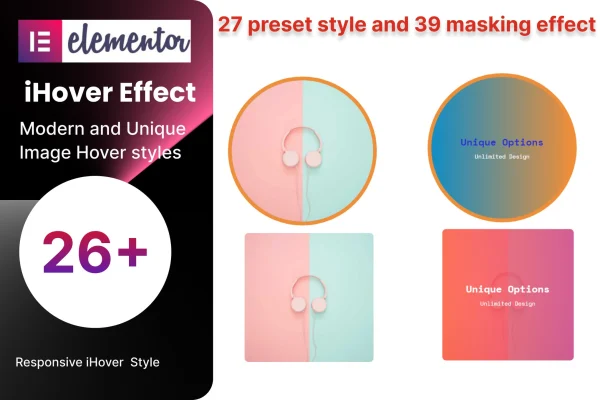
The plugin includes 27 preset designs and 39 masking styles, which you can combine to control how an image transitions and what overlay appears on hover. Layouts are responsive and retina ready, so effects stay sharp on phones, tablets and large screens. It suits portfolios, team pages, product galleries and service blocks where a little motion helps images stand out. Elementor is required to use it.
Best for
- Elementor users who want image hover effects without coding
- Portfolio and photography sites with image grids
- Agencies building interactive team or service sections
Features
27 preset designs
Choose from 27 ready-made iHover animation templates covering a range of styles, so you can match the effect to your site's look.
39 masking styles
Apply any of 39 masking effects to add overlays and visual transitions that change how each image appears when a visitor hovers over it.
Code-free customization
Set up and adjust hover effects through an interface inside Elementor, with no need to write CSS or JavaScript yourself.
Responsive layouts
Hover effect blocks adapt to different screen sizes, so your image layouts hold together on mobile, tablet and desktop views.
Retina ready output
Effects are built to display sharply on high-resolution screens, keeping images and overlays crisp on modern devices.
Built for Elementor
The addon works within the Elementor page builder, so you add hover effects alongside the rest of your page content in the same editor.
Lightweight codebase
The plugin is written with clean, lean code, keeping the added footprint on your pages small.
Questions about iHover Effect
Do I need Elementor to use this plugin?
Yes. iHover Effect is an addon for the Elementor page builder, so Elementor must be active on your site. The hover effects are added and configured inside the Elementor editor alongside your other content.
How many hover effect options are included?
You get 27 preset designs and 39 masking styles. You can pair a preset with a masking style to control both the animation and the overlay, which gives you plenty of combinations to fit different sections of your site.
Will the hover effects work on mobile devices?
The plugin uses responsive layouts and is retina ready, so image blocks adapt to smaller screens and stay sharp on high-resolution displays. Keep in mind that touch screens have no true hover, so the effect behaves differently than with a mouse.
Do I need to know CSS to customize the effects?
No. Effects are chosen and adjusted through an interface in Elementor, so you can build and tweak hover animations without writing any code.
Is iHover Effect free?
The code of iHover Effect is licensed under the GPL, so anyone may use, change and share it. GPL Feast is a paid service: a plan or a single purchase gives you the download and automatic updates. The developer's own support, licence key and online services are not included.
Which version of iHover Effect is this?
Version 1.4, released Aug 26, 2026. New versions appear here when the developer publishes them, and members get them as automatic updates.
How do I update iHover Effect?
Install the free GPL Feast Updater on your site and connect it with your API key. It installs new versions of iHover Effect automatically and keeps a backup, so you can roll back.
What does iHover Effect need?
iHover Effect needs Elementor installed and active.
You might also like






