
Plugin
Updated
iList - Pro
iList - Pro is a WordPress plugin for building infographic style lists and data charts. It combines a visual editor with built-in animated bar, pie and line charts, so you can turn statistics, rankings and comparisons into responsive HTML5 graphics and place them in any page or post with a shortcode.
- Version
- 8.3.2
- Released
- Aug 19, 2025
- Type
- WordPress plugin
- Licence
- GPL
- Included in
- Every plan, or $3.99 on its own
What’s new in iList - Pro 8.3.2
Version 8.3.2 · Aug 19, 2025
Latest
What it does
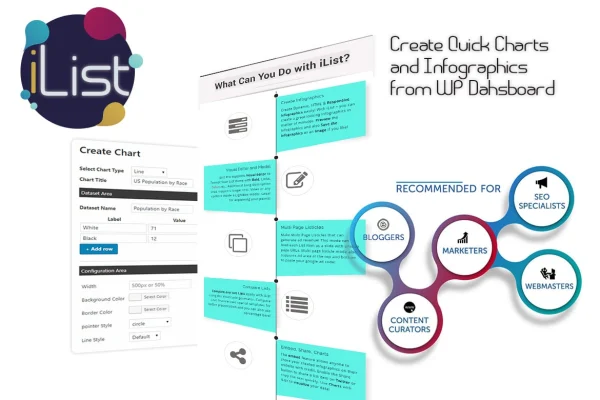
Plain tables and long paragraphs of numbers are hard for readers to follow. This plugin gives you a way to present that information as visual lists and charts inside WordPress, without writing code. You build each infographic in a visual text editor with a drag-and-drop interface, then add charts such as bar graphs, pie charts and line charts directly from the plugin. The output is HTML5, responsive and animated, so it adapts to different screen sizes.
Once an infographic is ready, you insert it into a page or post with a shortcode, which keeps it separate from your existing content. Longer pieces can be split into multi-page listicles with space set aside for ads. Readers can open extra details in lightbox pop-ups, share to Twitter, copy text or grab embed code. You can also save an infographic as an image for use in slides, social posts or other places outside your site.
Best for
- Bloggers publishing listicles, rankings and comparisons
- Marketers presenting statistics and data on WordPress sites
- Educators and students explaining information visually
Features
Visual text editor
Create and customize infographic content with a drag-and-drop interface that needs no coding, so you can arrange list items and text visually.
Animated charts and graphs
Add animated bar graphs, pie charts and line charts from inside the plugin to present numbers alongside your infographic lists.
Responsive HTML5 output
Infographics and charts are built in HTML5 with responsive layouts, so they adjust to phones, tablets and desktop screens.
Multi-page listicles with ad space
Split long content into interactive multi-page lists and include customizable ad space between sections if you run ads on your site.
Lightbox details
Show extra data in lightbox pop-ups so readers can open more information about an item without leaving the infographic.
Sharing and embed options
Visitors can share items to Twitter, copy text and use embed options to place your infographic elsewhere.
Save as image
Export a finished infographic as an image to reuse it in presentations, social media posts or offline materials.
Shortcode placement
Insert any infographic or chart into a WordPress page or post with a simple shortcode, wherever you want it to appear.
iList - Pro older versions
- 8.1.5Jan 25, 2025
Members and buyers of this product can download older versions.
Questions about iList - Pro
What kinds of charts can I create with this plugin?
The plugin includes built-in animated charts, including bar graphs, pie charts and line charts. You add them directly from within the plugin, so you can combine charts with your infographic lists without needing a separate charting tool.
Do I need coding skills to build infographics?
No. Content is created in a visual text editor with a drag-and-drop interface. When you are done, you place the infographic on a page or post with a shortcode, which only requires pasting it into your content.
Will my infographics work on mobile devices?
Yes. Infographics and charts are produced as responsive HTML5 graphics, so they adjust to different devices and screen sizes, including phones and tablets.
Can I use my infographics outside my website?
Yes. The save as image feature lets you export an infographic as an image for presentations or other platforms. Visitors can also use the embed and sharing options, including Twitter sharing and text copying.
Is iList - Pro free?
The code of iList - Pro is licensed under the GPL, so anyone may use, change and share it. GPL Feast is a paid service: a plan or a single purchase gives you the download and automatic updates. The developer's own support, licence key and online services are not included.
Which version of iList - Pro is this?
Version 8.3.2, released Aug 19, 2025. New versions appear here when the developer publishes them, and members get them as automatic updates.
How do I update iList - Pro?
Install the free GPL Feast Updater on your site and connect it with your API key. It installs new versions of iList - Pro automatically and keeps a backup, so you can roll back.
You might also like






