
Plugin
Updated
Image Map Pro v6
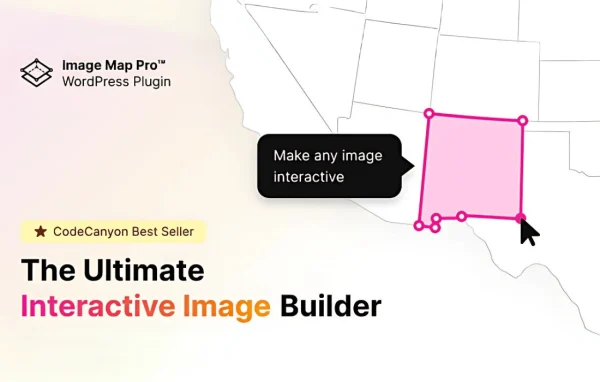
Image Map Pro for WordPress by Webcraft Plugins is a plugin for turning ordinary images into interactive image maps. You draw hotspots and shapes in a drag-and-drop editor, attach tooltips, and place the finished map in posts, pages or widgets.
- Version
- 6.1.13
- Released
- Sep 8, 2026
- Developer
- Webcraft Plugins
- Type
- WordPress plugin
- Licence
- GPL
- Included in
- Every plan, or $3.99 on its own
What’s new in Image Map Pro v6 6.1.13
Version 6.1.13 · Sep 8, 2026
Latest
What it does
Some images carry more detail than a caption can explain. A floor plan, a product photo or a technical diagram often needs labels for specific areas, and stacking text around the image gets messy. This plugin lets you mark those areas directly on the picture. Visitors hover over or click a region and see a tooltip with the extra information, so the image itself does the explaining.
Maps are built in a visual drag-and-drop editor with no coding needed. You can outline areas with circles, rectangles, polygons or freeform shapes, then adjust colors, fonts and animations to match your site. Finished maps are responsive across screen sizes and go into content through a shortcode or a dedicated Gutenberg block. You can create as many maps as you need and export projects to reuse them on other sites.
Best for
- Real estate sites displaying interactive floor plans
- Online shops labeling product features on photos
- Educational or technical sites explaining diagrams
Features
Drag-and-drop map editor
Build interactive image maps visually by placing and adjusting hotspots on your image, with no code required at any step of the process.
Custom shapes for hotspots
Target exact areas of an image using circles, rectangles, polygons or freeform shapes, so irregular regions like rooms or product parts can be outlined accurately.
Hover and click tooltips
Show tooltips when a visitor hovers over or clicks a hotspot, giving extra context about that part of the image without cluttering the page.
Responsive image maps
Maps are designed to adapt to different screen sizes, so hotspots and tooltips keep working on desktops, tablets and smartphones.
Shortcode and Gutenberg block
Insert maps into posts, pages or widgets using a shortcode, or add them in the block editor with the dedicated Gutenberg block.
Style controls
Change colors, fonts and animations for your hotspots and tooltips so the maps match the look of the rest of your site.
Unlimited maps
Create as many interactive maps as your site needs, which works well for portfolios, product catalogs and collections of detailed diagrams.
Project export and import
Save map projects and bring them into other sites, which helps when you reuse the same maps or keep a consistent setup across projects.
Image Map Pro v6 older versions
- 6.1.11Jul 19
- 6.1.10Jun 10
- 6.1.9Jun 6
- 6.1.8Apr 30
- 6.1.6Apr 14
- 6.1.5Apr 14
- 6.1.4Apr 6
- 6.1.3Apr 3
- 6.1.2Mar 21
- 6.1.1Mar 10
Members and buyers of this product can download older versions.
44 older versions in all. If you need one that is not listed, ask support.
Questions about Image Map Pro v6
Do I need coding skills to create an image map?
No. Maps are built in a drag-and-drop editor where you draw shapes on your image, add tooltips and adjust styles visually. Placing the map on a page uses a shortcode or a Gutenberg block, so no code is involved.
What shapes can I use to mark areas on an image?
You can draw circles, rectangles, polygons and freeform shapes. Polygons and freeform shapes are useful for irregular areas, such as rooms on a floor plan or individual parts in a product photo.
Will the image maps work on phones?
Yes. The maps are built to be responsive, so they adjust to different screen sizes from desktops down to smartphones, and tooltips can be set to appear on click as well as hover.
Can I reuse a map on another WordPress site?
Yes. The plugin includes export and import for projects, so you can save a map you built and bring it into another site instead of recreating it from scratch.
Is Image Map Pro v6 free?
The code of Image Map Pro v6 is licensed under the GPL, so anyone may use, change and share it. GPL Feast is a paid service: a plan or a single purchase gives you the download and automatic updates. The developer's own support, licence key and online services are not included.
Which version of Image Map Pro v6 is this?
Version 6.1.13, released Sep 8, 2026. New versions appear here when the developer publishes them, and members get them as automatic updates.
How do I update Image Map Pro v6?
Install the free GPL Feast Updater on your site and connect it with your API key. It installs new versions of Image Map Pro v6 automatically and keeps a backup, so you can roll back.
You might also like






