
Plugin
Updated
Imager - Amazing Image Tool for WordPress
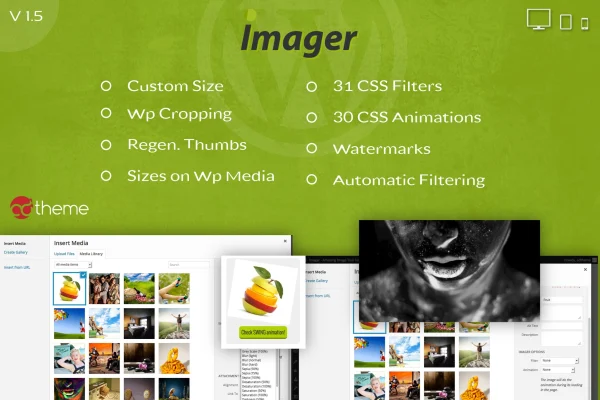
Imager - Amazing Image Tool for WordPress is a plugin that adds image management and styling tools to the WordPress Media Library. It lets you create custom image sizes, regenerate thumbnails, crop images, apply CSS filters and animations, and add watermarks from your dashboard.
- Version
- 1.5
- Released
- May 2, 2023
- Type
- WordPress plugin
- Licence
- GPL
- Included in
- Every plan, or $3.99 on its own
What’s new in Imager - Amazing Image Tool for WordPress 1.5
Version 1.5 · May 2, 2023
Latest
What it does
WordPress generates a fixed set of image sizes, and when a theme changes or you need a new size, older thumbnails often stop matching your layout. This plugin lets you define as many custom image sizes as your design needs and regenerate existing thumbnails, either automatically or manually, so your media library stays consistent. Custom sizes can be saved so they are not lost when WordPress core or your theme is updated, and cropping tools let you set exact dimensions for each image.
Beyond sizing, the plugin handles visual styling. You can apply any of 31 CSS image filters, such as grayscale, blur and sepia, globally or one image at a time, and set filters to clear when a visitor hovers. More than 30 CSS animations can be added to thumbnails, and watermark graphics can be managed in one place. All of these options appear inside the native Add Media editor, which suits bloggers, businesses, designers and developers who want to handle images without outside editing tools.
Best for
- Bloggers who need consistent thumbnail sizes across posts
- Photographers who want to watermark their images
- Designers and developers styling images with filters and animations
Features
Unlimited custom thumb sizes
Create as many image sizes as your site design calls for, so each layout area gets images cut to the dimensions it actually uses.
Thumbnail regeneration
Regenerate existing thumbnails automatically or manually, which keeps older uploads in line with your current image sizes across the whole media library.
Cropping to custom dimensions
Crop images to specific dimensions inside WordPress so the visible part of each picture is framed the way you want it.
Global and automatic CSS filters
Choose from 31 CSS image filters, including grayscale, blur and sepia, and apply them automatically across the site or manually to individual images.
Filter removal on hover
Set filters to disappear when a visitor moves the mouse over an image, creating a simple interactive effect without custom code.
Watermark management
Add your own watermark graphics to images and manage them centrally within the plugin settings to help protect your visual content.
Over 30 CSS animations
Apply more than 30 built-in CSS animation styles to thumbnails to add movement to galleries, post lists and other image areas.
Protected custom sizes
Save your custom image sizes so they survive WordPress core and theme updates, keeping your image setup consistent over time.
Questions about Imager - Amazing Image Tool for WordPress
Can I fix old thumbnails after changing my theme?
Yes. The plugin can regenerate your existing thumbnails automatically or manually, so images uploaded before a theme change can be rebuilt at the sizes your new layout uses, including any custom sizes you have defined.
What kinds of image filters are included?
There are 31 CSS image filters, with examples such as grayscale, blur and sepia. You can apply them globally and automatically, or manually to individual images, and you can set them to be removed when a visitor hovers over an image.
Will my custom image sizes disappear when WordPress or my theme updates?
The plugin includes an option to save your custom image sizes so they are kept through WordPress core and theme updates, which helps your image setup stay consistent.
Where do I manage these image options?
The customization options sit inside the native WordPress Add Media editor and the Media Library, so you can crop, filter, animate and watermark images without leaving your dashboard or using an external editor.
Is Imager - Amazing Image Tool for WordPress free?
The code of Imager - Amazing Image Tool for WordPress is licensed under the GPL, so anyone may use, change and share it. GPL Feast is a paid service: a plan or a single purchase gives you the download and automatic updates. The developer's own support, licence key and online services are not included.
Which version of Imager - Amazing Image Tool for WordPress is this?
Version 1.5, released May 2, 2023. New versions appear here when the developer publishes them, and members get them as automatic updates.
How do I update Imager - Amazing Image Tool for WordPress?
Install the free GPL Feast Updater on your site and connect it with your API key. It installs new versions of Imager - Amazing Image Tool for WordPress automatically and keeps a backup, so you can roll back.
You might also like






