
Plugin
Updated
Interlinks Manager
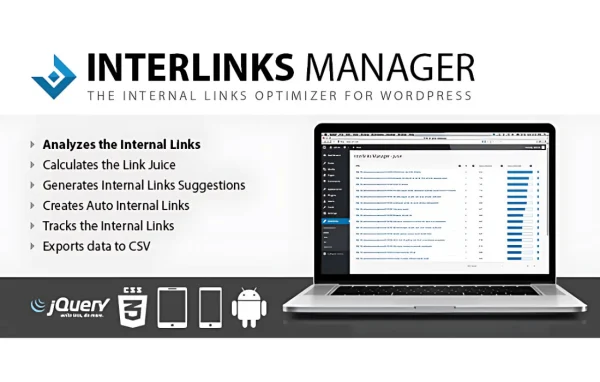
Interlinks Manager is a WordPress plugin for managing the internal links between your posts and pages. It suggests relevant links based on your content, analyzes how links and anchor text are spread across your site, and gives you reports so you can see where your linking needs work.
- Version
- 1.43
- Released
- Mar 25, 2026
- Type
- WordPress plugin
- Licence
- GPL
- Included in
- Every plan, or $3.99 on its own
- Topics
- SEO Plugins
What’s new in Interlinks Manager 1.43
Version 1.43 · Mar 25, 2026
Latest
- ImprovedUpdated the naming of menus and features to provide clearer and more modern terminology.
- ImprovedRefined the style of the plugin editor panels.
- ImprovedEnhanced the icons used in the plugin menus.
- ImprovedImproved the table with the statistics displayed in the Dashboard menu.
What it does
Internal links help visitors move from one piece of content to the next and help search engines understand how your pages relate. Keeping track of them by hand gets hard as a site grows, and it is easy to end up with pages that nothing links to or anchor text that repeats too often. Interlinks Manager handles much of that tracking for you, so you can see your internal link structure in one place instead of opening posts one by one.
The plugin reads your content and recommends links to related pages, and you can set custom rules that shape those suggestions. Analysis tools show link distribution and anchor text usage, while reports point out which pages perform well and which need more attention. Bulk editing lets you change or remove many links at once, and user role controls decide who on your team can change link settings. It suits blogs, content sites and agency-managed projects.
Best for
- Bloggers with large archives of related posts
- Marketers managing internal linking on content sites
- Developers and agencies maintaining multi-author WordPress sites
Features
Automatic link recommendations
Get suggestions for relevant internal links based on the content of your posts and pages, which saves time when you are connecting related articles.
Link and anchor text analysis
See detailed data on how internal links are distributed across your site and which anchor text you use, so you can keep link structures healthy.
Link performance reports
Track how your internal links perform, find your high-performing pages and spot areas of the site that could use more or better links.
Customizable linking rules
Set rules and preferences for link suggestions so the plugin follows the way you want your site's content connected.
Bulk link management
Edit or remove many internal links at once, which makes site-wide changes faster than updating each post separately.
User role management
Control which team members can access and change link settings, helping keep your linking work organized on multi-author sites.
Simple management interface
Add and manage internal links through an interface that does not require technical knowledge, so writers and editors can work with it directly.
Interlinks Manager older versions
- 1.42Mar 111 fix
- 1.41Jun 4, 20251 improvement, 3 fixes
- 1.40Mar 24, 20251 improvement
- 1.36Jun 18, 2024
- 1.35May 4, 2024
- 1.34Jan 8, 2024
- 1.33May 23, 2023
Members and buyers of this product can download older versions.
Questions about Interlinks Manager
How does the plugin decide which links to suggest?
It recommends internal links based on the content of your posts and pages. You can also set custom linking rules and preferences, which shape the suggestions so they fit how you want your site's content connected.
Can I see how my anchor text is being used?
Yes. The analysis tools give you detailed data on internal link distribution and anchor text usage across your site, which helps you spot overused phrases or pages that receive few links.
Is there a way to change a lot of links at once?
Yes. Bulk link management lets you edit or remove multiple internal links in one pass, which is handy when you restructure content or need to fix links across many posts.
Can I limit who changes link settings on my team?
Yes. User role management lets you control who can access and modify link settings, so editors and contributors only get the level of access you choose to give them.
Is Interlinks Manager free?
The code of Interlinks Manager is licensed under the GPL, so anyone may use, change and share it. GPL Feast is a paid service: a plan or a single purchase gives you the download and automatic updates. The developer's own support, licence key and online services are not included.
Which version of Interlinks Manager is this?
Version 1.43, released Mar 25, 2026. New versions appear here when the developer publishes them, and members get them as automatic updates.
How do I update Interlinks Manager?
Install the free GPL Feast Updater on your site and connect it with your API key. It installs new versions of Interlinks Manager automatically and keeps a backup, so you can roll back.
You might also like






