
Plugin
Updated
iPages - FlipBook Image & PDF Viewer
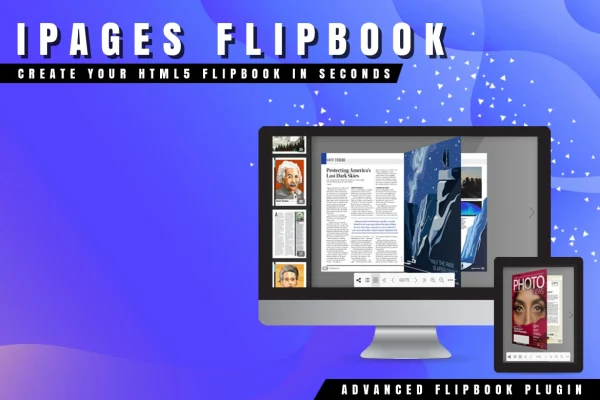
iPages - FlipBook Image & PDF Viewer is a WordPress plugin that turns static images and PDF documents into interactive HTML5 flipbooks. It gives online magazines, catalogs, brochures and booklets a book-like reading format that visitors can page through right on your site.
- Version
- 1.5.5
- Released
- Aug 19, 2025
- Type
- WordPress plugin
- Licence
- GPL
- Included in
- Every plan, or $3.99 on its own
What’s new in iPages - FlipBook Image & PDF Viewer 1.5.5
Version 1.5.5
Latest
- FixedUndefined array key "className"
What it does
Plenty of sites have content that reads best as a publication: a product catalog, a seasonal brochure, a digital magazine issue. Posting a plain PDF link sends visitors away from the page, and a stack of images loses the feel of a printed piece. This plugin solves that by building a flipbook from images, PDFs or a mix of both, then displaying it inside your pages with page-turning interaction and layout that adapts to the screen.
You pick from three reading modes (two-page, one-page flip and swipe), start from a dark or light theme, and adjust behavior and appearance through the settings interface. Layers let you place extra images or text on individual pages. You can place several flipbooks on one page without conflicts, and export or import configurations to reuse a setup across projects. It fits publishers, bloggers, marketers and businesses that share documents online.
Best for
- Publishers running online magazines or digital booklets
- Businesses sharing product catalogs and brochures
- Marketers and bloggers presenting documents in a book format
Features
Three reading modes
Display books as a two-page spread, a one-page flip or a swipe view, so you can match the reading style to your content and audience.
Images, PDFs or both
Build a flipbook from image files, PDF documents or a combination of the two, using media you already have on hand.
Dark and light themes
Two predefined themes with dark and light skins give you a starting point, and you can add your own custom designs to match your brand.
Page layers
Add extra images or text on top of any page to create richer layouts, such as callouts, labels or added notes on a catalog spread.
Multiple flipbooks per page
Place as many flipbooks as you need on the same page without conflicts, which helps sites that present a large set of catalogs or issues.
Responsive layout
Flipbook elements adjust to image sizes and screen resolutions, so publications display properly on desktop, tablet and mobile screens.
Configurable settings interface
An options panel lets you control how each flipbook behaves and looks, with simple choices for beginners and deeper control for developers.
Export and import setups
Save flipbook configurations to a file, then reuse them on other flipbooks or share them between sites to avoid rebuilding settings.
iPages - FlipBook Image & PDF Viewer older versions
- 1.4.7Jan 25, 20251 improvement, 1 fix
Members and buyers of this product can download older versions.
Questions about iPages - FlipBook Image & PDF Viewer
Can I make a flipbook from a PDF I already have?
Yes. The plugin accepts PDF documents as a data source, along with images. You can also combine images and PDFs in one flipbook, which is handy when you want to add a cover image or extra pages to an existing document.
Will the flipbooks work on phones and tablets?
The flipbooks use a responsive design that adjusts elements to fit image sizes and screen resolutions. The swipe mode is also an option if you prefer a reading style that suits touch screens.
Can I show more than one flipbook on a single page?
Yes. The plugin supports multiple instances, so you can place several flipbooks on the same page without them conflicting. This works well for a catalog archive or a page listing several magazine issues.
Can I add my own text or images to the pages?
Yes. Layer support lets you add additional images or text on each page of a flipbook. You can use this for labels, notes or extra visuals placed over the original page content.
Is iPages - FlipBook Image & PDF Viewer free?
The code of iPages - FlipBook Image & PDF Viewer is licensed under the GPL, so anyone may use, change and share it. GPL Feast is a paid service: a plan or a single purchase gives you the download and automatic updates. The developer's own support, licence key and online services are not included.
Which version of iPages - FlipBook Image & PDF Viewer is this?
Version 1.5.5, released Aug 19, 2025. New versions appear here when the developer publishes them, and members get them as automatic updates.
How do I update iPages - FlipBook Image & PDF Viewer?
Install the free GPL Feast Updater on your site and connect it with your API key. It installs new versions of iPages - FlipBook Image & PDF Viewer automatically and keeps a backup, so you can roll back.
You might also like






