
Plugin
Updated
iPanorama 360
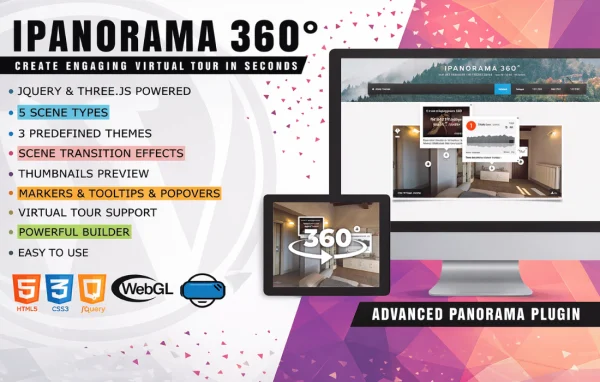
iPanorama 360 by Avirtum is a WordPress plugin for building interactive virtual tours from panoramic images. You put tours together in a drag-and-drop editor, add clickable hotspots and media, and display the finished tour on your site. It suits real estate listings, travel content and educational projects.
- Version
- 1.9.1
- Released
- Apr 21, 2025
- Developer
- Avirtum
- Type
- WordPress plugin
- Licence
- GPL
- Included in
- Every plan, or $3.99 on its own
What’s new in iPanorama 360 1.9.1
Version 1.9.1
Latest
- FixedResolved 403 errors occurring when strict HTTP standards enforcement is enabled
What it does
Flat photos only show one angle of a place, which is limiting when visitors want to look around a property, a destination or a classroom. This plugin turns panoramic images into 360 degree scenes that visitors can explore themselves. You can work with a single panorama or link several scenes together into a multi-scene tour, so a viewer can move from room to room or stop to stop. The drag-and-drop editor means you build all of this without writing code.
Tours are created and managed from the WordPress dashboard. Inside each scene you can place hotspots that open text, images, videos or links, and you can embed audio, video and external content directly in the tour. Skins and themes let you adjust the look so it matches the rest of your site. Tours are responsive, adapting to desktops, tablets and phones, and they work in major browsers including Chrome, Firefox, Safari and Edge. Visitors can also share tours on social media.
Best for
- Real estate agents presenting properties online
- Travel bloggers sharing panoramic destination photos
- Educators building explorable learning experiences
Features
Drag-and-drop tour editor
Build 360 degree virtual tours by arranging scenes and elements visually, with no coding knowledge needed to put a complete tour together.
Interactive hotspots
Add clickable points inside a panorama that display text, images or videos, or send visitors to a link, giving each scene extra context.
Single and multi-scene tours
Use one panoramic image on its own or connect several scenes into a larger tour that visitors can move through.
Custom skins and themes
Change the look and feel of your tours with skins and themes so they fit the branding and style of your website.
Embedded audio and video
Place audio, video and external content directly inside your virtual tours so visitors can hear narration or watch clips while exploring.
Responsive display
Tours adapt automatically to different screen sizes, so they can be viewed on desktops, tablets and smartphones.
Cross-browser compatibility
Tours work across major browsers, including Chrome, Firefox, Safari and Edge, so most visitors can open them without issues.
Social sharing options
Let visitors share your virtual tours on social media platforms, making it easy to pass a tour along to others.
iPanorama 360 older versions
- 1.9.0Mar 3, 20251 new, 1 improvement
- 1.8.8Feb 18, 20251 fix
- 1.8.7Dec 3, 20241 fix
- 1.8.6Nov 15, 2024
- 1.8.4Jul 24, 2024
- 1.8.3Apr 4, 2024
- 1.8.2Feb 5, 2024
- 1.8.1Oct 20, 2023
- 1.8.0Sep 22, 2023
- 1.7.3Aug 30, 2023
Members and buyers of this product can download older versions.
13 older versions in all. If you need one that is not listed, ask support.
Questions about iPanorama 360
Do I need coding skills to build a virtual tour?
No. iPanorama 360 uses a drag-and-drop editor, so you can create scenes, place hotspots and add media without writing code. Tours are managed from your WordPress dashboard, which keeps everything in the same place as the rest of your site content.
Can I connect several panoramas into one tour?
Yes. The plugin supports both single panoramic images and multi-scene panoramas. That means you can build a tour that moves between several locations, such as the rooms of a house or different stops on a trip, instead of showing one isolated view.
What can I put inside a hotspot?
Hotspots are clickable points placed in a scene. They can show text, images or videos, or link to another page. You can also embed audio, video and external content in the tour itself, which works well for narration or extra background information.
Will tours work on phones and tablets?
Yes. Tours use a responsive design that adapts to the screen size, so they display on desktops, tablets and smartphones. They also work in major browsers, including Chrome, Firefox, Safari and Edge.
Is iPanorama 360 free?
The code of iPanorama 360 is licensed under the GPL, so anyone may use, change and share it. GPL Feast is a paid service: a plan or a single purchase gives you the download and automatic updates. The developer's own support, licence key and online services are not included.
Which version of iPanorama 360 is this?
Version 1.9.1, released Apr 21, 2025. New versions appear here when the developer publishes them, and members get them as automatic updates.
How do I update iPanorama 360?
Install the free GPL Feast Updater on your site and connect it with your API key. It installs new versions of iPanorama 360 automatically and keeps a backup, so you can roll back.
You might also like






