
Plugin
Updated
Item Lists Pro for Elementor
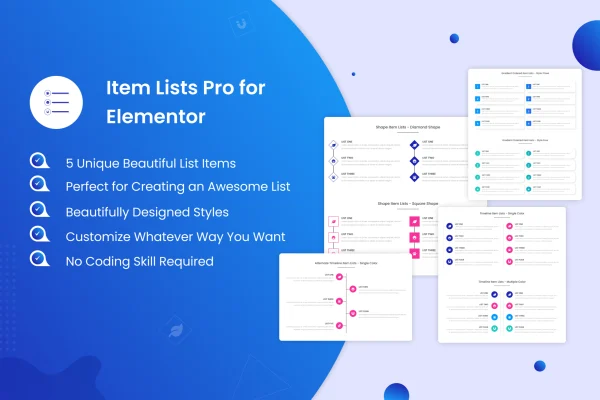
Item Lists Pro for Elementor is a WordPress plugin that adds styled bullet lists to the Elementor page builder. It gives you five list designs that you can pair with images or icons, then adjust fonts, colors and spacing to fit your site without writing code.
- Version
- 1.5.5
- Released
- Aug 25, 2026
- Type
- WordPress plugin
- Requires
- Elementor
- Licence
- GPL
- Included in
- Every plan, or $3.99 on its own
What’s new in Item Lists Pro for Elementor 1.5.5
Version 1.5.5 · Aug 25, 2026
Latest
- ImprovedLatest WordPress 7.1 compatibility Check
- SecurityAdded rel="noopener" to list item links that open in a new tab, and fixed attribute output so target/rel are no longer double-encoded
- FixedWidget render() now uses get_settings_for_display() so Elementor Dynamic Tags on link fields resolve correctly
What it does
Plain bullet lists often look flat next to the rest of a well-designed page, and building a nicer version usually means stacking several widgets or writing custom CSS. This plugin handles that job inside Elementor. You add a list, pick one of five designs and fill in your items, with the option of placing an image or icon beside each one. The result works well for company histories, feature highlights, quotes, tips and other content that reads better as a list.
Everything is set up in the Elementor editor, so you style lists the same way you style the rest of your layout. Fonts, colors, spacing and icons can all be changed per list, and you can place several different lists on one page without their styles clashing. The list styles are responsive across desktops, tablets and phones. List items can carry links, including links that open in a new tab, and link fields work with Elementor Dynamic Tags.
Best for
- Elementor sites that need better looking bullet lists
- Business sites presenting company history or service highlights
- Freelancers and agencies building Elementor pages for clients
Features
Five list designs
Choose from five distinct list styles, each formatted for readability, and match the one that best fits your page and brand.
Images or icons per item
Place an image or an icon next to each list item to make points easier to scan and give lists more visual interest.
Built into Elementor
Add and customize lists directly in the Elementor interface, so list styling fits into the way you already build pages.
Custom fonts, colors and spacing
Adjust typography, colors, spacing and icons for each list so it lines up with the look of the surrounding design.
Responsive list layouts
All list styles adapt to desktops, tablets and smartphones, so your lists stay readable on smaller screens.
Multiple lists per page
Use several different lists on the same page, each with its own style, without styling conflicts between them.
Linkable list items
Link list items to other pages, open links in a new tab, and pull link values from Elementor Dynamic Tags.
Item Lists Pro for Elementor older versions
- 1.5.3May 192 improvements, 1 fix
Members and buyers of this product can download older versions.
Questions about Item Lists Pro for Elementor
Do I need Elementor to use this plugin?
Yes. The plugin is built for Elementor and requires it. Lists are added and styled inside the Elementor editor, so you work with them the same way you work with other page elements.
Can I add icons or pictures to my list items?
Yes. Each list item can show an image or an icon beside it. You can also adjust icon styling along with fonts, colors and spacing to suit your design.
Will the lists look right on mobile devices?
The list styles are responsive and adjust to desktops, tablets and smartphones. It is still worth previewing your pages in Elementor's responsive modes to check spacing on each screen size.
Can I use different list styles on the same page?
Yes. You can place several lists on one page, each using its own design and settings, and they will not interfere with each other's styling.
Is Item Lists Pro for Elementor free?
The code of Item Lists Pro for Elementor is licensed under the GPL, so anyone may use, change and share it. GPL Feast is a paid service: a plan or a single purchase gives you the download and automatic updates. The developer's own support, licence key and online services are not included.
Which version of Item Lists Pro for Elementor is this?
Version 1.5.5, released Aug 25, 2026. New versions appear here when the developer publishes them, and members get them as automatic updates.
How do I update Item Lists Pro for Elementor?
Install the free GPL Feast Updater on your site and connect it with your API key. It installs new versions of Item Lists Pro for Elementor automatically and keeps a backup, so you can roll back.
What does Item Lists Pro for Elementor need?
Item Lists Pro for Elementor needs Elementor installed and active.
You might also like






