
Plugin
Updated
JBlog Elements
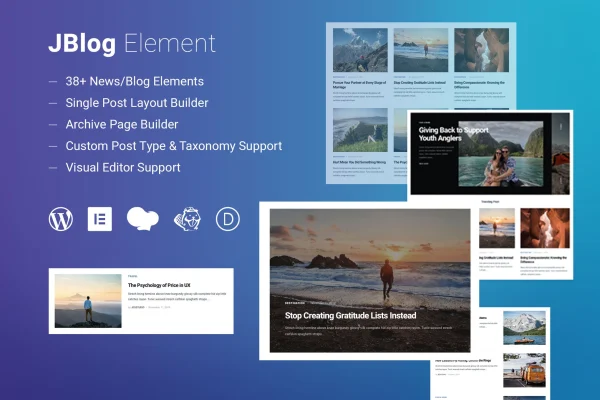
JBlog Elements is a WordPress plugin that adds blog, news and magazine elements to popular page builders. It works with Elementor, WPBakery Page Builder, Beaver Builder and Divi Builder, so you can build custom post layouts, sliders and hero sections without writing code.
- Version
- 1.1.4
- Released
- May 2, 2023
- Type
- WordPress plugin
- Licence
- GPL
- Included in
- Every plan, or $3.99 on its own
What’s new in JBlog Elements 1.1.4
Version 1.1.4 · May 2, 2023
Latest
What it does
Many themes ship with a fixed blog page that is hard to change, and building a custom news section by hand usually means touching code. JBlog Elements gives you more than 38 ready-made elements, including blog post layouts, sliders and hero sections, that you place with the page builder you already use. You can add a news block to a homepage or design a full blog page from scratch, and the plugin is built to work alongside any WordPress theme.
Control over which posts appear is where the plugin earns its place. Each element can include or exclude posts by category, tag or author, skip a set number of posts with an offset, and avoid showing the same post twice on one page. The elements are responsive and retina ready, and the markup is structured cleanly. This makes it a practical fit for bloggers, news sites and magazine-style projects that publish often.
Best for
- Bloggers who want custom post layouts without coding
- News and magazine websites with many content sections
- Designers building sites in Elementor, WPBakery, Beaver Builder or Divi
Features
Works with four page builders
Use the elements inside Elementor, WPBakery Page Builder, Beaver Builder or Divi Builder, depending on which builder your site already runs.
More than 38 elements
Pick from a library of over 38 elements, including blog post layouts, sliders and hero sections, to build content-heavy pages.
Filter by category, tag or author
Include or exclude posts based on categories, tags or authors so each section shows only the content you want there.
Post offset
Skip a chosen number of posts in a list, which helps when a featured block above already displays the newest entries.
Duplicate prevention
Stop the same post from appearing in more than one element on a page, keeping multi-section homepages organized.
Responsive and retina ready
Layouts adjust to different screen sizes and display sharp visuals on high-resolution screens.
Theme independent
The plugin is designed to work with any WordPress theme, so you can add custom blog sections without switching your current design.
Clean, structured markup
Blog and news elements output structured code intended to be friendly to search engines.
Questions about JBlog Elements
Which page builders does this plugin work with?
It works with Elementor, WPBakery Page Builder, Beaver Builder and Divi Builder. You add the blog and news elements from inside whichever of these builders your site uses.
Can I control which posts show up in each section?
Yes. Each element lets you include or exclude posts by category, tag or author. You can also offset posts to skip a set number, and prevent duplicates so the same post does not appear twice on a page.
Will it work with my current theme?
JBlog Elements is designed to work with any WordPress theme, so you can add custom blog, news or magazine sections to your existing design without changing themes.
What kinds of elements are included?
There are more than 38 elements, including blog post layouts, sliders and hero sections. They are responsive and retina ready, so they adapt to phones, tablets and desktops.
Is JBlog Elements free?
The code of JBlog Elements is licensed under the GPL, so anyone may use, change and share it. GPL Feast is a paid service: a plan or a single purchase gives you the download and automatic updates. The developer's own support, licence key and online services are not included.
Which version of JBlog Elements is this?
Version 1.1.4, released May 2, 2023. New versions appear here when the developer publishes them, and members get them as automatic updates.
How do I update JBlog Elements?
Install the free GPL Feast Updater on your site and connect it with your API key. It installs new versions of JBlog Elements automatically and keeps a backup, so you can roll back.
You might also like






