
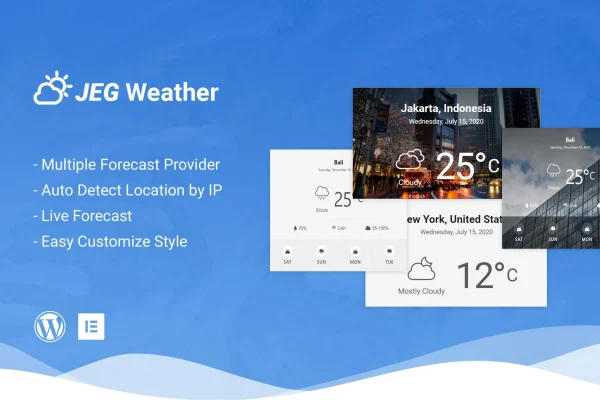
Plugin
Updated
Jeg Weather Elements
Jeg Weather Elements is a WordPress plugin that adds weather forecast elements to your page builder layouts. It requires Elementor and also works with WPBakery Page Builder. You can place current conditions and detailed forecasts on any page by dragging in an element, with no coding needed.
- Version
- 1.0.5
- Released
- Jun 13, 2023
- Type
- WordPress plugin
- Requires
- Elementor
- Licence
- GPL
- Included in
- Every plan, or $3.99 on its own
What’s new in Jeg Weather Elements 1.0.5
Version 1.0.5 · Jun 13, 2023
Latest
What it does
Many sites benefit from showing the weather. A travel blog may want conditions for a destination, and a local news portal may want the forecast for its city. Building that yourself means finding a data source and designing a display. This plugin handles both, giving you ready-made weather elements that show live conditions and detailed forecasts for any city or tourist destination around the world.
The elements drop into Elementor or WPBakery Page Builder like any other widget. You can set a fixed location or let the plugin detect each visitor's location automatically, so people see weather for where they are. Background images, colors and styles can be adjusted to match your branding, and the elements are responsive and retina ready for desktops, tablets and phones. It is designed to work alongside any WordPress theme.
Best for
- Travel blogs covering cities and tourist destinations
- Local news portals that report on area weather
- Elementor sites wanting a styled weather widget
Features
Live weather forecasts
Display current weather conditions and detailed forecasts directly on your pages, so visitors can check the outlook without leaving your site.
Automatic location detection
The plugin can detect a visitor's current location and show weather data for their area without them entering anything.
Page builder elements
Add weather elements through drag and drop in Elementor or WPBakery Page Builder, with no code required to place or configure them.
Custom backgrounds and styling
Change background images, colors and styles on each weather element so the display fits your site's branding and overall design.
Responsive and retina ready
Weather displays adapt to different screen sizes and stay sharp on high-resolution screens, from desktop monitors to phones and tablets.
Worldwide city coverage
Show forecasts for any city or tourist destination around the world, which suits sites that cover several places or international travel.
Works with any theme
The elements are built to run alongside your existing WordPress theme and other plugins, including WooCommerce stores.
Questions about Jeg Weather Elements
Do I need Elementor to use this plugin?
Elementor is listed as a requirement. The weather elements are also compatible with WPBakery Page Builder, so you can drag them into layouts built with either page builder without writing code.
Can it show weather for my visitor's own location?
Yes. The plugin includes automatic location detection, which identifies a visitor's current location and shows weather data for their area. You can also display forecasts for specific cities or tourist destinations anywhere in the world.
Can I make the weather widget match my site design?
You can customize background images, colors and styles on the weather elements. That lets you blend the display with your branding, and the elements are responsive and retina ready so they look sharp on any device.
Will it work with my theme and WooCommerce?
The plugin is designed to work with any WordPress theme and alongside other popular plugins, and WooCommerce is named specifically. You can add weather information to a store or content site without changing your current theme.
Is Jeg Weather Elements free?
The code of Jeg Weather Elements is licensed under the GPL, so anyone may use, change and share it. GPL Feast is a paid service: a plan or a single purchase gives you the download and automatic updates. The developer's own support, licence key and online services are not included.
Which version of Jeg Weather Elements is this?
Version 1.0.5, released Jun 13, 2023. New versions appear here when the developer publishes them, and members get them as automatic updates.
How do I update Jeg Weather Elements?
Install the free GPL Feast Updater on your site and connect it with your API key. It installs new versions of Jeg Weather Elements automatically and keeps a backup, so you can roll back.
What does Jeg Weather Elements need?
Jeg Weather Elements needs Elementor installed and active.
You might also like






