
Plugin
Updated
JPS Ajax Post Layout
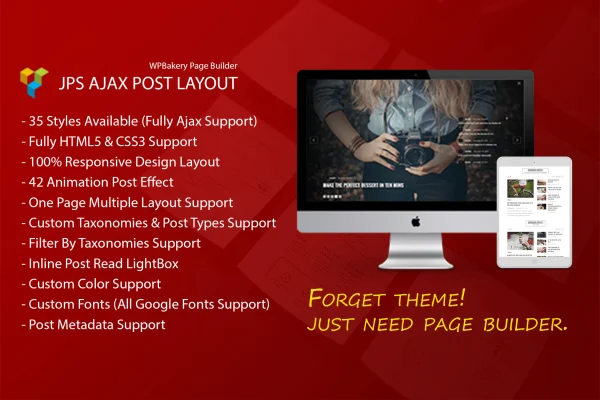
JPS Ajax Post Layout is a WordPress plugin that adds post layout elements to WPBakery Page Builder. It gives you more than 35 layout styles, from grids and masonry to parallax background sliders, so you can present blog posts, portfolios or news without writing code.
- Version
- 2.0.0
- Released
- May 2, 2023
- Type
- WordPress plugin
- Licence
- GPL
- Included in
- Every plan, or $3.99 on its own
What’s new in JPS Ajax Post Layout 2.0.0
Version 2.0.0 · May 2, 2023
Latest
What it does
Default WordPress post listings tend to look the same on every site, and building custom grids or sliders usually means template work or code. This addon fills that gap for sites built with WPBakery Page Builder. You pick a layout style inside the builder interface, adjust its settings and place it on a page. The styles include grid, masonry, creative and boxed designs, plus background and parallax sliders that can run full width or inside a container.
Content loads through Ajax and JSON, so visitors can browse more posts without a full page refresh, and select creative and masonry layouts support infinite scroll. Layouts are responsive and retina ready, and touch events let mobile and tablet users swipe through sliders. You can fit layouts to your design with full-width, full-container, medium and small container sizes, and choose black or white color schemes. It suits anyone who already builds pages in WPBakery and wants more ways to display posts.
Best for
- Blogs built with WPBakery Page Builder
- Portfolio sites that need grid or masonry post displays
- News and magazine sites wanting sliders and infinite scroll
Features
More than 35 layout styles
Choose from grid, masonry, creative and boxed post layouts to match the look of a blog, portfolio or news section.
Background and parallax sliders
Add parallax background sliders at full width or container width, with touch support so visitors can swipe through posts on phones and tablets.
Ajax and JSON loading
Posts load through Ajax and JSON, letting visitors move through content without reloading the whole page.
Infinite scroll option
Select creative and masonry layouts can load more posts automatically as the visitor scrolls down the page.
Multiple container sizes
Set layouts to full-width, full-container, medium or small container sizes so they fit the structure of your page design.
Black and white themes
Apply black or white color schemes to the creative layouts for a clean monochrome look that keeps text easy to read.
Responsive and retina ready
Layouts adjust to different screen sizes and display sharply on high-resolution retina screens.
Controlled inside WPBakery
Add and configure post layouts directly within the WPBakery Page Builder interface you already use to build pages.
Questions about JPS Ajax Post Layout
Do I need WPBakery Page Builder to use this plugin?
Yes. The plugin is an addon for WPBakery Page Builder, and you add and control its post layouts inside the builder interface. It is meant for sites that already build pages with WPBakery.
What kinds of post layouts are included?
There are more than 35 styles, covering grid, masonry, creative and boxed layouts, along with background and parallax sliders. Sliders can run at full width or container width, and you can choose black or white color schemes.
Can visitors load more posts without refreshing the page?
Yes. Layouts use Ajax and JSON to load content without a full page reload. Some creative and masonry layouts also support infinite scroll, which brings in more posts as the visitor scrolls.
Will the layouts work on phones and tablets?
The layouts are responsive and retina ready, so they adapt to different screen sizes and look sharp on high-resolution displays. Touch event support lets mobile and tablet users swipe through sliders.
Is JPS Ajax Post Layout free?
The code of JPS Ajax Post Layout is licensed under the GPL, so anyone may use, change and share it. GPL Feast is a paid service: a plan or a single purchase gives you the download and automatic updates. The developer's own support, licence key and online services are not included.
Which version of JPS Ajax Post Layout is this?
Version 2.0.0, released May 2, 2023. New versions appear here when the developer publishes them, and members get them as automatic updates.
How do I update JPS Ajax Post Layout?
Install the free GPL Feast Updater on your site and connect it with your API key. It installs new versions of JPS Ajax Post Layout automatically and keeps a backup, so you can roll back.
You might also like






