
Plugin
Updated
Jumbo, by Bonfire
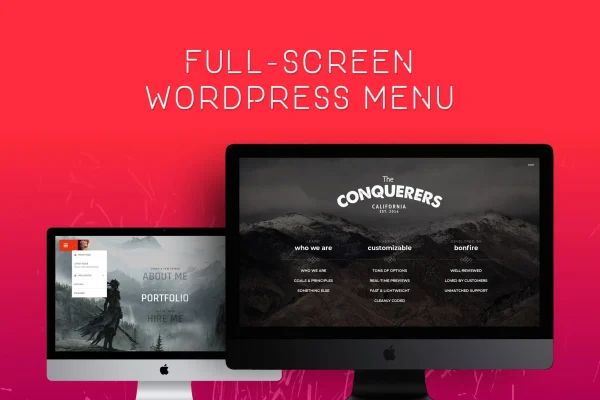
Jumbo, by Bonfire is a WordPress plugin that replaces a standard navigation bar with a fullscreen menu. You pick a vertical or column-based layout, then adjust colors, background images, animation speed and element positions with real-time editing.
- Version
- 3.9.1
- Released
- Mar 12, 2024
- Type
- WordPress plugin
- Licence
- GPL
- Included in
- Every plan, or $3.99 on its own
What’s new in Jumbo, by Bonfire 3.9.1
Version 3.9.1 · Mar 12, 2024
Latest
What it does
Standard header menus can feel cramped, especially on sites with many pages or a strong visual identity. This plugin opens your navigation as a fullscreen overlay instead, giving each link room to breathe. It is built to work with any WordPress theme, so you can add it to an existing site without rebuilding your design, and the setup does not require coding knowledge.
Once it is in place, you shape the menu to match your brand. Choose a vertical or column-based layout, set your colors, add a background image and decide how quickly the menu opens and closes. You can also reposition menu elements and see changes in real time. The menu is responsive and retina ready, so it adapts to desktop and mobile screens and keeps visuals sharp on high-density displays. It suits portfolios, business sites, blogs and online stores alike.
Best for
- Portfolio sites that want a bold, image-led navigation
- Business and blog owners refreshing an existing theme's menu
- Freelancers and agencies building branded client websites
Features
Vertical or column layouts
Pick between a vertical list or a column-based arrangement for the fullscreen menu, depending on how many links you have and the look you want.
Custom colors
Adjust the menu colors so the fullscreen overlay matches your brand palette and fits the rest of your site design.
Background image support
Add your own background image behind the menu to give the fullscreen navigation a distinct look that ties into your site's visual style.
Animation speed controls
Set how quickly the menu opens and closes, so the transition feels right for the pace and tone of your site.
Repositionable menu elements
Move and adjust menu content to arrange items where they make the most sense for your visitors and your layout.
Real-time editing
Preview your changes to colors, backgrounds, animations and positions as you make them, which makes it easier to fine-tune the design.
Responsive and retina ready
The menu adapts to screens from desktop monitors to phones and keeps graphics crisp on high-resolution displays.
Works with any theme
The plugin is designed to fit with any WordPress theme, and you can set it up without writing code.
Questions about Jumbo, by Bonfire
Will this work with the theme I already use?
Yes. The plugin is described as compatible with any WordPress theme. It adds a fullscreen menu on top of your existing design, so you do not need to switch themes or rebuild your header to use it.
Do I need to know how to code to customize the menu?
No coding knowledge is required. You change colors, background images, animation speed and element positions through the plugin's options, and real-time editing lets you see the results as you adjust them.
How does the fullscreen menu look on phones?
The menu is responsive, so it adapts to screen sizes from desktop monitors down to mobile devices. It is also retina ready, which keeps visuals sharp on high-resolution phone and tablet screens.
What layout options are available?
You can choose between a vertical layout and a column-based layout. From there you can reposition menu elements, add a background image and set colors to arrange the menu the way that suits your content.
Is Jumbo, by Bonfire free?
The code of Jumbo, by Bonfire is licensed under the GPL, so anyone may use, change and share it. GPL Feast is a paid service: a plan or a single purchase gives you the download and automatic updates. The developer's own support, licence key and online services are not included.
Which version of Jumbo, by Bonfire is this?
Version 3.9.1, released Mar 12, 2024. New versions appear here when the developer publishes them, and members get them as automatic updates.
How do I update Jumbo, by Bonfire?
Install the free GPL Feast Updater on your site and connect it with your API key. It installs new versions of Jumbo, by Bonfire automatically and keeps a backup, so you can roll back.
You might also like






