
Plugin
Updated
Kirki Pro
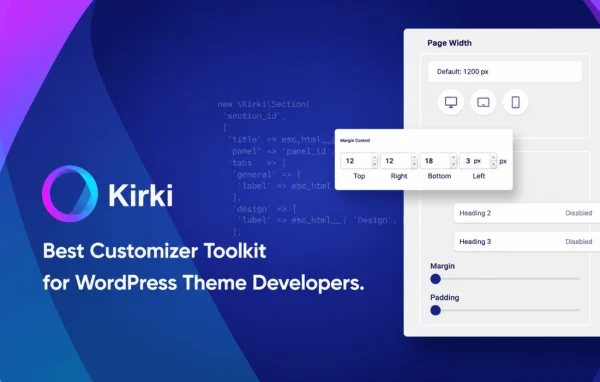
Kirki Pro is a WordPress plugin that extends the Kirki customization framework with a visual, drag-and-drop site builder. It works inside the WordPress Customizer and gives developers, designers and agencies a large set of design controls for typography, colors, layouts and responsive settings.
- Version
- 6.4.0
- Released
- Oct 14, 2026
- Type
- WordPress plugin
- Requires
- Kirki
- Licence
- GPL
- Included in
- Every plan, or $5.59 a year on its own
- Topics
- Page Builders
What’s new in Kirki Pro 6.4.0
Version 6.4.0
Latest
- NewAdded a new SVG Drawing Tool to the canvas.
- NewAdded list style options to the Advanced Typography settings.
- ImprovedImproved the page staging data store mechanism.
- ImprovedEnhanced the Navigation element's default styles and functionality.
- ImprovedUpdated the Wrap element to use Fill for width and Hug for height by default.
- ImprovedImproved the Follow Cursor auto-reset position functionality.
- FixedFixed an issue with submitting forms containing empty values.
- FixedFixed layout shifting during text animations.
What it does
Building theme options and design settings in WordPress often means writing a lot of custom Customizer code. This plugin gives you dozens of ready-made controls, such as sliders, color pickers and typography selectors, so you can offer detailed design choices without building each one from scratch. It requires the free Kirki plugin and adds its extra tools on top of that framework, keeping the editing experience native to the Customizer.
Alongside the controls, you get a drag-and-drop canvas for placing and arranging elements, responsive tools for adjusting how a site looks on different devices, and live previews so changes show up as you make them. Developers can extend it through an API to connect it with other plugins or themes. Agencies can export and import settings, which helps when moving a design between sites or handing a project to a client.
Best for
- Theme developers building Customizer options
- Agencies reusing designs across client sites
- Designers who want visual control over layouts
Features
Drag-and-drop editing
Place and arrange elements on a visual canvas. Newly dropped text elements default to the last font family you picked, which saves repeated font selection.
Native Customizer integration
Works inside the WordPress Customizer, so site owners edit design settings in a familiar place that already fits how WordPress handles theme options.
Dozens of custom controls
Includes pre-built controls such as sliders, color pickers and typography selectors. The color picker also offers an accessibility contrast ratio option for checking text readability.
Responsive design tools
Adjust how the site appears across devices, with control over layout and sizing so pages can be tuned for desktop, tablet and mobile screens.
Live content previews
Dynamic content support lets you see changes in real time while designing, so you can judge typography, color and layout edits as you make them.
Developer API
An API lets developers extend the framework and connect it with other plugins or themes. Role management relies on standard WordPress capabilities.
Settings export and import
Export design settings from one site and import them into another, which makes client handoffs and repeated project setups easier for agencies.
Map element
Includes an OpenStreetMap map element you can add to pages, useful for contact pages or business location sections.
Kirki Pro older versions
- 6.3.2Sep 302 new, 6 improvements, 8 fixes
- 6.3.1Sep 163 new, 7 improvements, 3 fixes
- 6.3.0Sep 32 new, 3 improvements, 4 fixes
- 6.2.5Aug 26
- 6.2.3Aug 15
- 6.2.2Aug 13
- 6.2.1Aug 7
- 6.2.0Aug 3
- 6.1.1Jul 23
- 6.0.13Jul 5
Members and buyers of this product can download older versions.
14 older versions in all. If you need one that is not listed, ask support.
Questions about Kirki Pro
Do I need the free Kirki plugin to use this?
Yes. Kirki Pro depends on the Kirki plugin and builds on top of it. Kirki supplies the core customization framework, and the Pro plugin adds the drag-and-drop builder, extra controls and agency tools.
What kinds of controls does it add?
It offers dozens of pre-built controls, including sliders, color pickers and typography selectors. The color picker includes an accessibility contrast ratio option, and the editor supports selecting multiple elements at once.
Can I move my design settings to another site?
Yes. The agency tools include export and import of settings, so you can reuse a configuration on a new site or pass a finished setup to a client without rebuilding it by hand.
Is it useful if I write my own themes?
It is aimed at developers as much as designers. The developer API lets you extend the framework and integrate it with your own themes or other plugins, while the ready-made controls cut down on custom Customizer code.
Is Kirki Pro free?
The code of Kirki Pro is licensed under the GPL, so anyone may use, change and share it. GPL Feast is a paid service: a plan or a single purchase gives you the download and automatic updates. The developer's own support, licence key and online services are not included.
Which version of Kirki Pro is this?
Version 6.4.0, released Oct 14, 2026. New versions appear here when the developer publishes them, and members get them as automatic updates.
How do I update Kirki Pro?
Install the free GPL Feast Updater on your site and connect it with your API key. It installs new versions of Kirki Pro automatically and keeps a backup, so you can roll back.
What does Kirki Pro need?
Kirki Pro needs Kirki installed and active.
You might also like






