
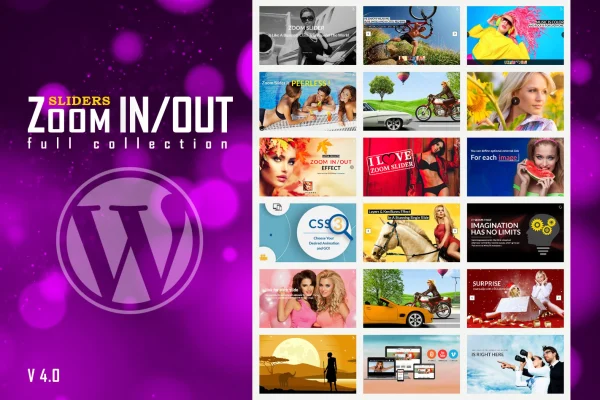
Plugin
Updated
LambertGroup - Zoom In/Out Effect Sliders Full Collection
LambertGroup - Zoom In/Out Effect Sliders Full Collection is a WordPress plugin for building image sliders with a Ken Burns style zoom and pan effect. You set how far each image zooms and how long it takes, then add animated text or image layers on top.
- Version
- 5.4.6
- Released
- Aug 26, 2026
- Type
- WordPress plugin
- Licence
- GPL
- Included in
- Every plan, or $3.99 on its own
What’s new in LambertGroup - Zoom In/Out Effect Sliders Full Collection 5.4.6
Version 5.4.6 · Aug 26, 2026
Latest
What it does
A static image slider can feel flat, especially on portfolio pages or promotional banners where you want visitors to look at the pictures. This plugin brings slow zooming and panning to each slide, the Ken Burns effect often seen in documentaries. It gives photos a sense of motion without needing video, and you control the starting zoom, ending zoom and duration for every image so each slide moves the way you want.
On top of the images you can place animated layers that enter from the top, bottom, left or right, with more than 180 prebuilt CSS3 animations to pick from. Slides change with either a fade or a slide transition, and three predefined skins called Opportune, Majestic and Generous handle the styling. The slider is responsive, with an option to turn that behavior off, and it supports touch swipe navigation on iOS and Android devices. Responsive PSD files are included for designers who want to rework the skins.
Best for
- Photographers and creatives presenting portfolio images
- Marketing sites with promotional banner sliders
- Designers who want customizable slider skins
Features
Per image zoom control
Set the initial and final zoom levels for each image individually, so every slide can zoom in or out by a different amount.
Adjustable zoom duration
A duration parameter sets how long the zoom effect runs, letting you choose between slow, gentle motion and quicker movement.
Directional animated layers
Add layers that animate in from the top, bottom, left or right of the slide, inspired by the Ken Burns effect.
Over 180 CSS3 layer animations
Choose from more than 180 prebuilt CSS3 animations for your layers instead of writing animation code yourself.
Three predefined skins
Style sliders quickly with the Opportune, Majestic or Generous skin, each offering a different look for different branding needs.
Fade and slide transitions
Pick between two transition types, fade or slide, to control how one slide gives way to the next.
Responsive with touch navigation
Sliders adapt to desktops, tablets and phones, with an optional responsive toggle and swipe navigation on iOS and Android touch screens.
Editable PSD files included
Responsive PSD files come with the plugin, so designers can customize the skins and visuals in their own image editor.
LambertGroup - Zoom In/Out Effect Sliders Full Collection older versions
- 5.4.4Feb 12, 2024
Members and buyers of this product can download older versions.
Questions about LambertGroup - Zoom In/Out Effect Sliders Full Collection
What exactly does the zoom effect look like?
Each image slowly zooms in or out while the slide is displayed, similar to the Ken Burns effect. You choose the starting and ending zoom level for each image and set the duration, so the motion can be subtle or more noticeable.
Can I add text or graphics over the slides?
Yes. You can add layers on top of the images and animate them in from the top, bottom, left or right. More than 180 prebuilt CSS3 animations are available for those layers, so you can vary how each element appears.
Will the slider work on phones and tablets?
The slider is responsive and adjusts to desktops, tablets and smartphones. It supports touch screen swipe navigation and works on iOS and Android. There is also an option to turn the responsive behavior off if you need a fixed size.
How much control do I have over the slider's appearance?
You can start from one of three predefined skins (Opportune, Majestic or Generous), pick fade or slide transitions and tune the zoom per image. The structure is CSS and HTML based, and included PSD files let designers rework the skin graphics.
Is LambertGroup - Zoom In/Out Effect Sliders Full Collection free?
The code of LambertGroup - Zoom In/Out Effect Sliders Full Collection is licensed under the GPL, so anyone may use, change and share it. GPL Feast is a paid service: a plan or a single purchase gives you the download and automatic updates. The developer's own support, licence key and online services are not included.
Which version of LambertGroup - Zoom In/Out Effect Sliders Full Collection is this?
Version 5.4.6, released Aug 26, 2026. New versions appear here when the developer publishes them, and members get them as automatic updates.
How do I update LambertGroup - Zoom In/Out Effect Sliders Full Collection?
Install the free GPL Feast Updater on your site and connect it with your API key. It installs new versions of LambertGroup - Zoom In/Out Effect Sliders Full Collection automatically and keeps a backup, so you can roll back.
You might also like






