
Plugin
Updated
Laser
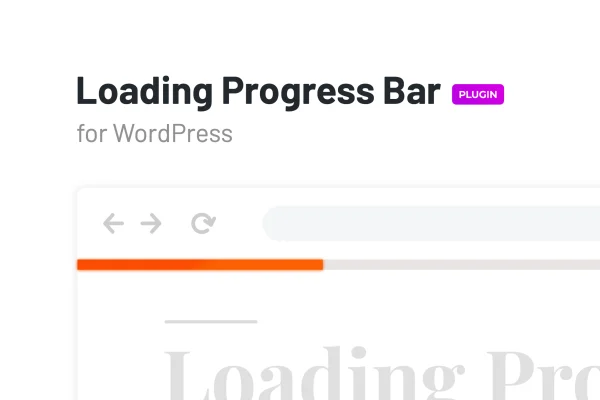
Laser is a WordPress plugin by merkulove that adds a loading progress bar to your pages. It detects how far a page has loaded and shows that progress in real time, so visitors can see the page is working while content appears.
- Version
- 1.1.2
- Released
- Feb 6, 2026
- Type
- WordPress plugin
- Requires
- Elementor
- Licence
- GPL
- Included in
- Every plan, or $3.99 on its own
What’s new in Laser 1.1.2
Version 1.1.2 · Feb 6, 2026
Latest
- SecurityFixed plugin security issues
What it does
When a page takes a moment to load, visitors on phones or slower connections can't always tell whether anything is happening. A loading indicator gives them a clear signal that the page is on its way. This plugin handles that by detecting the page loading progress automatically and showing the percentage as a bar, with no coding needed to get it on your site.
You can style the bar with any color or a gradient so it matches your branding, and choose where on the page it appears. It is responsive and retina ready, so it looks sharp on desktops, tablets and smartphones. It works in Chrome, Firefox, Safari, Edge, Opera and Internet Explorer. The plugin lists Elementor as a requirement, so it fits sites already built with Elementor.
Best for
- Elementor sites with heavy pages or many images
- Sites with many mobile visitors on slower connections
- Freelancers adding branded touches to client websites
Features
Automatic progress detection
The plugin tracks page loading on its own and displays the exact loading percentage, giving visitors a live view of how far along the page is.
Custom colors and gradients
Set the bar to any solid color or a gradient so it fits your site's design and brand palette.
Flexible placement
Choose where the progress bar appears on the page, placing it in whatever spot works best for your layout.
Responsive and retina ready
The bar adapts to different device types and screen resolutions, displaying crisply on desktops, tablets and mobile phones alike.
Cross-browser support
It works in Chrome, Firefox, Safari, Edge, Opera and Internet Explorer, so visitors see a consistent indicator across popular browsers.
Lightweight code
The plugin is built with optimized CSS, SASS and JavaScript files, keeping its footprint on your pages small.
No coding required
You can add the loading indicator to your WordPress site and adjust its look without writing any code yourself.
Questions about Laser
Does this plugin need Elementor?
Yes. Laser lists Elementor as a requirement, so you'll need Elementor active on your WordPress site to use it. It's a good match if your pages are already built with Elementor.
Can I change the color of the loading bar?
Yes. You can set the progress bar to any color or use a gradient, which makes it easy to match your site's branding and overall design.
Will it work on phones and older browsers?
The bar is responsive and retina ready, so it displays on desktops, tablets and smartphones. It also works in Chrome, Firefox, Safari, Edge, Opera and Internet Explorer, including legacy versions of Internet Explorer.
Does the bar show real loading progress?
It does. The plugin automatically detects the page loading progress and shows the exact loading percentage in real time, so visitors can see how far the page has loaded.
Is Laser free?
The code of Laser is licensed under the GPL, so anyone may use, change and share it. GPL Feast is a paid service: a plan or a single purchase gives you the download and automatic updates. The developer's own support, licence key and online services are not included.
Which version of Laser is this?
Version 1.1.2, released Feb 6, 2026. New versions appear here when the developer publishes them, and members get them as automatic updates.
How do I update Laser?
Install the free GPL Feast Updater on your site and connect it with your API key. It installs new versions of Laser automatically and keeps a backup, so you can roll back.
What does Laser need?
Laser needs Elementor installed and active.
You might also like






