
Plugin
Updated
LearnDash Gradebook
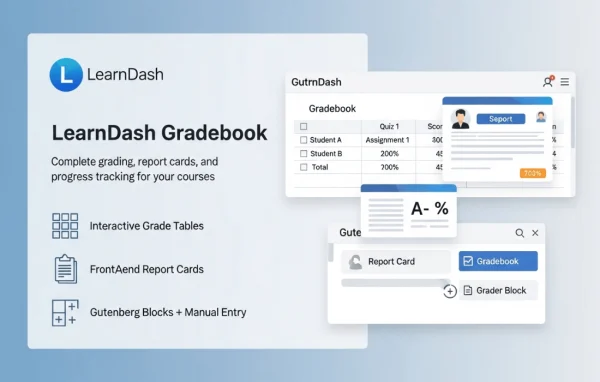
LearnDash Gradebook is a WordPress plugin by Real Big Plugins that adds a gradebook to the LearnDash learning platform. It pulls course, quiz and assignment results into one place so instructors can review scores, adjust grades and report on learner progress.
- Version
- 4.4.0.1
- Released
- Sep 16, 2026
- Developer
- Real Big Plugins
- Type
- WordPress plugin
- Licence
- GPL
- Included in
- Every plan, or $7.99 a year on its own
What’s new in LearnDash Gradebook 4.4.0.1
Version 4.4.0.1 · Sep 16, 2026
Latest
- SecurityTightened security around database upgrades.
What it does
Grading inside an online course can get scattered. Quiz scores sit in one spot, assignments in another, and getting a clear view of how each student is doing takes a lot of clicking. This plugin gathers that assessment data into a single gradebook that syncs with LearnDash course, quiz and assignment data, so the numbers you see reflect what learners have actually completed.
From the gradebook dashboard, instructors can filter and sort results by course, lesson, topic or quiz, open an individual student's grade history, and update several grades at once on larger classes. Reports can be generated and exported for review outside WordPress. It fits course creators, schools and training teams running LearnDash who want a clearer record of learner performance across their courses.
Best for
- LearnDash sites that need a central gradebook
- Online course creators tracking quiz and assignment scores
- Schools and training teams reporting on learner progress
Features
Central grade tracking
Monitor student scores and progress from one gradebook, giving you a clear overview of how learners are performing across your courses.
Syncs with LearnDash data
Course, quiz and assignment data from LearnDash feeds into the gradebook automatically, keeping grading information accurate and current.
Exportable reports
Generate custom reports on learner outcomes and export them, making it easier to review results and follow improvement over time.
Bulk grade updates
Change grades for multiple students at the same time, which saves effort when you are managing large courses or classes.
Individual student profiles
Open a student's profile to see their grade history and progress metrics, useful for one-on-one feedback and personal evaluations.
Filterable gradebook views
Filter and sort gradebook data by course, lesson, topic or quiz so you can focus on a specific assessment or section.
Works across devices
The responsive interface works on desktop, tablet and smartphone, so instructors can check and manage grades away from their desk.
LearnDash Gradebook older versions
- 4.4.0May 131 improvement, 1 removal
- 4.3.4Jan 81 improvement
- 4.3.3Aug 7, 20251 new, 3 improvements, 3 fixes
- 4.3.2Oct 8, 2024
- 4.3.1.1Mar 28, 2024
- 4.1.3Apr 18, 2023
Members and buyers of this product can download older versions.
Questions about LearnDash Gradebook
Does this plugin need LearnDash to work?
Yes. It is built as an add-on for LearnDash and draws its data from LearnDash courses, quizzes and assignments. The gradebook displays and organizes that information, so you need LearnDash running on your site for it to have anything to track.
Can I change grades for several students at once?
Yes. The bulk grade management feature lets you update multiple student grades in one go. This is handy for large courses or classes where editing each grade individually would take a long time.
Can I export grade reports?
Yes. You can generate custom reports covering learner outcomes and export them. That makes it easier to share results, keep records or look at improvement trends outside of the WordPress dashboard.
Can I view grades for just one quiz or lesson?
Yes. The gradebook views can be filtered and sorted by course, lesson, topic or quiz, so you can narrow the data down to a single assessment or section of a course when reviewing results.
Is LearnDash Gradebook free?
The code of LearnDash Gradebook is licensed under the GPL, so anyone may use, change and share it. GPL Feast is a paid service: a plan or a single purchase gives you the download and automatic updates. The developer's own support, licence key and online services are not included.
Which version of LearnDash Gradebook is this?
Version 4.4.0.1, released Sep 16, 2026. New versions appear here when the developer publishes them, and members get them as automatic updates.
How do I update LearnDash Gradebook?
Install the free GPL Feast Updater on your site and connect it with your API key. It installs new versions of LearnDash Gradebook automatically and keeps a backup, so you can roll back.
You might also like






