
Plugin
Updated
Legal Pages Pro
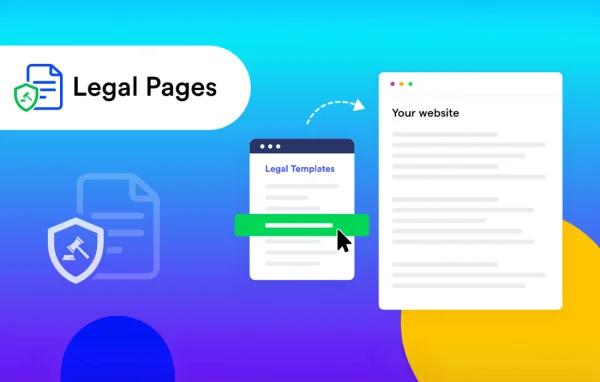
Legal Pages Pro by wpWax is a WordPress plugin for creating and managing the legal pages your website needs. It ships with pre-built templates such as Terms and Conditions, Privacy Policy and Disclaimer, which you can edit in the WordPress editor and insert into pages with a single click.
- Version
- 2.0.0
- Released
- Apr 26, 2026
- Type
- WordPress plugin
- Licence
- GPL
- Included in
- Every plan, or $5.59 a year on its own
What’s new in Legal Pages Pro 2.0.0
Version 2.0.0 · Apr 26, 2026
Latest
- ImprovedUpdate License Management
What it does
Most websites need a set of legal pages, and writing them from a blank page is slow and confusing for many site owners. This plugin gives you a starting point. It includes a range of ready-made legal templates, covering documents like Terms and Conditions, Privacy Policy and Disclaimer pages, so you can begin with formatted text instead of an empty editor. You then adjust the wording to match how your business works and the rules that apply where you operate.
Editing happens inside the WordPress editor in your dashboard, so you can add or remove content the same way you would on any other page. No coding is needed. Once a template reads the way you want, you can insert it into a page with a single click. That makes the plugin a practical fit for site owners who manage their own content, and for freelancers and agencies who set up the same group of legal pages across several client sites.
Best for
- Small business websites that need standard legal pages
- Bloggers adding a privacy policy and disclaimer
- Freelancers and agencies building client sites
Features
Pre-built legal templates
Start from ready-made documents including Terms and Conditions, Privacy Policy and Disclaimer pages instead of writing each legal page from scratch.
Editing in the WordPress editor
Customize any template inside the familiar WordPress editor in your dashboard, adding or removing content as your site requires.
One-click page insertion
Place a finished legal document into a page with a single click, so publishing your legal pages takes very little setup.
Fully adjustable content
Change the legal text to reflect your business requirements and local regulations, so each page describes how your own site actually operates.
No coding required
The plugin is built for regular WordPress users, so beginners and experienced site builders can both create and manage legal pages without touching code.
Clear page structure
Legal content is laid out in a clear, accessible format, which helps visitors find and read the terms and policies on your site.
Legal Pages Pro older versions
- 1.9.1Jan 231 improvement
- 1.8.0Jun 1, 20251 new
Members and buyers of this product can download older versions.
Questions about Legal Pages Pro
Which legal documents does Legal Pages Pro include?
The plugin comes with a range of pre-built templates. Examples include Terms and Conditions, Privacy Policy and Disclaimer pages. You can use them as a starting point and edit the text to fit your site.
Can I change the wording of the templates?
Yes. Each template opens in the WordPress editor, where you can add your own clauses, remove sections you do not need and adjust the text to match your business and the regulations that apply to you.
Do I need to know how to code to use it?
No. The plugin is designed for WordPress users without coding knowledge. You edit templates in the dashboard editor and insert a document into a page with a single click.
Will the templates make my site legally compliant on their own?
The templates give you formatted starting text, and you are expected to tailor it to your business and local rules. For specific legal questions about your situation, it is sensible to have the final text reviewed by a qualified professional.
Is Legal Pages Pro free?
The code of Legal Pages Pro is licensed under the GPL, so anyone may use, change and share it. GPL Feast is a paid service: a plan or a single purchase gives you the download and automatic updates. The developer's own support, licence key and online services are not included.
Which version of Legal Pages Pro is this?
Version 2.0.0, released Apr 26, 2026. New versions appear here when the developer publishes them, and members get them as automatic updates.
How do I update Legal Pages Pro?
Install the free GPL Feast Updater on your site and connect it with your API key. It installs new versions of Legal Pages Pro automatically and keeps a backup, so you can roll back.
You might also like






