
Plugin
Updated
Logger for Elementor
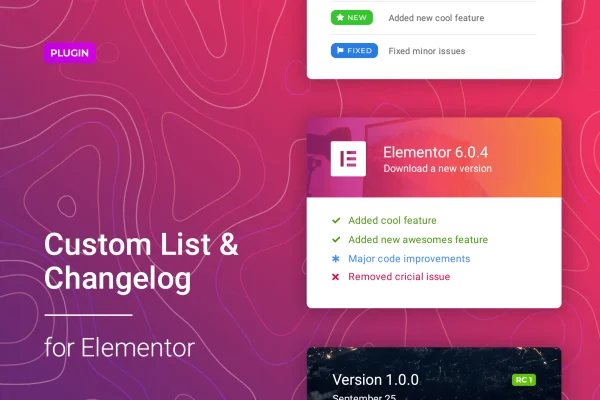
This plugin adds a changelog and custom list widget to the Elementor page builder. You can build clear update logs or feature lists without writing code, then style them to match the rest of your site.
- Version
- 1.0.10
- Released
- Feb 25, 2026
- Type
- WordPress plugin
- Requires
- Elementor
- Licence
- GPL
- Included in
- Every plan, or $3.99 on its own
What’s new in Logger for Elementor 1.0.10
Version 1.0.10 · Feb 25, 2026
Latest
- SecurityFixed plugin security issues
What it does
Products that change often need a tidy place to tell users what changed. Writing release notes as plain text blocks gets messy fast, and building a styled list by hand in a page builder takes time. Logger for Elementor gives you a dedicated widget for the job, so each entry can carry a label marking its change type and an icon that draws attention to it. The result is an organized log that readers can scan quickly.
The widget works inside Elementor, which the plugin requires, so you build changelogs on the same canvas as the rest of your pages. Styling controls cover colors, fonts, backgrounds, border radius, padding and margins. Output is responsive and retina ready, so lists stay sharp on phones and high resolution screens. It fits SaaS platforms, digital product pages and any web project that publishes regular improvements, and it works just as well for a plain list of product features.
Best for
- SaaS platforms publishing regular product updates
- Digital product sellers listing features and changes
- Elementor designers building product or release pages
Features
Native Elementor widget
Create and edit changelogs directly inside the Elementor editor without coding, alongside the other sections and widgets on your page.
Change type labels
Tag each entry with distinct labels so readers can tell different kinds of changes apart, such as new additions and fixes, at a glance.
Built-in icon library
Pick icons from an included library to mark important entries and give each list item a clear visual cue.
Color and font controls
Set colors, fonts and backgrounds for your changelog so it matches your site's branding and the surrounding page design.
Spacing and shape options
Adjust padding, margins and border radius to control how compact or roomy each list looks and how its corners appear.
Responsive, retina-ready output
Lists adapt to mobile devices and modern browsers and display crisply on high resolution screens.
Custom feature lists
Use the same widget to present a product's main features as a styled list, beyond logging updates.
Logger for Elementor older versions
- 1.0.9Jun 5, 20251 improvement
Members and buyers of this product can download older versions.
Questions about Logger for Elementor
Do I need Elementor to use this plugin?
Yes. The plugin requires Elementor and works as a widget inside the Elementor editor, so you add and style changelogs the same way you build other parts of your pages.
Can I use it for something other than a changelog?
Yes. Besides update logs, the widget can build custom lists such as a product's main features. Labels and icons help highlight individual items in either kind of list.
How much control do I have over the design?
You can change colors, fonts, backgrounds, border radius, padding and margins. Combined with change type labels and the icon library, that lets you match the list to your site's branding.
Will my changelog look right on phones?
The widget is responsive and retina ready, so changelogs adapt to mobile screens and display sharply on high resolution devices and modern browsers.
Is Logger for Elementor free?
The code of Logger for Elementor is licensed under the GPL, so anyone may use, change and share it. GPL Feast is a paid service: a plan or a single purchase gives you the download and automatic updates. The developer's own support, licence key and online services are not included.
Which version of Logger for Elementor is this?
Version 1.0.10, released Feb 25, 2026. New versions appear here when the developer publishes them, and members get them as automatic updates.
How do I update Logger for Elementor?
Install the free GPL Feast Updater on your site and connect it with your API key. It installs new versions of Logger for Elementor automatically and keeps a backup, so you can roll back.
What does Logger for Elementor need?
Logger for Elementor needs Elementor installed and active.
You might also like






