
Plugin
Updated
Logos Showcase
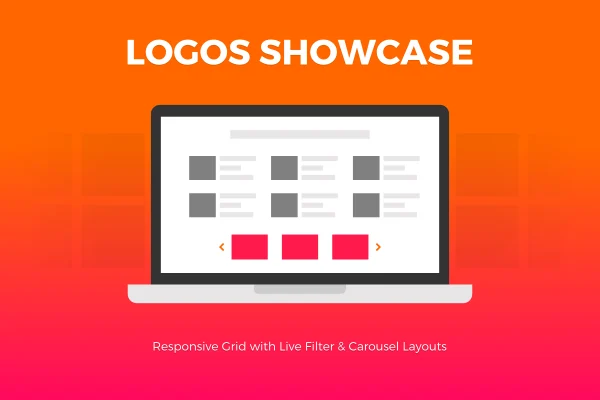
Logos Showcase is a WordPress plugin for displaying sets of images such as client logos, sponsor badges and partner marks. It gives you a normal grid, a responsive grid and a carousel slider, plus optional links on each image, so you can build a clean logo section without writing code.
- Version
- 2.2.5
- Released
- Feb 12, 2024
- Type
- WordPress plugin
- Licence
- GPL
- Included in
- Every plan, or $3.99 on its own
What’s new in Logos Showcase 2.2.5
Version 2.2.5 · Feb 12, 2024
Latest
What it does
Many sites need a place to show who they work with: clients, sponsors, partners or other affiliations. Building that section by hand often means fiddling with image sizes, spacing and mobile behavior. This plugin handles those details for you. You add your logos, pick a layout and set how many columns and what image dimensions you want. The result is a tidy block of logos that fits your design and stays readable on desktops, tablets and phones.
There are three display modes to choose from. The normal grid keeps images at a fixed size, the responsive grid adapts to the width of the screen, and the carousel slider moves through your logos with swipe support on touch devices. Each image can link to an internal page or an external website, which suits sponsor pages, partner directories or client case studies. It works well on corporate sites, agency portfolios, event pages and personal blogs alike.
Best for
- Businesses displaying client or partner logos
- Events and nonprofits highlighting sponsors
- Agencies and freelancers building portfolio sites
Features
Three display modes
Choose a normal fixed-size grid, a responsive grid or a carousel slider, depending on how you want your logos to appear on the page.
Responsive layouts
Images and layouts adjust to different screen sizes, so your logo section stays tidy on desktops, tablets and smartphones.
Custom columns and sizes
Set the number of grid columns and the image dimensions so the logo display matches the rest of your site's layout.
Touch-enabled carousel
The carousel slider supports swiping, giving visitors on phones and tablets an easy way to move through your logos.
Internal and external links
Attach a link to any image to send visitors to a partner's website, a client page on your site or sponsor details.
No coding required
Logo displays are set up and managed from the WordPress dashboard with simple settings, so you do not need to touch any code.
Logos Showcase older versions
- 2.1May 2, 2023
Members and buyers of this product can download older versions.
Questions about Logos Showcase
What layouts can I use for my logos?
You can pick from a normal grid with fixed image sizes, a responsive grid that adapts to screen width, or a carousel slider. You can also set the number of columns and the image dimensions to fit your design.
Will the logo display work on phones?
Yes. The responsive grid adjusts to different screen sizes, and the carousel slider is touch-enabled, so mobile and tablet visitors can swipe through your logos.
Can each logo link somewhere?
Yes. Each image can have its own link, pointing either to a page on your own site or to an external website, such as a partner's homepage or a sponsor information page.
Do I need coding skills to set it up?
No. The plugin is configured through settings in the WordPress dashboard, so you can create and manage logo displays without writing any code.
Is Logos Showcase free?
The code of Logos Showcase is licensed under the GPL, so anyone may use, change and share it. GPL Feast is a paid service: a plan or a single purchase gives you the download and automatic updates. The developer's own support, licence key and online services are not included.
Which version of Logos Showcase is this?
Version 2.2.5, released Feb 12, 2024. New versions appear here when the developer publishes them, and members get them as automatic updates.
How do I update Logos Showcase?
Install the free GPL Feast Updater on your site and connect it with your API key. It installs new versions of Logos Showcase automatically and keeps a backup, so you can roll back.
You might also like






