
Plugin
Updated
Lottier for WPBakery
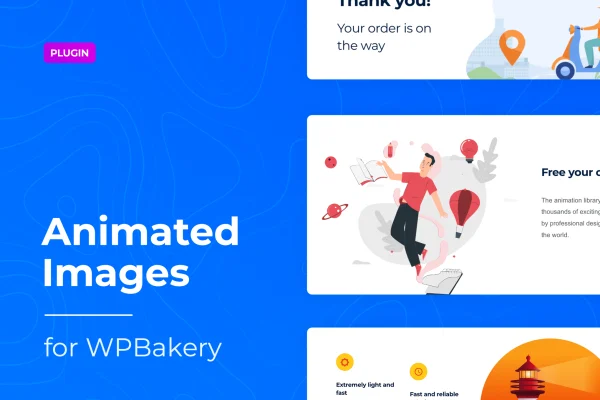
This WordPress plugin lets you place Lottie animations on pages built with the WPBakery page builder. You pick an animation, drop it into your layout and adjust how it looks and plays, all from inside the builder and without writing code.
- Version
- 1.1.8
- Released
- Jan 16, 2026
- Type
- WordPress plugin
- Licence
- GPL
- Included in
- Every plan, or $3.99 on its own
What’s new in Lottier for WPBakery 1.1.8
Version 1.1.8 · Jan 16, 2026
Latest
- SecurityFixed plugin security issues
What it does
Adding motion to a page often means dealing with heavy video files or blurry GIFs. Lottie animations take a different route: they are JSON files that scale cleanly and stay sharp on high-resolution screens. Lottier for WPBakery brings these animations into the WPBakery drag-and-drop builder, so you can work with them the same way you work with any other page element. The plugin draws on animations from LottieFiles.com, giving you thousands of options to choose from.
Once an animation is on the page, you can set its size and position, change its playback speed, and decide whether it loops or plays automatically. Animations adjust to desktop, tablet and mobile screens, so a single setup works across devices. That makes the plugin a practical fit for many kinds of sites built with WPBakery, including blogs, portfolios, corporate pages, online shops, personal resumes, restaurant sites and magazines.
Best for
- WordPress sites built with the WPBakery page builder
- Designers adding motion graphics to portfolios and agency sites
- Blogs, shops and restaurant sites wanting animated visuals
Features
Large animation library
Choose from thousands of Lottie animations sourced from LottieFiles.com, covering a wide range of styles to suit different website designs.
Works inside WPBakery
Add and manage animations directly in the WPBakery drag-and-drop builder, so they fit into the same workflow you already use for building pages.
Size and position controls
Set how large an animation appears and where it sits on the page, so it lines up with the rest of your layout.
Speed, loop and autoplay
Adjust playback speed, choose whether an animation loops, and decide if it starts playing automatically when the page loads.
Scalable retina-ready files
Animations use scalable JSON files that stay crisp on high-resolution screens and avoid the file weight of video or GIF animations.
Responsive display
Animations adapt automatically to desktop, tablet and mobile screens, giving visitors a consistent look regardless of the device they use.
No coding needed
Pick and customize animations through plugin settings in the builder interface, without editing code or working with animation files by hand.
Lottier for WPBakery older versions
- 1.1.7May 14, 20251 improvement
- 1.1.6Feb 11, 20251 improvement
- 1.1.5Jul 19, 20231 new
- 1.1.4Jul 5, 2023
- 1.1.3Jun 27, 2023
Members and buyers of this product can download older versions.
Questions about Lottier for WPBakery
Do I need WPBakery to use this plugin?
Yes. The plugin is built for the WPBakery page builder, and animations are added and managed through its drag-and-drop interface. If your site uses a different builder, this plugin is not designed for it.
Where do the animations come from?
The plugin gives you access to thousands of Lottie animations from LottieFiles.com. You select one inside WPBakery, place it on your page and then adjust its settings to match your design.
Can I control how an animation plays?
You can. Settings let you change the animation's size and position, set its speed, turn looping on or off and choose whether it plays automatically. All of this is handled in the builder without code.
Will the animations look right on phones?
Animations adjust automatically for desktop, tablet and mobile screens. Because they are scalable JSON files and retina ready, they stay sharp on high-resolution displays instead of looking pixelated like some GIFs.
Is Lottier for WPBakery free?
The code of Lottier for WPBakery is licensed under the GPL, so anyone may use, change and share it. GPL Feast is a paid service: a plan or a single purchase gives you the download and automatic updates. The developer's own support, licence key and online services are not included.
Which version of Lottier for WPBakery is this?
Version 1.1.8, released Jan 16, 2026. New versions appear here when the developer publishes them, and members get them as automatic updates.
How do I update Lottier for WPBakery?
Install the free GPL Feast Updater on your site and connect it with your API key. It installs new versions of Lottier for WPBakery automatically and keeps a backup, so you can roll back.
You might also like






