
Plugin
Updated
Magic Login Pro
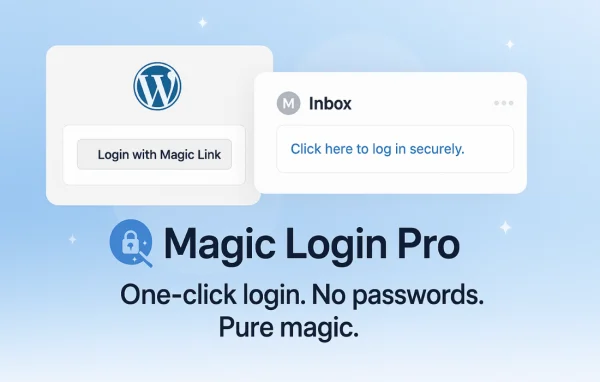
Magic Login Pro by HandyPlugins is a WordPress plugin that replaces password logins with secure magic links sent to a user's email address. Users click the link and they are signed in, while site owners get controls for domains, IP addresses, request limits and post-login redirects.
- Version
- 2.8.1
- Released
- Aug 3, 2026
- Developer
- HandyPlugins
- Type
- WordPress plugin
- Licence
- GPL
- Included in
- Every plan, or $4.79 a year on its own
What’s new in Magic Login Pro 2.8.1
Version 2.8.1 · Aug 3, 2026
Latest
- FixedMissing text domains in several admin interface strings.
- FixedNative honeypot protection preventing integrated automatic and standard registration for unknown users.
- ImprovedDependencies.
- ChangedTested with WP 7.1
What it does
Passwords cause plenty of trouble on a WordPress site. People forget them, reuse weak ones or get locked out, and every reset adds friction. Magic Login Pro removes the password step entirely. A user enters their email address, receives a secure magic link and clicks it to sign in. Since there is no password to steal or guess, a common weak point in the login process goes away, and users have one less thing to remember.
The plugin also gives you control over who can request links and how often. You can limit logins to specific email domains, restrict access by IP address, block repeated unauthorized attempts and throttle how many link requests come in. The login email itself can be customized to match your brand, and users can be sent to different pages after login depending on their role. Developers can manage the plugin's functions through WP-CLI for scripted or automated tasks.
Best for
- Sites whose users often forget or reset passwords
- Company sites limiting access to staff email domains
- Developers who manage WordPress through WP-CLI
Features
Passwordless magic link login
Users sign in by clicking a secure link sent to their email address, so they never need to create or remember a password.
Email domain restriction
Limit login to specific email domains so only people with approved addresses, such as your company domain, can request a magic link.
IP address control
Manage and restrict login attempts based on IP address to keep out access attempts coming from locations you do not trust.
Brute force protection
Repeated unauthorized login attempts are detected and blocked automatically, adding a layer of protection against people trying to force their way in.
Login request throttling
Control how often magic links can be requested, which helps prevent abuse of the login form and keeps the system stable during busy periods.
Customizable login emails
Edit the content and design of the magic link emails so they match your brand and give users clear instructions on what to do.
Role-based redirection
Send users to different pages after they log in based on their user role, so each group lands where it makes the most sense.
WP-CLI support
Manage and automate the plugin's functions from the WordPress command line, giving developers a scriptable way to work with logins.
Magic Login Pro older versions
- 2.8May 81 new, 1 improvement
- 2.7.1Apr 21 fix
- 2.6.3Feb 191 improvement, 1 fix
- 2.6.2Nov 25, 2025
- 2.6.1Nov 11, 2025
- 2.6Jul 23, 2025
- 2.5.1Jun 23, 2025
- 2.5May 21, 2025
- 2.4.2Apr 15, 2025
- 2.4.1Mar 17, 2025
Members and buyers of this product can download older versions.
15 older versions in all. If you need one that is not listed, ask support.
Questions about Magic Login Pro
How do users log in without a password?
A user enters their email address on the login form and receives a secure magic link. Clicking that link signs them in directly, so there is no password to type, remember or reset.
Can I stop just anyone from requesting a login link?
Yes. You can restrict logins to specific email domains and control access by IP address. Request throttling limits how often links can be requested, and brute force protection blocks repeated unauthorized attempts.
Can I change what the login email looks like?
Yes. The content and design of the magic link emails are customizable, so you can match your branding and write clear instructions that tell users exactly what to do when the email arrives.
Can different user roles go to different pages after logging in?
Yes. Role-based redirection lets you choose where users land after login according to their user role, which is handy when customers, editors and administrators each need a different starting page.
Is Magic Login Pro free?
The code of Magic Login Pro is licensed under the GPL, so anyone may use, change and share it. GPL Feast is a paid service: a plan or a single purchase gives you the download and automatic updates. The developer's own support, licence key and online services are not included.
Which version of Magic Login Pro is this?
Version 2.8.1, released Aug 3, 2026. New versions appear here when the developer publishes them, and members get them as automatic updates.
How do I update Magic Login Pro?
Install the free GPL Feast Updater on your site and connect it with your API key. It installs new versions of Magic Login Pro automatically and keeps a backup, so you can roll back.
You might also like






