
Plugin
Updated
Mapplic
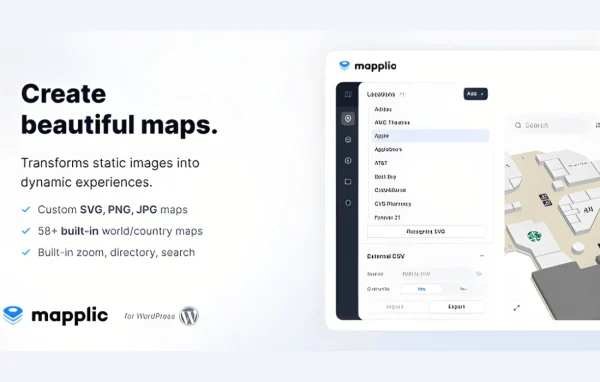
Mapplic by sekler is a WordPress plugin for building custom interactive maps. You can upload floor plans or vector maps, add clickable locations with tooltips and links, and let visitors zoom and pan to explore. It suits travel guides, real estate listings, business directories and venues.
- Version
- 8.7.6
- Released
- Feb 25, 2026
- Developer
- sekler
- Type
- WordPress plugin
- Licence
- GPL
- Included in
- Every plan, or $3.99 on its own
What’s new in Mapplic 8.7.6
Version 8.7.6 · Feb 25, 2026
Latest
What it does
A static map image tells visitors very little. They can't click a store in a mall plan, open details about a landmark, or switch between floors of a building. This plugin turns your own map graphics into interactive maps where each location can carry extra information. You add markers with tooltips, pop-ups and links, so details appear only when someone asks for them and the map itself stays uncluttered.
Everything is handled from an admin interface with drag-and-drop tools, so no coding is needed. It works with high-resolution images and vector graphics, and multiple layers let you stack floors or regions for more complex layouts. Colors and styles can be adjusted to match your site, maps are responsive across desktops, tablets and phones, and the plugin works with WPML and other translation plugins for multilingual sites.
Best for
- Malls, museums and event venues needing floor plans
- Real estate sites showing properties or building layouts
- Travel guides and business directories mapping locations
Features
Custom map graphics
Upload your own floor plans, vector maps or high-resolution images and turn them into interactive maps that stay clear on any screen size.
Clickable locations
Place markers on the map with tooltips, pop-ups and links so visitors can open more details about a location without crowding the map.
Multiple map layers
Stack different maps, such as building floors or regions, so visitors can move between levels of a complex layout in one place.
Zoom and pan controls
Visitors can zoom in and out and drag around the map to look closely at specific areas or get a wider view.
No-code admin interface
Build and manage maps through a straightforward admin screen with drag-and-drop tools, without writing any code.
Custom colors and styles
Adjust the colors and styling of your maps so they match your site's branding and look consistent with the rest of your pages.
Responsive layout
Maps adapt to desktops, tablets and smartphones, so visitors on any device can view and use them.
Translation plugin support
Works with WPML and other translation plugins, which helps when your site serves visitors in more than one language.
Mapplic older versions
- 8.7.3Sep 11, 2025
- 8.5.0Apr 17, 2025
- 8.4.2Jul 24, 2024
- 8.4.1Apr 29, 2024
- 8.4.0Mar 6, 2024
- 7.1.2Apr 18, 2023
Members and buyers of this product can download older versions.
Questions about Mapplic
Can I use my own floor plan or map image?
Yes. Mapplic lets you upload detailed floor plans, vector maps or high-resolution images. You then add clickable markers on top of them, which makes it a good fit for buildings like malls, museums and event venues as well as regional maps.
Do I need coding skills to build a map?
No. Maps are created through an admin interface with drag-and-drop functionality. You can place markers, add tooltips and links, and adjust colors and styles without writing code.
Can I show several floors of one building?
Yes. The plugin supports multiple map layers, so you can set up separate floors or regions and let visitors switch between them. This is useful for multi-level buildings or maps divided into areas.
Will it work on a multilingual site?
It is compatible with WPML and other translation plugins, so you can present your maps and location details to visitors in different languages on a translated site.
Is Mapplic free?
The code of Mapplic is licensed under the GPL, so anyone may use, change and share it. GPL Feast is a paid service: a plan or a single purchase gives you the download and automatic updates. The developer's own support, licence key and online services are not included.
Which version of Mapplic is this?
Version 8.7.6, released Feb 25, 2026. New versions appear here when the developer publishes them, and members get them as automatic updates.
How do I update Mapplic?
Install the free GPL Feast Updater on your site and connect it with your API key. It installs new versions of Mapplic automatically and keeps a backup, so you can roll back.
You might also like






