
Plugin
Updated
Masking Video
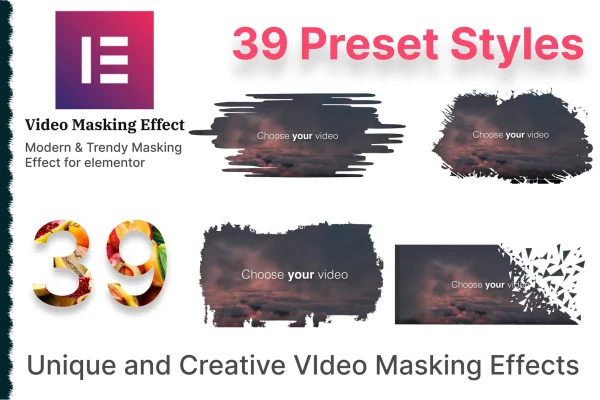
Masking Video is a WordPress plugin that adds masked video effects to pages built with Elementor. It lets you place a video inside a decorative mask shape, so the clip appears through a custom outline instead of a plain rectangle. You set it up from the Elementor editor with no coding.
- Version
- 1.3
- Released
- Aug 26, 2026
- Type
- WordPress plugin
- Requires
- Elementor
- Licence
- GPL
- Included in
- Every plan, or $3.99 on its own
What’s new in Masking Video 1.3
Version 1.3 · Aug 26, 2026
Latest
What it does
Standard embedded videos sit in a rectangular frame, which can look out of place on a carefully designed landing page or promo section. This addon gives you another option: the video plays inside a mask, so it takes on the shape of the design you pick. It works as an Elementor addon, so you add and configure masked videos in the same editor you already use to build your pages.
You start from one of 39 preset masking designs, then adjust the clipping mask image settings and set a custom width and height to fit your layout. Videos can come from YouTube, Vimeo, or internal and external video links. The output is responsive across screen sizes, and the plugin is translation ready with an included .pot file, which helps on sites published in other languages.
Best for
- Elementor sites wanting shaped, decorative video sections
- Landing pages and promotional pages featuring video content
- Freelancers and agencies styling video for client sites
Features
39 preset masking designs
Pick from 39 ready-made mask designs and apply one to your video, giving it a shaped look without creating the mask yourself.
Custom width and height
Set the video dimensions yourself so the masked video fits the column, section or layout you are building in Elementor.
Several video sources
Use videos hosted on YouTube or Vimeo, or point to internal or external video links, depending on where your footage lives.
Clipping mask image settings
Adjust the clipping mask image settings to change the mask shape and style so the video matches the rest of your page design.
No coding needed
Everything is configured through the Elementor interface, so you can add and style masked videos without writing CSS or other code.
Responsive output
Masked videos adapt to different screen sizes and devices, so the effect holds up on phones, tablets and desktops.
Translation ready
The plugin includes a .pot file, which makes it straightforward to translate its text for sites in other languages.
Questions about Masking Video
Do I need Elementor to use this plugin?
Yes. Masking Video is built as an addon for Elementor and requires it. You add and configure masked videos from inside the Elementor editor, alongside the other elements on your page.
Which video sources can I use with the masks?
You can use videos from YouTube and Vimeo, as well as internal or external video links. That means you can mask footage you host on your own site or clips already published on those platforms.
Can I change the shape and size of the mask?
You choose from 39 preset masking designs and can adjust the clipping mask image settings to customize the shape and style. You can also set a custom width and height for the video to fit your layout.
Will masked videos work on mobile devices?
The plugin is responsive, so masked videos adapt to different screen sizes and devices. Your video sections should display properly on phones and tablets as well as desktop screens.
Is Masking Video free?
The code of Masking Video is licensed under the GPL, so anyone may use, change and share it. GPL Feast is a paid service: a plan or a single purchase gives you the download and automatic updates. The developer's own support, licence key and online services are not included.
Which version of Masking Video is this?
Version 1.3, released Aug 26, 2026. New versions appear here when the developer publishes them, and members get them as automatic updates.
How do I update Masking Video?
Install the free GPL Feast Updater on your site and connect it with your API key. It installs new versions of Masking Video automatically and keeps a backup, so you can roll back.
What does Masking Video need?
Masking Video needs Elementor installed and active.
You might also like






