
Plugin
Updated
Mediabay
Mediabay is a WordPress plugin that brings folders and subfolders to your media library. It lets you sort images, videos, audio and documents into a structure that makes sense to you, so files are easier to find when you need them.
- Version
- 1.4
- Released
- May 2, 2023
- Type
- WordPress plugin
- Licence
- GPL
- Included in
- Every plan, or $3.99 on its own
What’s new in Mediabay 1.4
Version 1.4 · May 2, 2023
Latest
What it does
The default WordPress media library is one long, flat list. That works for a small site, but once you have hundreds or thousands of uploads, finding a specific image or video means scrolling and searching. This plugin solves that by letting you create folders and nested subfolders right inside the media library, then group files by topic, date or any system you prefer.
It works inside the WordPress dashboard you already use. You can drag and drop files into folders, upload several files at once and manage them in their categories straight away. Moving a file into a folder does not change its URL, so images already placed in posts and pages keep working. It suits bloggers, content creators, business owners and agencies who handle large media collections.
Best for
- Bloggers with large image and video libraries
- Agencies managing media on client websites
- Business sites storing documents, photos and audio files
Features
Folders and nested subfolders
Create folders and subfolders inside the media library to build a clear hierarchy, which helps when you are organizing thousands of media files.
File URLs stay the same
Adding images and other media to folders leaves their URLs unchanged, so links to files already used in your content do not break.
Support for many media types
Manage photos, videos, audio files, documents and other media in one place, which suits sites that publish a mix of content types.
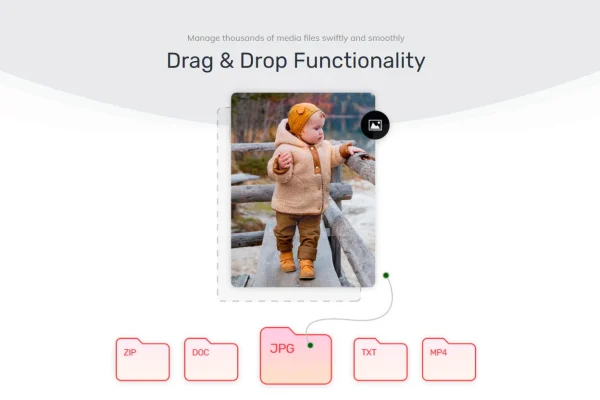
Drag and drop sorting
Move and organize files by dragging them into folders directly within the WordPress media library, without leaving the screen you are working in.
Multiple file uploads
Upload several files at once and manage them right away inside the folders you have set up, keeping the library tidy from the start.
Retina ready and responsive
The interface is built to display sharply on high resolution screens and to work across different screen sizes and devices.
Organize your own way
Sort media by topics, categories, dates or any custom logic that fits how you and your team think about your content.
Questions about Mediabay
Will moving images into folders break the images in my existing posts?
No. Placing images and other media into folders does not change their file URLs. Images and files already embedded in your posts and pages keep pointing to the same address, so you can reorganize your library without broken links.
Can I organize file types other than images?
Yes. Mediabay handles photos, videos, audio files, documents and other media. All of them can be placed in the same folder structure, so you can keep everything related to a project or topic together.
How do I move files between folders?
Files can be moved with drag and drop directly inside the WordPress media library. You pick up a file and drop it into the folder or subfolder where you want it to live.
Can I create folders inside other folders?
Yes. The plugin supports nested subfolders, so you can build a hierarchy such as a main folder for a year with subfolders for each month, or a client folder with subfolders for each project.
Is Mediabay free?
The code of Mediabay is licensed under the GPL, so anyone may use, change and share it. GPL Feast is a paid service: a plan or a single purchase gives you the download and automatic updates. The developer's own support, licence key and online services are not included.
Which version of Mediabay is this?
Version 1.4, released May 2, 2023. New versions appear here when the developer publishes them, and members get them as automatic updates.
How do I update Mediabay?
Install the free GPL Feast Updater on your site and connect it with your API key. It installs new versions of Mediabay automatically and keeps a backup, so you can roll back.
You might also like






