
Plugin
Updated
Mentor Icon Pack for Codestar Framework
This plugin is an add-on that brings a large collection of icon sets into the Codestar Framework. It plugs into the framework's icon fields, so themes and plugins built on Codestar can offer more icon choices in admin panels, meta boxes and theme options.
- Version
- 1.0.0
- Released
- May 2, 2023
- Type
- WordPress plugin
- Licence
- GPL
- Included in
- Every plan, or $3.99 on its own
What’s new in Mentor Icon Pack for Codestar Framework 1.0.0
Version 1.0.0 · May 2, 2023
Latest
What it does
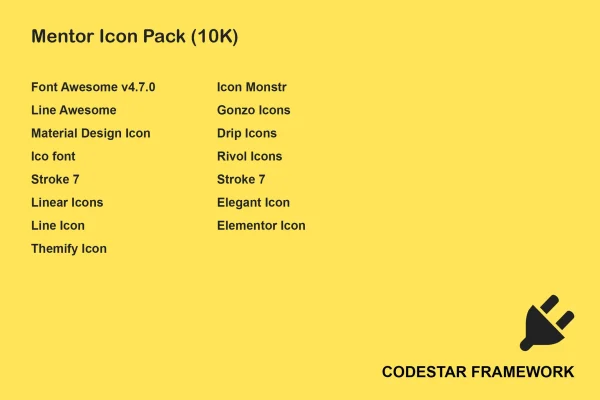
The Codestar Framework gives developers a quick way to build options panels, meta boxes and settings screens for WordPress themes and plugins. Its icon fields are handy, but the default choice of icons can feel limited. This add-on fills that gap by bundling several well-known icon libraries, including Font Awesome, Line Awesome, Material Design Icons, Themify and Icon Monstr, so you have far more options when picking icons for a project.
Once active, the extra icon sets appear inside the Codestar Framework's icon fields, and you choose icons the same way you already do. No coding is needed to use them. The icons are retina ready and responsive, so they stay sharp on high resolution screens and scale across devices. The pack covers classic, line, material design, stroke and creative styles, which helps you match icons to the look of an admin panel or a theme's front end.
Best for
- Developers building themes on the Codestar Framework
- Plugin authors using Codestar options panels and meta boxes
- Agencies wanting more icon choices in client theme options
Features
Multiple icon libraries
Bundles Font Awesome, Line Awesome, Material Design Icons, Themify, Icon Monstr and more icon sets together in a single add-on plugin.
Works with Codestar icon fields
The added icon sets show up in the Codestar Framework's existing icon fields, so you pick icons without writing any code.
Retina ready icons
Icons are prepared for high resolution displays, so they stay crisp and clear on retina screens and other sharp monitors.
Responsive scaling
The icons adapt to different devices and screen sizes, keeping them readable on phones, tablets and desktop screens alike.
Range of icon styles
Choose from classic, line, material design, stroke and creative styles to suit different themes and design preferences.
Better admin panels
Add clear, meaningful icons to admin pages, meta boxes and theme option panels to make backend screens easier to scan and use.
Lightweight footprint
The plugin is built to stay light, so adding the extra icon sets keeps its load on your site small.
Questions about Mentor Icon Pack for Codestar Framework
Which icon sets does this add to Codestar Framework?
It includes Font Awesome, Line Awesome, Material Design Icons, Themify and Icon Monstr, along with other icon sets. Together they cover classic, line, material design, stroke and creative styles, giving you a wide pool of icons to choose from in your Codestar projects.
Do I need coding skills to use the icons?
No. The icon sets plug into the Codestar Framework's icon fields, so you select icons through the same interface you already use. Beginners and experienced developers can both pick icons for admin pages, meta boxes and theme options without writing code.
Does this plugin work on its own without Codestar Framework?
It is an add-on built for the Codestar Framework, so it is meant for themes and plugins that use that framework. The icons are added to Codestar's icon fields, which means you need a Codestar based theme or plugin to put them to use on your site.
Will the icons look sharp on high resolution screens?
Yes. The icons are retina ready, so they display clearly on high resolution displays. They are also responsive and adjust across different devices and screen sizes, which keeps them looking clean in admin panels and on the front end.
Is Mentor Icon Pack for Codestar Framework free?
The code of Mentor Icon Pack for Codestar Framework is licensed under the GPL, so anyone may use, change and share it. GPL Feast is a paid service: a plan or a single purchase gives you the download and automatic updates. The developer's own support, licence key and online services are not included.
Which version of Mentor Icon Pack for Codestar Framework is this?
Version 1.0.0, released May 2, 2023. New versions appear here when the developer publishes them, and members get them as automatic updates.
How do I update Mentor Icon Pack for Codestar Framework?
Install the free GPL Feast Updater on your site and connect it with your API key. It installs new versions of Mentor Icon Pack for Codestar Framework automatically and keeps a backup, so you can roll back.
You might also like






