
Plugin
Updated
Menuar for Elementor
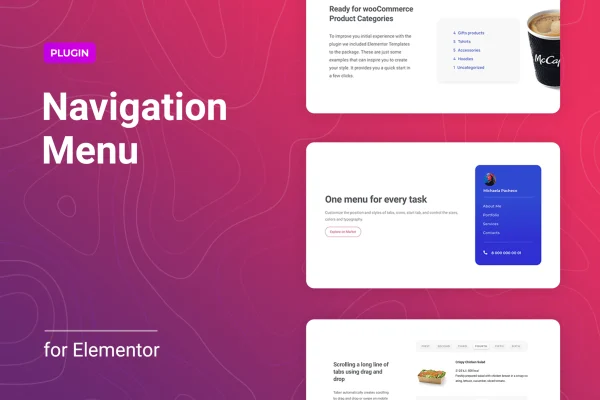
Menuar for Elementor is a WordPress plugin that adds a navigation menu builder to Elementor. It lets you place responsive horizontal or vertical menus anywhere on your site and style them through a settings panel, with no coding needed.
- Version
- 1.0.6
- Released
- Jan 14, 2026
- Type
- WordPress plugin
- Requires
- Elementor
- Licence
- GPL
- Included in
- Every plan, or $3.99 on its own
What’s new in Menuar for Elementor 1.0.6
Version 1.0.6 · Jan 14, 2026
Latest
- SecurityFixed plugin security issues.
What it does
Default WordPress menus can be hard to shape inside an Elementor layout, especially once you need multi-level dropdowns and a mobile version that behaves well. This plugin gives you a menu element you can drop into any Elementor design. You choose a horizontal or vertical layout, decide how the menu displays at different screen sizes, and set where the toggle icon sits on mobile. You can also add a logo and background styles inside the menu itself, so the header matches your branding without extra workarounds.
Submenus get their own set of controls. You can position them above or below the parent item, offset them along the X or Y axis, and pick animations for how they open. Custom icons can be uploaded for submenu indicators. Since you can add several menu blocks across a site, it fits projects with more involved structures, such as separate header, sidebar and footer navigation. The plugin requires Elementor and is aimed at site owners, designers and developers who build with it.
Best for
- Elementor users who want custom headers and menus
- Designers building multi-level navigation for client sites
- Sites needing separate menus in several page areas
Features
Horizontal and vertical layouts
Build menus in either a horizontal or vertical layout, so navigation can sit in a header bar, a sidebar or another spot in your design.
Responsive display settings
Manage how the menu displays on desktops, tablets and phones, adjusting settings for different screen sizes so visitors get a usable menu on each device.
Mobile toggle customization
Customize the toggle icon shown on mobile menus and choose where it is placed, giving you control over how navigation opens on smaller screens.
Logo and background options
Add a logo and set background styles directly within the menu so your navigation area reflects your site's branding.
Submenu positioning
Set submenus to appear at the top or bottom, or offset them along the X and Y axis for precise placement in multi-level menus.
Submenu animations
Choose and configure animation effects for submenus so dropdown levels open with a transition that suits your site's style.
Custom indicator icons
Upload your own icons for submenu indicators instead of relying on default arrows, keeping the menu consistent with your visual design.
Multiple menu locations
Add several menu blocks throughout your website to support sites with more complex structures and several navigation areas.
Questions about Menuar for Elementor
Do I need Elementor to use this plugin?
Yes. The plugin is an add-on for Elementor and requires it to be active. You build and place your menus inside Elementor layouts, then style them using the plugin's settings panel.
Can I control how the menu looks on mobile?
Yes. You can manage menu display settings for different screen sizes and customize the mobile toggle icon and its placement. Menus are responsive across desktops, tablets and phones, and the graphics are retina ready for high-resolution screens.
Does it support dropdowns with several levels?
It does. Multi-level menus can have submenus positioned at the top or bottom or offset along the X and Y axis. You can also add submenu animations and upload custom icons to use as submenu indicators.
Do I need to write code to build menus?
No. Layouts, mobile toggles, logos, backgrounds, submenu positions and animations are all handled through the settings panel, so you can set up your navigation without writing any code.
Is Menuar for Elementor free?
The code of Menuar for Elementor is licensed under the GPL, so anyone may use, change and share it. GPL Feast is a paid service: a plan or a single purchase gives you the download and automatic updates. The developer's own support, licence key and online services are not included.
Which version of Menuar for Elementor is this?
Version 1.0.6, released Jan 14, 2026. New versions appear here when the developer publishes them, and members get them as automatic updates.
How do I update Menuar for Elementor?
Install the free GPL Feast Updater on your site and connect it with your API key. It installs new versions of Menuar for Elementor automatically and keeps a backup, so you can roll back.
What does Menuar for Elementor need?
Menuar for Elementor needs Elementor installed and active.
You might also like






