
Plugin
Updated
Modal Survey
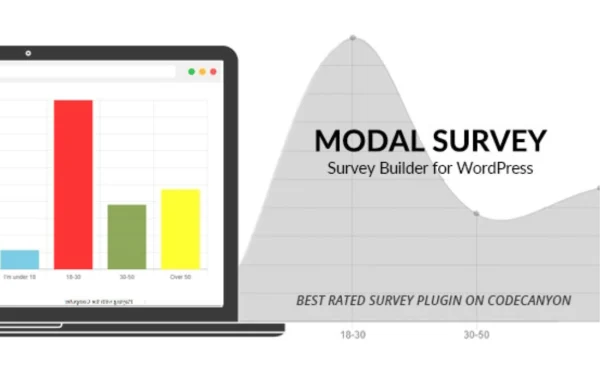
Modal Survey by Pantherius is a WordPress plugin for creating polls, surveys and quizzes. You build them with a drag-and-drop builder, show results to visitors as they answer, and export the collected data for analysis.
- Released
- Sep 24, 2026
- Developer
- Pantherius
- Type
- WordPress plugin
- Licence
- GPL
- Included in
- Every plan, or $3.99 on its own
What’s new in Modal Survey
Version 2.0.2.3.4 · Sep 23, 2026
Latest
- FixedBug Fixes: Fixed a bug where the Participants admin page ("Votes" column) could show one participant with a wildly inflated vote count (e.g. 174) while unrelated, differently-named participants were missing entirely. The visitor-tracking cookie (ms-uid) is read on every survey submission and used to look up/create a row in the participants table via "WHERE id = ...". Whenever that cookie failed to reach the server for any reason (blocked by the browser/an extension, cleared, or the page load never set one because output had already started), the code used an empty string for this lookup. Since the id column isn't unique, every affected visitor's answers silently landed on whichever single existing row already had an empty id - merging many different real people's submissions into one innocent participant's record instead of creating their own. The participant lookup/creation now always uses a fresh, unique id when the cookie is missing, so each affected visitor gets their own record instead of colliding with someone else's.
- ImprovedHardened how the ms-uid tracking cookie's value is generated: it previously reused PHP's own session_id(), which is tied to a shorter-lived, unrelated session mechanism and could occasionally return the same value for different visitors. It's now a dedicated random token, and the plugin no longer starts a PHP session on every anonymous page view (which could also prevent full-page caching on pages containing a survey).
What it does
Collecting feedback or running a quick quiz on a WordPress site often means stitching together form tools that were never meant for voting or scoring. This plugin gives you one place to build polls, surveys and quizzes without writing code. You pick from question types such as single choice, multiple choice, dropdown and open-ended answers, then add images, videos or custom messages to make each question clearer or more engaging.
Once a survey is live, visitors can see results and visual statistics right after they respond. Targeting and scheduling options let you show a survey to specific user groups at chosen times, and anti-cheat and user tracking features help keep responses accurate. An analytics dashboard tracks responses inside WordPress, and CSV export lets you take the data into a spreadsheet or reporting tool. It works with WordPress themes and popular page builders and includes multi-language support.
Best for
- Businesses collecting customer feedback or market research
- Blogs and publishers running polls and quizzes for readers
- Multilingual sites surveying an international audience
Features
Drag-and-drop builder
Create polls, quizzes and surveys by arranging questions in a drag-and-drop builder, so you can put together a new form without any coding knowledge.
Multiple question types
Use single choice, multiple choice, dropdown and open-ended questions, mixing them within one survey to gather both quick votes and written answers.
Real-time results
Show visitors instant feedback and visual statistics after they respond, so participants can see how their answer compares with others.
Custom themes and styles
Adjust themes and styles so your surveys and quizzes match your site's branding, and they display responsively on mobile devices as well as desktops.
Targeting and scheduling
Display surveys to specific user groups and set when they appear, so the right questions reach the right visitors at the right time.
Anti-cheat and tracking
Built-in anti-cheat and user tracking features help prevent repeat or misleading submissions, giving you more reliable survey and poll results.
Analytics and CSV export
Monitor responses and trends in an analytics dashboard, then export survey data as CSV files for deeper analysis and reporting outside WordPress.
Rich media in questions
Add images, videos and custom messages to surveys and quizzes to give context, illustrate answer choices or make a quiz more interactive.
Modal Survey older versions
- 2.0.2.3.3Sep 231 fix
- 2.0.2.3.2Sep 172 fixes
- 2.0.2.3.1Sep 142 fixes
- 2.0.2.3.0Aug 19
- 2.0.2.2.9Aug 17
- 2.0.2.2.5Jul 2
- 2.0.2.2.4Jun 29
- 2.0.2.2.3Jun 2
- 2.0.2.2.0May 26
- 2.0.2.1.8Apr 26
Members and buyers of this product can download older versions.
30 older versions in all. If you need one that is not listed, ask support.
Questions about Modal Survey
Can I build quizzes as well as surveys and polls?
Yes. The same drag-and-drop builder handles polls, surveys and quizzes. You can choose from single choice, multiple choice, dropdown and open-ended questions, and add images, videos or custom messages to each one.
Will it work with my theme and page builder?
The plugin is described as compatible with any WordPress theme and with popular page builders for embedding surveys. Its design is responsive, so surveys adapt to mobile screens as well as desktop layouts.
How do I analyze the responses I collect?
You can watch responses and user behavior trends in the built-in analytics dashboard. For detailed reporting, export the survey data in CSV format and open it in a spreadsheet or another analysis tool.
Can I stop people from voting more than once?
The plugin includes anti-cheat and user tracking features meant to keep results accurate. Each participant is tracked with a dedicated record, which helps separate one visitor's submissions from another's.
Is Modal Survey free?
The code of Modal Survey is licensed under the GPL, so anyone may use, change and share it. GPL Feast is a paid service: a plan or a single purchase gives you the download and automatic updates. The developer's own support, licence key and online services are not included.
How do I update Modal Survey?
Install the free GPL Feast Updater on your site and connect it with your API key. It installs new versions of Modal Survey automatically and keeps a backup, so you can roll back.
You might also like






