
Plugin
Updated
Modern Feature List
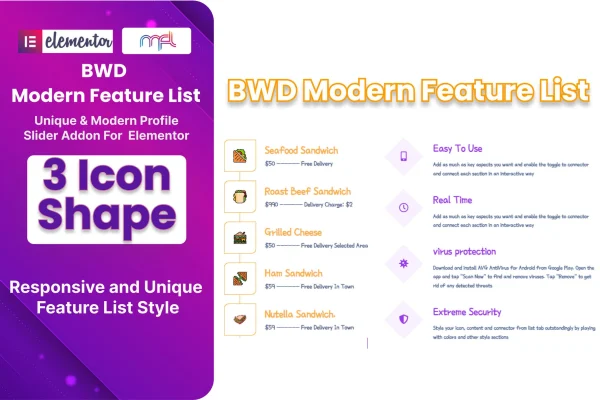
Modern Feature List is a WordPress plugin that adds a feature list element to the Elementor page builder. It helps you present product features, service benefits or site highlights as clean, icon-led lists that you build and style visually, with no coding needed.
- Version
- 1.5
- Released
- Aug 24, 2026
- Type
- WordPress plugin
- Requires
- Elementor
- Licence
- GPL
- Included in
- Every plan, or $3.99 on its own
What’s new in Modern Feature List 1.5
Version 1.5 · Aug 24, 2026
Latest
What it does
Most sites need a tidy way to list what a product or service offers, and building that by hand with separate icon and text blocks gets slow and hard to keep consistent. This addon gives you a single element for the job. You add it to a page in Elementor, then fill in as many list items as you need through a repeater, each with its own icon and text.
Styling happens in the same editor. You can pick from three icon shapes and adjust colors, fonts, spacing and layout so the list matches the rest of your design. The output is responsive across desktops, tablets and phones, and the plugin is tested across major browsers. It works with WordPress themes built on Elementor, includes a POT file for translation and comes with documentation for setup and customization.
Best for
- Elementor users building service or product feature sections
- Freelancers and agencies designing client sites in Elementor
- Business sites listing benefits or services with icons
Features
Three icon shapes
Choose between three icon shape styles for your list items so the icons fit the look of your site and the rest of your page design.
Unlimited repeater items
Add as many feature items as a list needs through the repeater field, which suits long service breakdowns as well as short highlight lists.
Detailed styling controls
Adjust colors, fonts, spacing and layout for each list, giving you control over how the feature list sits within your existing page styling.
Visual editing in Elementor
Build and edit lists with the Elementor drag and drop interface, so beginners can create feature sections without writing any code.
Responsive layouts
Feature lists adapt to desktops, tablets and mobile devices, so the same section stays readable on whatever screen your visitors use.
Cross-browser testing
The plugin has been tested across major web browsers, which helps your feature lists display consistently for visitors using different browsers.
Translation ready
A POT file is included, so you can translate the plugin into other languages for multilingual sites or clients outside English-speaking markets.
Modern Feature List older versions
- 1.0Sep 11, 2023
Members and buyers of this product can download older versions.
Questions about Modern Feature List
Does this plugin need Elementor to work?
Yes. Modern Feature List is an addon for the Elementor page builder, so Elementor must be active on your site. It works with WordPress themes built on Elementor, and you add and style the feature list element directly inside the Elementor editor.
How many items can I add to one feature list?
There is no fixed limit. The element uses an unlimited repeater, so you can keep adding feature items to a single list until it covers everything you want to present, whether that is a few highlights or a long breakdown.
Can I change how the icons and text look?
Yes. You can choose from three icon shapes and adjust colors, fonts, spacing and layout. These settings let you match the list to your brand and the rest of your page design without touching code.
Can I use it on a site in another language?
The plugin is translation ready and includes a POT file. You can use that file to localize the plugin's text into the language your site uses.
Is Modern Feature List free?
The code of Modern Feature List is licensed under the GPL, so anyone may use, change and share it. GPL Feast is a paid service: a plan or a single purchase gives you the download and automatic updates. The developer's own support, licence key and online services are not included.
Which version of Modern Feature List is this?
Version 1.5, released Aug 24, 2026. New versions appear here when the developer publishes them, and members get them as automatic updates.
How do I update Modern Feature List?
Install the free GPL Feast Updater on your site and connect it with your API key. It installs new versions of Modern Feature List automatically and keeps a backup, so you can roll back.
What does Modern Feature List need?
Modern Feature List needs Elementor installed and active.
You might also like






