Plugin
Updated
MotoPress Simple Contact Form
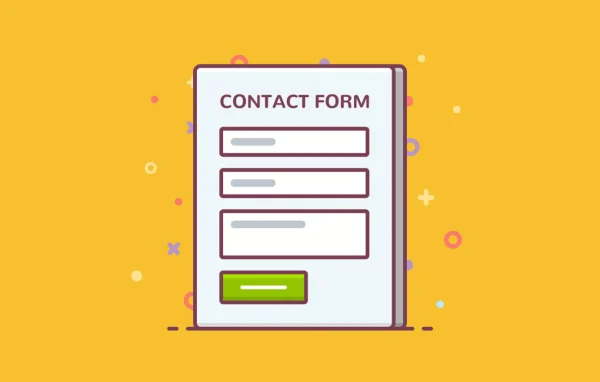
MotoPress Simple Contact Form Addon by MotoPress is a WordPress plugin that extends MotoPress Content Editor with a visual contact form builder. You drag fields onto your pages, style them to match your site and receive submissions by email, with no coding needed.
- Version
- 1.2.3
- Released
- Aug 26, 2025
- Developer
- MotoPress
- Type
- WordPress plugin
- Licence
- GPL
- Included in
- Every plan, or $4.79 a year on its own
What’s new in MotoPress Simple Contact Form 1.2.3
Version 1.2.3 · Aug 26, 2025
Latest
- ImprovedImproved compatibility with WordPress 6.8.
- ImprovedImproved compatibility with PHP 8.4.
What it does
Many sites need more than one form: a basic contact form, a feedback form, a job application or a simple order request. This addon lets you build all of them inside MotoPress Content Editor instead of adding a separate form plugin. You work visually on the page itself, adding fields by drag and drop and adjusting each one as you go. Forms can be placed on pages, posts and custom post types, so they sit wherever your visitors need them.
There are 9 field types to choose from, including text, email, telephone, text area, radio buttons, checkboxes, dropdowns, number and label, and you can add as many fields as a form needs. HTML5 validation checks entries as visitors fill them in, and Google reCAPTCHA helps block spam submissions. In the form settings you can rename the submit button, set a form ID, choose email recipients, write success and failure messages, and pick an email template to shape each notification.
Best for
- Sites built with MotoPress Content Editor
- Businesses collecting inquiries, feedback or job applications
- Freelancers who want forms without coding
Features
Nine field types
Build forms with text, email, telephone, text area, radio button, checkbox, dropdown, number and label fields to cover contact, feedback and order requests.
Drag-and-drop form building
Add and arrange form fields visually on your WordPress pages inside MotoPress Content Editor, without writing any code.
Google reCAPTCHA protection
Built-in Google reCAPTCHA support helps keep spam and abusive submissions out of your inbox.
Form and field styling
Customize the styles of a whole form or of individual fields so your forms match the look of your site.
Multiple email templates
Use different email templates to tailor the message body for each form, keeping submission notifications clear and organized.
HTML5 validation
Fields are checked with HTML5 validation as visitors type, so errors are flagged before the form is sent.
Flexible label placement
Show labels as placeholders inside fields or place them beside fields, depending on the layout you prefer.
Simple form settings
Rename buttons, add form IDs, set email recipients and write custom success or failure messages from the form settings.
MotoPress Simple Contact Form older versions
- 1.2.2Nov 30, 20231 improvement
Members and buyers of this product can download older versions.
Questions about MotoPress Simple Contact Form
Does this work on its own or do I need another plugin?
It is an addon for MotoPress Content Editor, so it is built to work inside that page editor. You create and place forms directly in the editor on your pages, posts and custom post types.
What kinds of fields can I add to a form?
There are 9 field types: text, email, telephone, text area, radio buttons, checkboxes, dropdown or select, number and label. There is no limit on the number of fields per form, so you can build anything from a short contact form to a detailed order request.
How does it deal with spam submissions?
The addon includes Google reCAPTCHA integration, which helps stop bots and unwanted spam from getting through your forms. HTML5 validation also checks that fields such as email addresses are filled in correctly.
Can I change how the email notifications look?
Yes. The addon supports multiple email templates, so you can tailor the message body for each form. You can also choose which email recipients get the submissions and set the messages visitors see after sending.
Is MotoPress Simple Contact Form free?
The code of MotoPress Simple Contact Form is licensed under the GPL, so anyone may use, change and share it. GPL Feast is a paid service: a plan or a single purchase gives you the download and automatic updates. The developer's own support, licence key and online services are not included.
Which version of MotoPress Simple Contact Form is this?
Version 1.2.3, released Aug 26, 2025. New versions appear here when the developer publishes them, and members get them as automatic updates.
How do I update MotoPress Simple Contact Form?
Install the free GPL Feast Updater on your site and connect it with your API key. It installs new versions of MotoPress Simple Contact Form automatically and keeps a backup, so you can roll back.
More from MotoPress