Theme
Updated
Creatista Theme
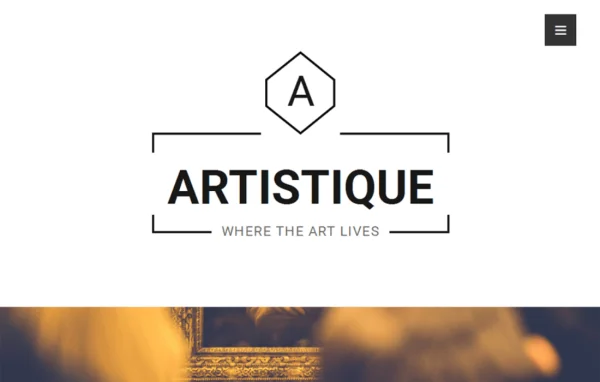
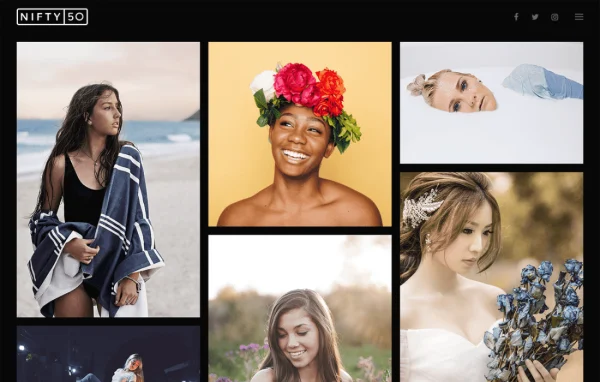
Creatista by MotoPress is a minimal WordPress portfolio theme made for designers, illustrators, architects and artists. It keeps the layout clean so your projects get the attention, and it uses Jetpack for portfolio management and WooCommerce if you want to sell your work.
- Version
- 1.1.3
- Released
- Oct 25, 2024
- Developer
- MotoPress
- Type
- WordPress theme
- Licence
- GPL
- Included in
- Every plan, or $4.79 a year on its own
What’s new in Creatista Theme 1.1.3
Version 1.1.3 · Oct 25, 2024
Latest
- ImprovedImproved compatibility with Jetpack 13.9.
What it does
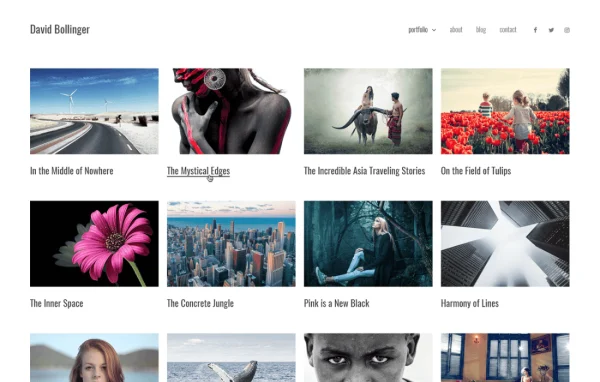
Creative portfolios often get buried under busy layouts and extra page elements. This theme takes the opposite approach with a hand-crafted, minimal design that keeps decoration to a minimum so your images, videos and project write-ups stay in front. It suits a wide range of disciplines, from motion graphics and 3D modeling to cartooning and hand-sketching, and the responsive layout adapts to desktops, tablets and phones.
Portfolio items are handled through the Jetpack plugin, which lets you sort projects into categories and add images, video, audio and custom text to each one. Simple theme options cover your front page, content and social links without a long list of settings. You can pick wide-screen or fixed-width layouts, and WooCommerce compatibility gives you a styled shop for selling art or other creative products from the same site.
Best for
- Designers and illustrators building an online portfolio
- Architects and 3D artists presenting project work
- Artists who want to sell work through a shop
Features
Minimal hand-crafted design
A clean, modern look that strips away unnecessary elements so your artwork and projects remain the focus of every page across many creative fields.
Jetpack portfolio layouts
Organize projects by category using the Jetpack plugin, and include images, videos, audio and custom text in each portfolio entry.
Responsive on every device
The layout adapts to desktops, tablets and smartphones, so visitors can browse your portfolio comfortably on whatever screen they use.
Simple theme options
Add your content, configure the front page and connect social links through straightforward settings that avoid overwhelming you with complicated controls.
WooCommerce shop design
Built-in WooCommerce compatibility includes shop styling, so you can sell prints, artwork or other creative products directly from your portfolio site.
Sharing and comments
Visitors can share your projects on social networks, leave comments on your work and open images at their original size.
Wide-screen or fixed-width layouts
Present projects in full-width designs for an immersive feel, or switch to fixed-width pages for a more contained, tidy presentation.
Setup documentation
Detailed guides walk you through configuring the theme, from adding content to arranging your front page and portfolio.
Creatista Theme older versions
- 1.1.2Dec 3, 20231 improvement
Members and buyers of this product can download older versions.
Questions about Creatista Theme
Do I need Jetpack to build my portfolio with this theme?
Yes, the portfolio features rely on the Jetpack plugin. It handles your project entries and categories, and lets you add images, videos, audio and custom text to each project, which the theme then displays in its portfolio layouts.
Can I sell my artwork from the site?
Yes. Creatista works with WooCommerce and includes shop design, so you can set up a store and sell artwork or other creative products alongside your portfolio without needing a separate site.
What kinds of creative work does it suit?
It is designed for designers, illustrators, architects and artists in many disciplines, including motion graphics, 3D modeling, cartooning and hand-sketching. The minimal design keeps attention on the work itself, whatever the medium.
Can I choose between full-width and boxed page layouts?
Yes. The theme offers wide-screen layouts for full-width, immersive presentations and fixed-width layouts for cleaner, contained pages, so you can pick the format that fits how you want to present each project.
Is Creatista Theme free?
The code of Creatista Theme is licensed under the GPL, so anyone may use, change and share it. GPL Feast is a paid service: a plan or a single purchase gives you the download and automatic updates. The developer's own support, licence key and online services are not included.
Which version of Creatista Theme is this?
Version 1.1.3, released Oct 25, 2024. New versions appear here when the developer publishes them, and members get them as automatic updates.
How do I update Creatista Theme?
Install the free GPL Feast Updater on your site and connect it with your API key. It installs new versions of Creatista Theme automatically and keeps a backup, so you can roll back.
More from MotoPress